
Thumbnail Maker is a thumbnail creation software designed for video creators on platforms like YouTube. It provides users with thumbnail resources in various styles, allowing them to adjust the images, fonts, formatting, and text content of thumbnails to their liking, creating aesthetically pleasing thumbnails to attract more viewers and increase traffic. Thumbnail Maker is relatively easy to use, providing beginner tutorials to help users create video thumbnails from scratch. The software is also constantly being updated, releasing more editing materials to satisfy users' desire for novelty.
Click to load YouTube / 点击加载视频
YouTube ↗Features of Thumbnail Maker:
Customize thumbnail dimensions for better fits: And to make the app more interesting, Android users in Thumbnail Maker can easily customize their thumbnail dimensions to ensure the better fits for your certain content. At the same time, with many different ratios, users can comfortably choose between different thumbnail settings to better suit their video preferences on targeted websites or social channels.
Personalize your thumbnails with texts and overlay: For those of you who’re interested, Thumbnail Maker also offers its useful texts and overlay options, which will allow you to fully personalize your thumbnails. Tell your story better with the intuitive and narrative texts. Design and customize your texts with interesting calligraphies. And most importantly, you’ll find your videos getting more clicks and views, thanks to the improved thumbnails.
Explore the in-app editor with interesting visual effects: To allow users to better enjoying their overall visual experiences with the thumbnails, Thumbnail Maker also offers is interesting collection of unique photo effects and filters. Effectively change the viewers’ perspective and perceptive on your videos however you wanted.
Useful design materials for customizing your logos: To better improving the photos, and to personalize your thumbnails, users can easily add unique shapes and symbols to their works. Using interesting stickers and graphic images to create a signature logo to any of your works.
Highlights of Thumbnail Maker:
Users can resize thumbnails to fit their social media channels in Thumbnail Maker. Once you have a template you like, you can easily change the design of any social media channel using the auto-resize feature. You can select width and height options or choose a default size. Also, users can choose from different image formats if they look great on your channel.
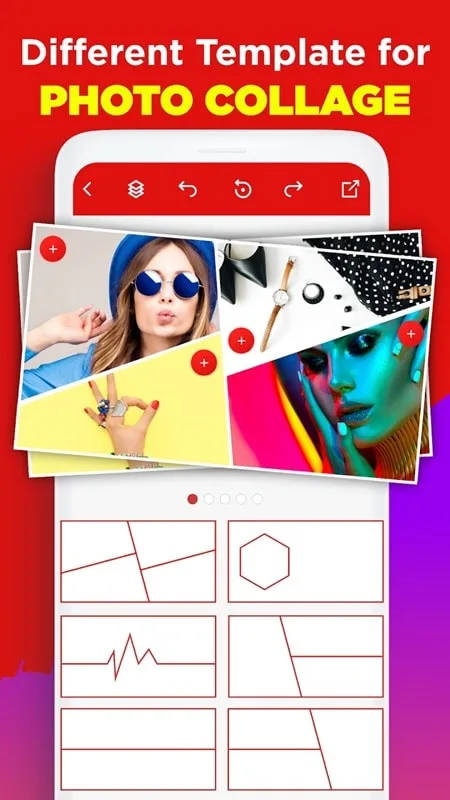
There are many models; users only need to select and set their own images. In Thumbnail Maker, users can choose templates based on theme, mood, color, and trend to give creative inspiration to your videos. When you’ve selected your startup template, click or tap to open it in the editor.
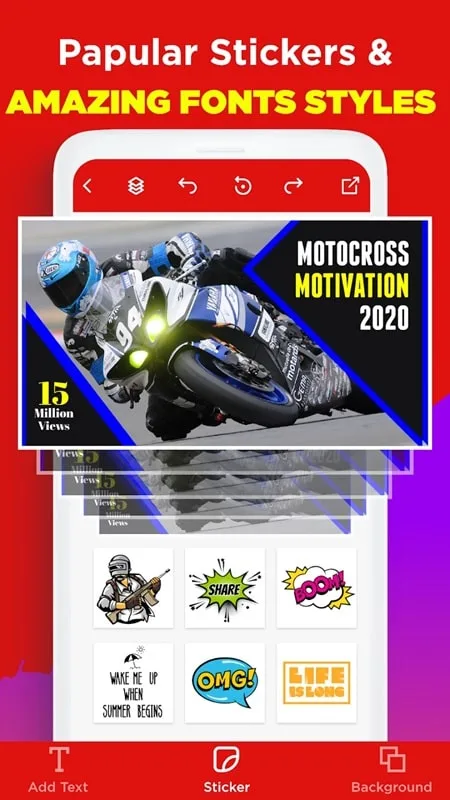
You can add text and then choose a style and font. This text can be inserted anywhere in the image with text effects such as 3D shadows and colors. Depending on the user’s wishes, the text can be made bold or bold – add borders and outlines, and other text effects. In addition, you can add cool stickers to your photos or browse thousands of free stickers by default. Your brand logo, font, and color can be automatically applied to the thumbnail.
In Thumbnail Maker, images are designed from your camera or gallery. You can choose backgrounds with different options like cover, thumbnail, post, avatar, square, etc. The app offers all kinds of different sizes for social media channels, and users only need to select the desired frame. There are many backgrounds with different themes.
FAQs of Thumbnail Maker:
Q: Can I use the app without design experience?
A: Yes, the app is beginner-friendly and provides templates and innovative suggestions to guide you.
Q: Does the app work offline?
A: Most of the features can be accessed without an internet connection.
Q: Are the thumbnails exportable in HD?
A: You can save your designs in high resolution for professional use.
Q: Can I create banners for social media platforms, too?
A: Yes, the app supports design formats for YouTube, Facebook, Instagram, and more.
Q: Is there a watermark on the designs?
A: No, the app version unlocks the ad-free experience and removes watermarks.
Conclusion:
This application is also optimized across platforms, so users can access and use it on many different devices, from mobile phones to tablets and personal computers with many operating systems. This cross-platform support provides flexibility for users to easily and conveniently create images that represent their videos and channels. Thereby helping to optimize user experience and increase the application’s adaptability to the diverse needs of the majority of video makers and YouTubers today.








