

If you're looking for a great video streaming app, try JioTV GO. Built on JioTV's native Android API, it lets you watch live TV channels through your browser or IPTV player. Lightweight and fast (because it's written in Go), it puts complete control over how you access your favorite channels, regardless of your device—phone, PC, Linux, or even Android TV. Think of JioTV GO as a convenient tech assistant designed for users who frequently switch between screens and want to watch TV anytime, anywhere. It's not a traditional streaming app, nor is it a fancy OTT platform clone—it's more like a clever bridge.
Click to load YouTube / 点击加载视频
YouTube ↗Usage and functions
The appeal? It’s refreshingly no-nonsense. No bloated UI. No annoying binging banners. Just channels, URLs, and streaming commands. You run it via terminal, Docker, or install it directly — yeah, it's got that DIY flavor, but that’s what makes it click with tech-savvy users or anyone who’s tired of heavy apps hogging resources. It doesn’t force you to rely on Jio SIMs either — you can authenticate using your Jio credentials and get streaming anywhere.
JioTV GO isn’t trying to be pretty. It’s trying to be useful. Whether you’re accessing it through a web browser or building it into a command-line setup, the flexibility is unreal. It gives you M3U support for IPTV players, EPG data for planning what to watch, quality toggles if you're on patchy Wi-Fi, and lets you tweak ports and host configurations. In short, it adapts to your setup, not the other way around.
Android users can go the Termux route or spin it up in UserLand. Windows fans get a one-liner install via PowerShell. If Docker’s your thing, there's a tidy setup for that too. Basically, if you're even a little bit comfortable with terminal commands, JioTV GO’s gonna feel like a toolkit made just for you.
It’s open-source, which means it evolves fast — often pushed by its Telegram community that actively contributes fixes, features, and guides. From XML-based TV guides to background-run capability and even multi-user support, the devs really went in on giving people what they actually want. And yes, the config file is fully tweakable, because of course it is.

JioTV GO's Pros and Cons
Pros:
Ad-free, smooth user interface
Dark mode and lightweight design
Abundant video and audio resources
Cons:
Unavailable for download on the Google Play Store
Some advanced features require root access
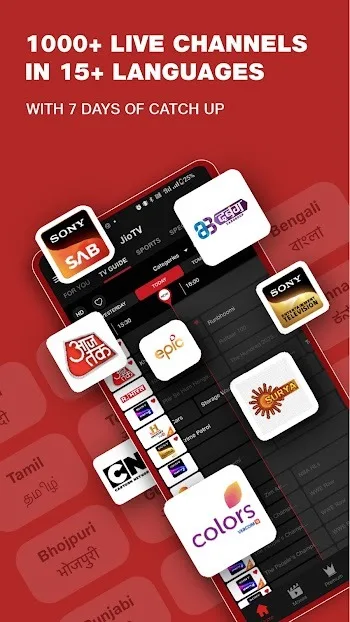
FAQS JioTV GO
What is JioTV GO?
JioTV GO is a lightweight tool that streams Indian TV channels through a web interface orIPTV, using the same API as the JioTV Android app.
Can I use JioTV GO without a Jio SIM?
Yes, you can sign in with your Jio account credentials even if you're not using a Jio SIM card,making it usable on any network.
Is JioTV GO compatible with Windows and Linux?
Absolutely. JioTV GO has pre-built binaries for Windows, Linux, and macOS, and it alsosupports Docker for easy deployment.
Do I need to install any extra apps to use JioTV GO on Android?
You'll need a terminal emulator like Termux or UserLand if you're going manual, but there'salso an auto-install script for a simpler setup.

Conclusion
So, who is JioTV GO's target audience? It's aimed at users who want direct access to their favorite Indian channels without the hassle of complicated apps or device limitations. For tech enthusiasts who crave ease of use, simplicity, and cross-platform viewing without the hassle of streaming, JioTV GO is like a complete puzzle piece. It's a prime example of "plug-and-play" in the streaming world—a rare find these days.








