

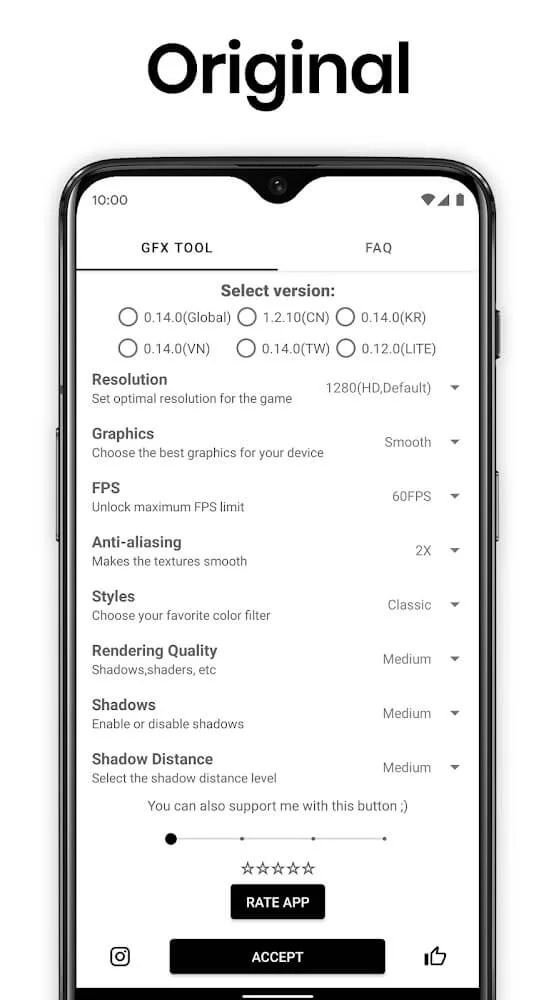
GFX Tool for PUBG is a fun and powerful gaming tool. This application boasts a range of features beneficial to gameplay, including adjusting game resolution for a sharper visual experience. With GFX Tool for PUBG, you simply select the version of the game you want to play, then choose your preferred resolution, frame rate, and graphics type. The app will perform different graphics optimizations depending on your Android device model. It offers customizable options to enhance the user's gaming experience. Furthermore, you can change and upgrade the game resolution for a more modern and stylish look.
Highlights:
CUSTOMIZE THE GRAPHIC TO YOUR WISH
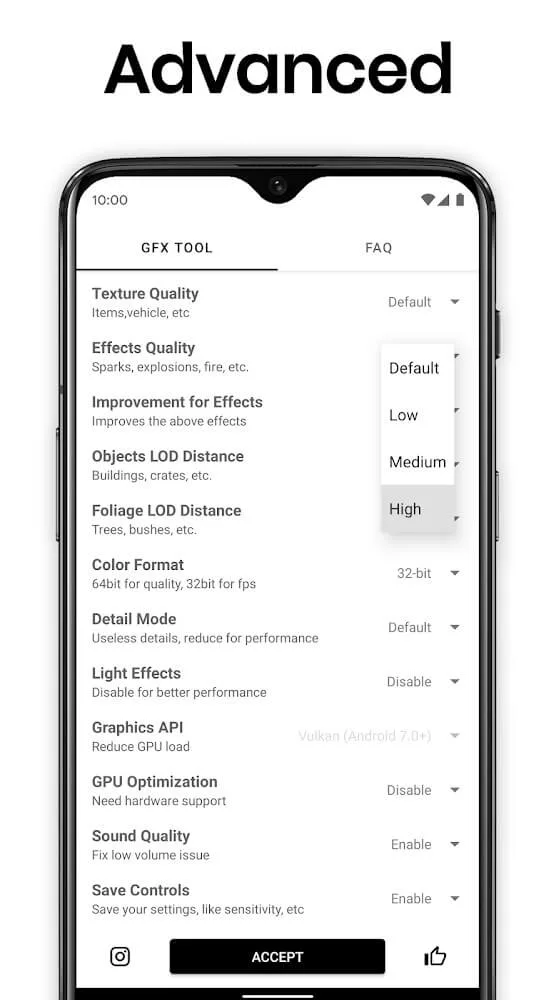
Maybe you are very bored with the old graphics screens in the game screens, then find this application and show your graphic and image design talent. Here, you will have the opportunity to create and think of more vivid and beautiful interfaces than the original. However, you need to depend on the conditions and capabilities of the device you are using. Besides, you can choose for yourself the latest version of the game. After this process, press the confirm button and wait a few seconds to create a new game.
SIMPLE, CLEAR, AND EASY TO USE INTERFACE
For this application, the designer has given users a straightforward and particular interface. In each section, clearly and in great detail, the contents and necessary information are shown. Not only that, the white wallpaper has contributed to making it easy for users to read all the information that the application provides. Most significantly, this application is very user-friendly, anyone can freely use and customize it.
FREE TO USE AND RECOMMEND TO EVERYONE
You can easily use it for free and download this application, no need to pay a license fee, any object, and you need to change and refresh the interface and create perfect graphics for that game. Everyone has the opportunity to participate in using it.
Features:
Adjustable resolution for your device
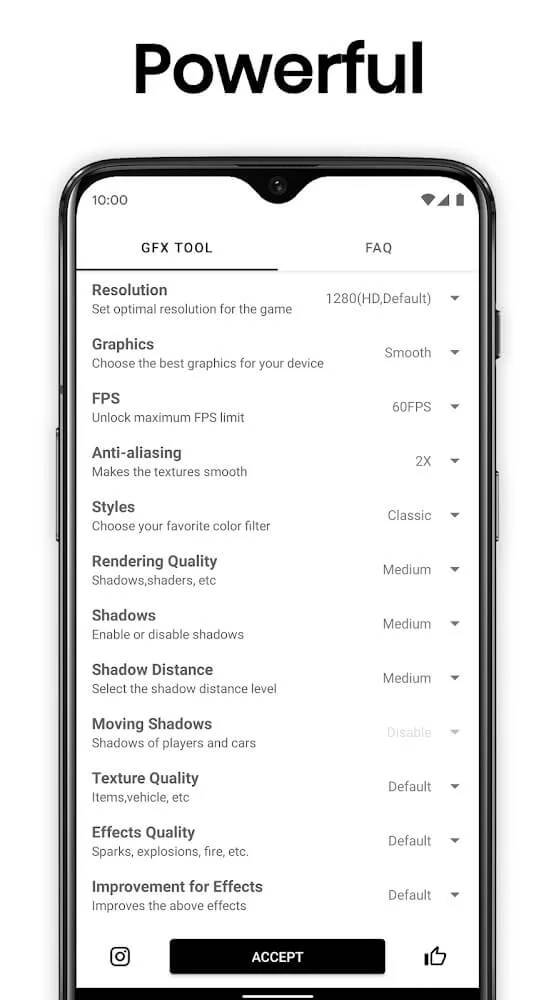
You can set the game resolution to suit your screen and hardware. Lower values can reduce strain on the device and keep gameplay steady, while higher values can make scenes look clearer. Testing a few options helps you find the balance that fits your phone.
HDR and full FPS range where supported
GFX Tool lets you enable HDR and access all available frame rate levels if the game and device support them. Higher frame rates can make controls feel more responsive, especially in fast matches. If the device gets warm or battery drains quickly, stepping down the frame rate is an easy way to stabilize performance.
Control over anti aliasing and shadows
You choose the level of anti aliasing to smooth edges and set shadow quality to manage depth and detail. Higher settings can improve the look of distant objects and character outlines, but they may reduce performance on older hardware. Starting with moderate values, then adjusting one setting at a time, makes differences easier to see.
Version specific setup and direct launch
GFX Tool asks you to select the exact game version before applying changes. This helps the app match options correctly to the build you play. After you tap Accept and Run Game, the title opens with your chosen settings, which avoids manual toggles each time.
Lightweight utility focused on visuals
The app concentrates on graphics customization without extra boosters or complex screens. You move through clear steps to pick options and start the game. This focused design reduces distractions and keeps the setup process quick.
Pros & Cons:
Pros
Adjust game resolution
Unlock HDR and FPS levels
Control anti-aliasing and shadows
Cons
Can result in getting banned
Changelog:
• Added support for Android 14/15
• Minor bug fixes and improvements
Conclusion:
Moreover, it will bring you many exciting experiences, know how to invent and create many designs, and decorate more vivid images for your game. Because of the benefits it brings, please share it with your loved ones or friends around you to freely create the best game screen for themselves. With intelligence combined with a creative mind, take advantage of ancient knowledge and images to create new features without losing the beauty of the original interface.








