
XPlayer is a powerful streaming media player. It allows you to easily watch all video formats, including less common ones like MKV, M4V, and AVI, and supports ultra-high definition or 4K playback. XPlayer also offers hardware acceleration to help clean up junk files, speed up data processing, and provide a better video viewing experience. If you find watching videos on your phone too difficult, you can also use Chromecast to cast videos from your phone to your TV for a blockbuster viewing experience.
Usage
Open the app and grant storage permissions to scan and list your videos.
Next, browse your media library or folder and tap a video to start playing.
Then use gestures to adjust volume and brightness, or swipe to find videos; use on-screen controls to change speed or aspect ratio.
Afterward, tap the cast icon to cast content to your Chromecast device, then select your TV to start casting.
Finally, move your personal video clips to a "Private" folder and set a password; use screen lock to prevent accidental clicks.
Features
Watch All Video Formats
XPlayer helps you watch various videos on your phone, including rare formats such as MKV, M4V, AVI, MOV, FLV, WMV, RMVB, TS, and 3GP. You can watch ultra-high-definition and even 4K videos.
Thanks to XPlayer's built-in hardware acceleration, which cleans up junk data, saves space, and speeds up data processing on your device, video playback is incredibly smooth and problem-free. Therefore, compared to watching videos directly, XPlayer plays videos more smoothly and with better picture quality.
Protect the Privacy of Videos on Your Device
When using the XPlayer app, it automatically identifies all videos on your device and SD card and places them all in a folder associated with the app, allowing users to freely choose which to watch. With this app, you can manage videos according to your personal preferences and easily share them.
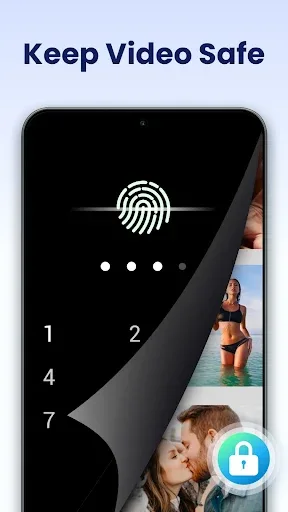
XPlayer is also a highly secure app that protects all videos on your device. This app helps you privately manage videos in your personal folders. Even if someone else uses your phone, they cannot open or watch the videos in these folders.
Play Videos on Your TV
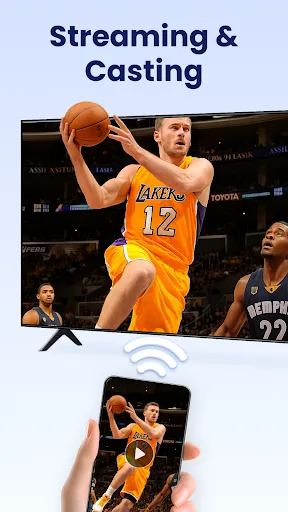
With XPlayer, you can also use Chromecast to cast videos from your phone to your TV and enjoy stable picture quality. No other equipment is required.
You can also watch online videos with this application, maximizing image and sound quality, and connect to a large TV as shown above.
Many Customization Options During Movie Viewing
When watching movies on your mobile device with XPlayer, you can make many customizations to make the video viewing process faster and more convenient. These features include support for downloading subtitles, adjusting video volume and brightness, and adjusting the synchronization of subtitles with video audio. Additionally, you can choose to enable night mode, quick mute, and customize video playback speed.
Furthermore, there are some more advanced options, such as automatic screen rotation or changing the screen aspect ratio. If needed, you can even lock the screen while watching videos.
Highlights
Multitasking Capable: It can also run stably with other applications while you are using the application.
No Mute While Playing Music: The application recognizes your files, and if it is a music file, it will enter background mode.
Easily view different files: After installation, simply wait a few seconds to receive file information from the application.
Easy to manage: The application provides stable management, operation, and protection for important media files.
Absolutely secure: The application's security layer is always robust and difficult to breach.
Installation
Download the XPlayer APK file to your mobile device and wait for the download to complete.
Then, locate the downloaded APK file in your download folder and tap it.
Find the XPlayer APK file to install.
Now, tap "Install" to begin installing the application.
Once installation is complete, you can open the application.
Grant the necessary permissions to use the application.
Summary
XPlayer supports multiple video formats, offers advanced playback options and user-friendly features, making it a reliable choice for Android users to watch videos. Its powerful features make it an essential tool in any media enthusiast's toolkit.








