
V Recorder is a screen recording application. Here you can easily record your screen anytime, such as during games or video conferences, capturing your best moments. During recording, you can freely adjust the size of the recording window, change the capture area, and hide content you don't want to record. It's simple to use; you can start recording with one click, without any obstacles. In addition, V Recorder offers a smart AI assistant that uses AI technology to analyze images, extract content from screenshots, and summarize it for you, saving time and effort.
Features
When recording or taking screenshots, you can easily hide the borderless video recording window and change the aspect ratio to widescreen, portrait, or square.
Record internal audio: This screen recorder supports recording internal sound.
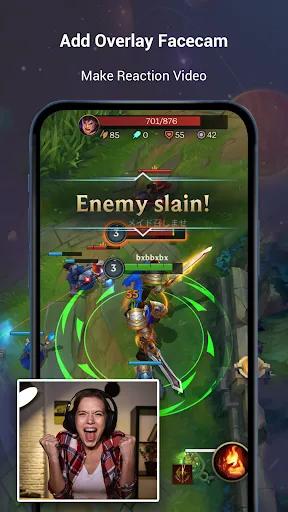
Face camera recording: Enable your camera to capture your reactions during recording.
Smart AI assistant: Utilizes AI technology for image analysis, directly summarizing, analyzing content, extracting text, and answering questions from screenshots.
AI noise reduction: Easily reduce background noise with AI technology, ensuring clearer voice extraction with one click.
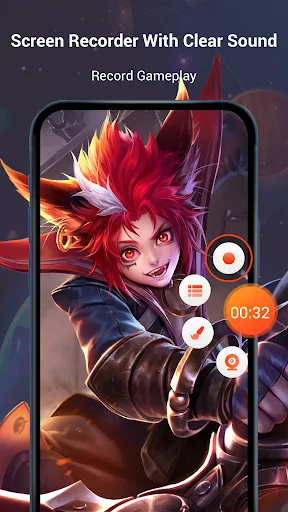
Customizable Floating Window: Replace the default floating buttons with any function you like.
GIF Recorder: Record GIFs with a single click and convert videos to GIFs. A simple and easy-to-use GIF editor for creating and editing animated GIFs.
It's a stable screen recording software that can be used to record HD videos, tutorials, and capture your screen.
Start recording on your phone with just one tap, and pause/resume recording at any time with another tap.
The interface is clean and simple, making it easy to record games, video calls, live streams, take screenshots, record screens, and edit images.
Highlights
Internal Audio Recording: All sound is recorded in extremely high quality during the recording process. You'll have clear, noise-free videos for a perfect video experience.
Customizable Floating Window: The application also provides floating windows that you can freely customize and control as needed, without any difficulties or limitations, helping you easily edit and receive videos that perfectly match your preferences.
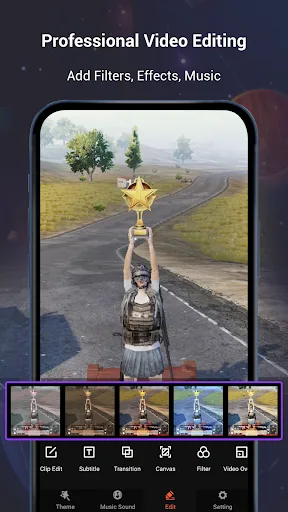
Stylish Filters & Stickers: This app boasts an incredibly rich library of stickers and filters, covering various themes and styles, providing you with the perfect choices to make your videos and pictures more beautiful, stylish, and unique, as if they were created by a large professional studio.
Official Music Dubbing: You can also easily add dubbing to your videos, as the app offers an extremely convenient dubbing function. You can add dubbing or songs to your videos to make them more exciting, attract more viewers, and bring you more views and fans.
Pros & Cons
Pros
Includes a comprehensive editing suite
Supports built-in and external audio (depending on the device)
No recording time limit
Multiple aspect ratios and resolution settings
Convenient annotation and drawing tools
Cons
Internal recording functionality is limited on some devices
App watermarks may appear in recordings.
Background noise can affect audio quality on some phones.
Review
As someone aspiring to become a rhythm game content creator, V Recorder is indeed a pretty good screen recording app, especially suitable for older phones/tablets (which I use). Unlike the system's built-in screen recording function, it records game videos with almost no delay. It even offers customization options, which is great if you don't want others to think your content is of poor quality. Overall, this app is great, and hopefully future updates will reduce latency.
My internal audio broke down because of the piracy and the copyright, but thanks to the internal and external audio... And the microphone, it's saved my life. Now I have to take my medicine to bed without fighting or hitting. That's the good times for us. We are one big happy family. The video recorder changed my life.
Summary
This app can record high-definition video and audio, and all recordings can be saved to your device. With the built-in video editor, you can edit and trim videos, and add music. Screen recording has no time limit; you can record for any length you need. This app is very easy to use; you just need to click the "Record" button.








