

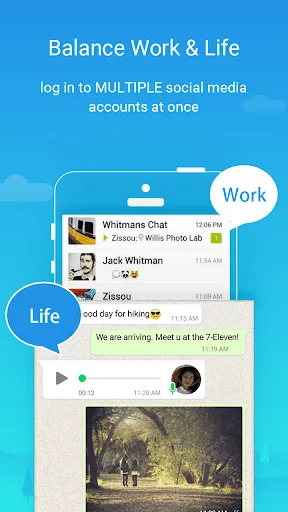
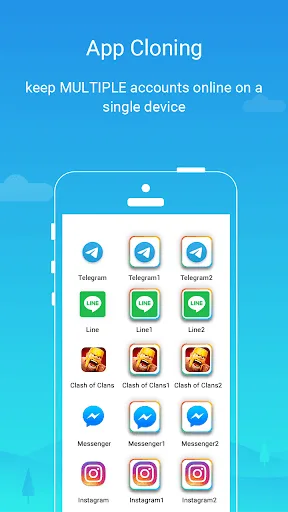
Parallel Space is a cloning application. It allows you to open multiple identical apps simultaneously on one device without interference. The application is simple to use: open Parallel Space, select the app you want to clone, and confirm. Log in with different accounts on the same device for convenient daily use. Don't worry about confusion; Parallel Space offers icon customization, allowing you to add unique labels to your cloned apps or simply rename them.
Works
In short, it's an application that creates completely independent, non-interfering virtual spaces on your device, allowing you to run other applications within them. This way, you can use the same application twice on the same device: once on your physical device and once in Parallel Space.
Usage
Open Parallel Space, tap "Add App," and then select the app you want to clone.
Confirm the cloning and wait for the setup to complete so the application appears on the Parallel Space homepage.
Launch the cloned app and log in with a different account than the original app.
Switch between accounts using the Parallel Space homepage. You can also rename the icon for clearer labeling.
If you want the cloned version to be hidden and protected on your device, please enable app lock or use incognito installation.
Features
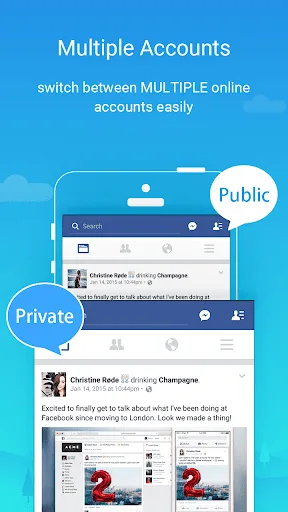
Run Multiple Accounts Simultaneously – Parallel Space is currently one of the most popular apps, allowing you to run multiple accounts within the same application simultaneously. With over 90 million users worldwide, it was the first app to offer this multi-application running feature. While many similarly named apps exist, we are sharing the original version here. If you are looking for a way to run two accounts on the same device, consider using this app.
Easy-to-Use Options – Whether you are a seasoned user or a beginner, the Parallel Space APK Android version is easy to use. The app is very user-friendly, displaying a short guide upon first launch showing you all the available options. Enabling or disabling a second account is also very simple; you can delete any account from the Parallel Space app at any time to create a new one.
Customize to Your Preferences – Parallel Space offers a variety of themes and customization options to change its layout. By default, the app applies a recommended theme, but you can change it to any theme you prefer. Please note that not all customization options are available to free users; you may need to pay a small fee to unlock this feature. However, customization is not mandatory and is entirely optional.
Protect Privacy – The full version of the Parallel Space app helps you protect your privacy and avoid being tracked by apps and services that collect user information. If you have concerns about an app, you can test it in Parallel Space first, and then download it to your phone if you are satisfied. Parallel Space is very useful when you want to try new apps, and many users also use it for testing purposes. You can also enable or disable various options and permissions to ensure security.
100% Free and Safe – The biggest advantage of the Android version of the Parallel Space app is that it is completely free. Downloading the app is free, but there are some paid features within the app. For a fee, you can unlock premium features and remove ads.
Advantages and Disadvantages
Advantages
Allows users to log in to websites with multiple different accounts simultaneously.
Accounts can be switched in batches, allowing users to switch between multiple accounts at the same time.
Provides enhanced security measures for account switching.
Disadvantages
Limited support for iOS devices, which may mean that the phone needs to be jailbroken to function properly.
Summary
Parallel Space is an application that supports running multiple accounts simultaneously. Furthermore, it offers many excellent features such as cleaning up invalid and junk files, making it more convenient for users. Hopefully, the above information will give you a general understanding of Parallel Space, so download and try it now!








