

TFT Unlock Tool is a software utility specifically designed for mobile devices, providing users with numerous powerful unlocking tools, such as bypassing the Google FRP lock to log into your Google account, removing screen locks, uninstalling bootloaders, restoring factory settings, and more. With the help of tutorials, users can easily achieve these goals. The software is not only small in size but also provides detailed user tutorials to help users easily solve various mobile phone problems. The software will continue to be updated and optimized, constantly releasing more mobile phone repair tools to bring users a more comfortable user experience.
Click to load YouTube / 点击加载视频
YouTube ↗Features of TFT Tool:
Device Unlocking: The first one is unlocking the Android devices as almost every others. And while some may argue that FRP can be circumvented there are times when having this feature is critical: say if you ever need to unlock your device or resell it, etc. This can fasten the unlocking process which is an advantage for both users and technicians.
Bypass FRP (Factory Reset Protection): FRP is a security protocol meant to protect devices from unauthorized factory resets. However, this could be very inconvenient, if you have forgotten the account credentials originally used. The TFT Unlock Tool includes a powerful FRP unlock feature, which can help technicians easily unlock devices that are locked. For this reason, the devices must be reset and reused within a short time.
Scanner and device diagnosis: The TFT Unlock Tool has the unique feature of an in-depth device scanning and diagnostic. So This help technicians to catch the problems initially left behind. The tool conduct automated scans to identify; Hardware Problems — ASIC, BMC etc Software Configuration Populations network configuration populating the list in a report for further proper actions
Reset and Reflash: The ability to reset and reflash devices that are experiencing software glitches or inconsistencies is essential. The TFT Unlock Tool. The main one is the ability to do a full Factory Reset/then Reflash with Firmware Image, that can be used if the phone constantly restarts; This also fixes a lot of other problems, and can actually make the device faster & more stable overall.
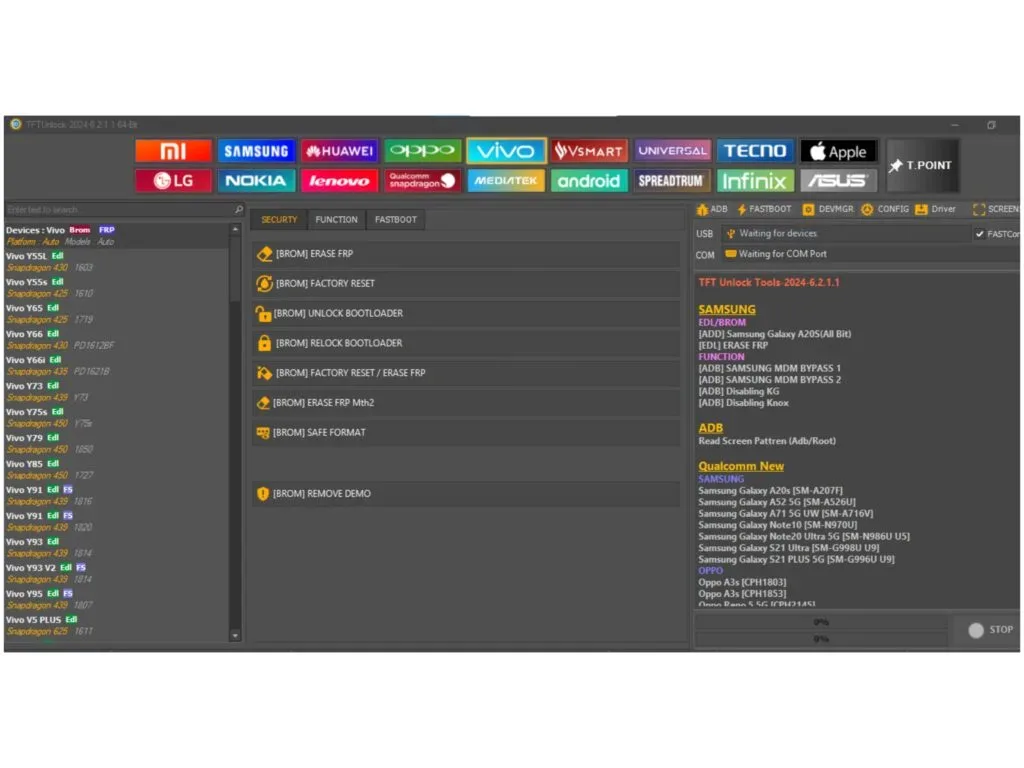
Strengths of TFT Unlock Tool:
Unlock Screen: You can remove all types of screen locks, including PIN, Pattern, and Face locks from Android. It can also bypass passcodes and the Hello screen on Apple devices.
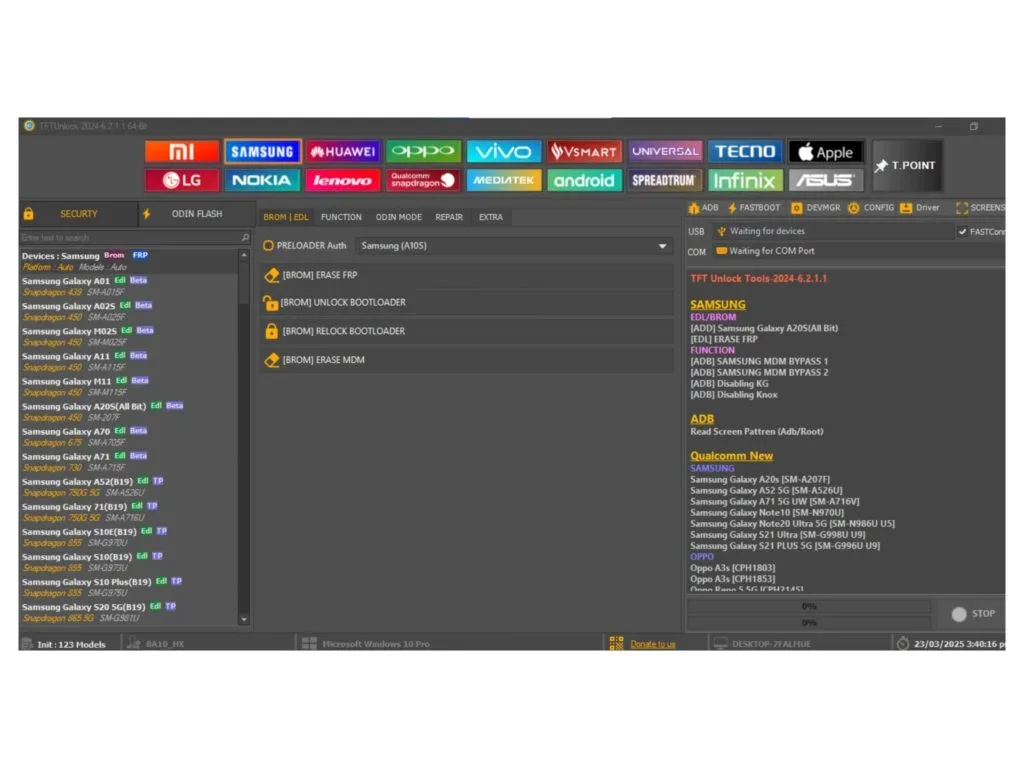
Bypass FRP Lock: After the hard reset, you can erase the Google FRP lock from used phones.
Unlock/Relock Bootloader: It can unlock the bootloader to install any firmware and allow advanced customization. Then, you can relock the bootloader using the TFTUnlock Tool.
Erase MiCloud: You can remove MiCloud from Xiaomi devices without logging in with your ID.
Repair IMEI: You can fix a corrupted or overwritten IMEI identifier using the TFT tool.
Flash Firmware: It can both read and write Flash. This way, you can install custom software on your phone.
More Functionalities: Fix Wi-Fi MAC, S/N, Board S/N, Vendor code, Country code, and Bluetooth address. It can also remove Oppo ID.
FAQs of TFT Unlock Tool:
Does TFT Unlock Tool work on all Android phones?
It supports a wide range of Android brands and models, but compatibility may vary with some newer or highly secured devices.
Is TFT Unlock Tool free?
Free versions and cracked releases exist, but official full features may require purchase or VPN activation.
Does using TFT Unlock Tool erase data on my phone?
Some operations, such as screen lock removal, may preserve data, but flashing firmware or performing a factory reset will erase it. Back up important data beforehand.
Is it safe to disable antivirus software during installation?
Disabling antivirus software increases risks; only do it temporarily if necessary and ensure you download the tool from trusted sources.
Can TFT Unlock Tool be used without a PC?
No, it is a PC-based tool requiring Windows to run.
Final Verdict:
The tool is simple, lightweight, and made for both beginners and technicians. There are many versions of TFT Unlock Tool available, and you can download the latest version to get better support and updates.








