

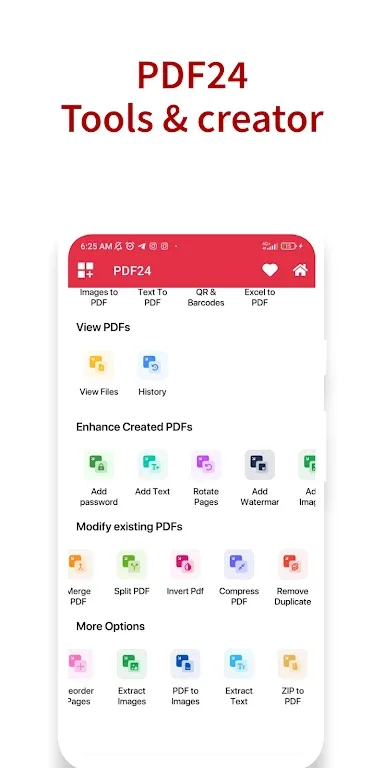
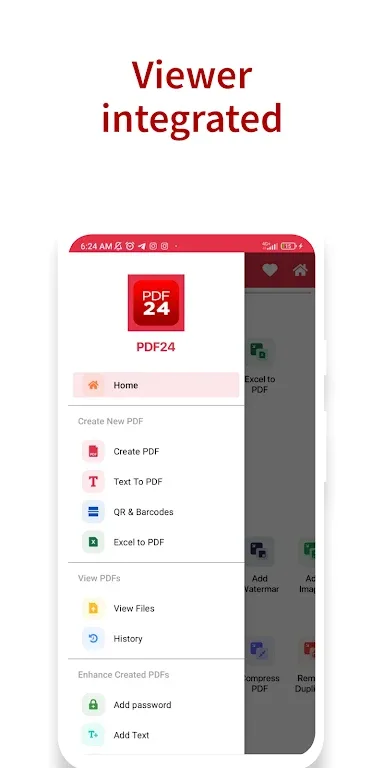
PDF 24: Creator and Tools is an application for PDF file processing that allows you to create and edit PDF files for free. Here, you can perform almost all PDF file operations, including text conversion, adding text, compressing PDFs, reversing, and more. All functions are clearly and logically arranged on the interface, making it easy to find the function you need. Whether you are a student or a working professional, this powerful PDF file processor will always bring you the best document processing experience.
Features
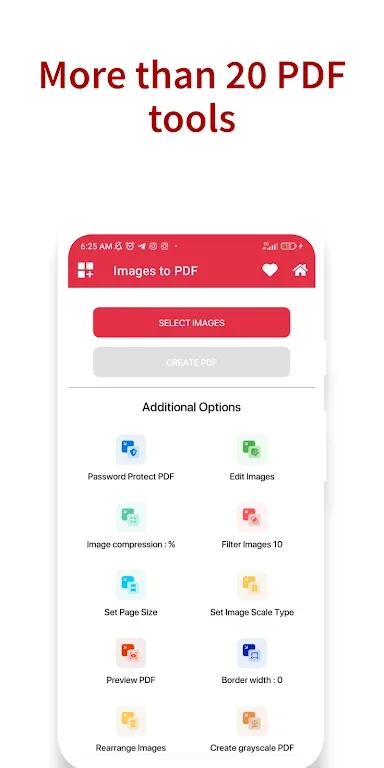
PDF 24 Creator: Create PDF files from images, text, QR codes, barcodes, Excel files, etc.
PDF 24 Tools: Add passwords, add text, rotate pages, add watermarks, add images, merge PDFs, split PDFs, reverse PDFs, compress PDFs, remove duplicates, reorder, extract, compress to PDF, etc.
Download
Save the downloaded APK file to any location on your device.
Now open the Android Settings app and go to Security Settings.
Find the option called "Unknown sources" and enable it.
Install the application using the downloaded APK file.
It only takes a few seconds.
Open and start processing the PDF file.
FAQs
How much storage space does PDF 24: Creator and Tools require?
Please reserve at least 37.0 MB of space. After installation, please reserve an additional 100-500 MB of space for smooth updates and cache management.
What are the system requirements for PDF 24: Creator and Tools?
Your device should be running Android 7.0 or higher (first released around August 2016). If your phone does not meet the requirements, you can download an older version of the application.
How long does the download take?
The PDF 24: Creator and Tools package size is 37.0 MB. Download time may vary depending on your network connection. Typical speeds are as follows: - 4G: 30-100 MB/s - 5G: 170-400 MB/s - Wi-Fi: 50-500 MB/s
Why can't I download or install it?
Common reasons for download or installation failures include: 1. Insufficient device storage space; 2. Device incompatibility; 3. Poor network connection.
Conclusion
PDF 24: Creator and Tools boasts a clean and user-friendly interface, making it ideal for students, professionals, and anyone who works with documents daily.








