Google Duo is an excellent video calling app that offers powerful features, enabling users to connect via high-quality video and audio calls. With its user-friendly interface, it is suitable for everyone. Google Duo facilitates easy and enjoyable communication across various situations, supporting HD video calls and automatically adjusting image quality based on your network connection. Whether you are catching up with loved ones or conducting business meetings, this app meets your needs. Additionally, if you are unable to answer a call, you can send a short video message for the recipient to view at their convenience.
Highlights:
Knock Knock: One of the most popular features of Google Duo is Knock Knock. With Knock Knock, you can see a live preview of the caller before you answer the call. This is a great way to make sure you want to answer the call before you pick up.
End-to-end encryption: All Google Duo calls are encrypted end-to-end. This means that your calls are secure and can only be seen by you and the person you're talking to.
Low-light mode: Google Duo's low-light mode helps you get great video quality even in low light conditions. This is perfect for making video calls at night or in dimly lit rooms.
Group calling: Google Duo allows you to make video calls with up to 12 people at once. This is great for group chats or family gatherings.
Messages: Google Duo also lets you send text messages to your Duo contacts. This is a great way to stay in touch with friends and family who don't have Duo installed.
Features:
Join from anywhere
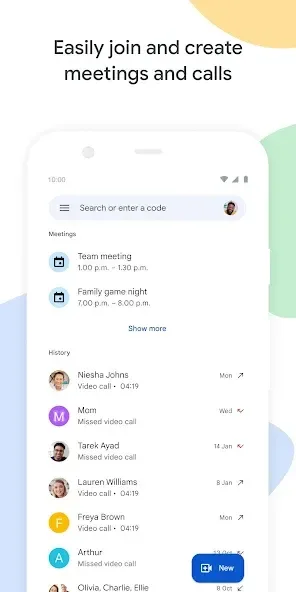
You can start or join a meeting from the Android app, from iOS, or from a modern browser without installing anything. Joining by link or meeting code is supported, and you can also enter from Gmail or Calendar. An optional desktop PWA is available if you want an app-like window on your computer.
Clear video and audio
Google Duo supports video up to 1080p on capable devices and networks. It adjusts for low light automatically and reduces background noise to help others hear you better. On eligible plans, studio look, sound, and lighting settings give hosts more control over appearance and clarity.
Understand across languages
Live captions help participants follow the conversation in real time. Translated captions are available in more than sixty five languages for global meetings. With premium options, Gemini in Google Duo can take notes for you, support speech to speech translation, and summarize action items so everyone knows next steps.
Built for collaboration
You can present your screen to share documents or apps while you talk. Google Duo works with Docs, Sheets, and Slides so you can present and discuss in the same flow. Chat is available in every call, and on select plans you can use tools like polls, Q and A, breakout rooms, and host moderation controls.
Engagement and shared activities
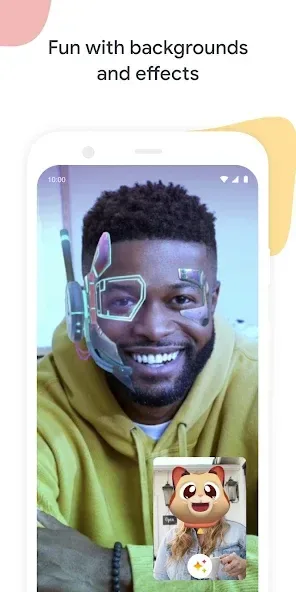
Google Duo lets you react with effects, filters, backgrounds, and emoji to keep sessions interactive. Live Sharing allows participants to watch YouTube, listen to music, or play supported games together during a call. Some Live Sharing activities require an active YouTube Premium membership to use.
Security and scale
Meetings are encrypted by default and include host controls and anti abuse protections. The free tier supports up to one hundred participants and group calls up to sixty minutes. Premium plans extend capacity and duration and add features like recordings and transcripts.
Tips for Users:
Make sure to have a stable internet connection for the best video call quality.
Utilize the "Knock Knock" feature to personalize your calling experience.
Get creative with the effects and filters during calls to add a fun element.
Use the audio-only mode in low-bandwidth situations or when video is not necessary.
Take advantage of the group call feature for virtual gatherings with friends and family.
FAQs:
Is Google Duo free to use?
Yes, Google Duo is a free app that allows users to make video and audio calls without any charges.
Can I use Google Duo on multiple devices?
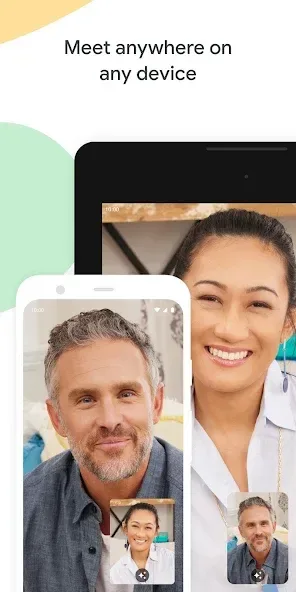
Yes, Google Duo is compatible with smartphones, tablets, and computers, allowing users to connect with others across different devices.
Are Google Duo calls secure?
Yes, Google Duo employs end-to-end encryption for all calls, ensuring that conversations remain private and secure.
How many people can join a group call on Google Duo?
Users can invite up to 32 people to join a group call on Google Duo.
Can I use Google Duo without a video?
Yes, Google Duo includes an audio-only mode for users who prefer voice communication without video.
Conclusion:
With its combination of innovative features and straightforward interface, Google Duo provides a comprehensive platform for video communication. It enables individuals to maintain connections, share experiences, and engage in meaningful conversations, regardless of physical distance.