

Auto Click Automatic Clicker is an automation tool. It allows you to set scheduled tasks to run automatically. It can perform simultaneous clicks across multiple screen areas, completing complex multitasking tasks. It supports multi-touch mode and combined click mode. This application can achieve full-screen coverage and flexibly adjust click intervals. It can help users achieve efficient work or tedious daily tasks. You can also customize your own script logic. It's a powerful tool with a simple interface, allowing users to quickly get started.
Features
Delayed timed start
Need to manage tasks at a specific time? Schedule your configurations to start precisely when needed to enhance your workflow efficiency.
Synchronous Click Pattern
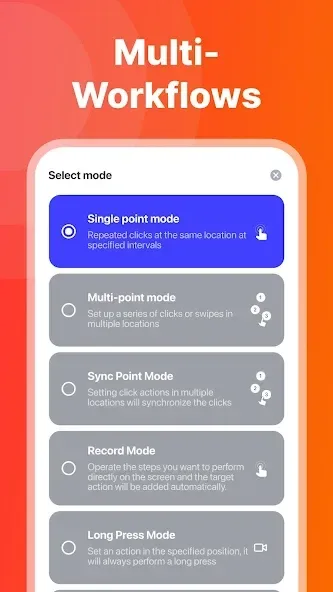
Is one click on a target not enough for your task? Perform coordinated actions on multiple screen areas at once to handle complex multitasking more effectively.
Multi-touch click mode
The multi-point mode supports tapping multiple target points successively. In particular, you can set the first target point to repeat 10 times on the first target point before moving to the second target point. The number of cycles can be set individually for each target point.
Combined click mode
Supports simultaneous tap, swipe, and long press. Perform complex operations more efficiently by combining multiple gestures into a single sequence.
Highlights
Full-Screen Coverage
Access interaction points near the screen edges that other tools might miss, ensuring complete control over your interface.
Saved App Presets
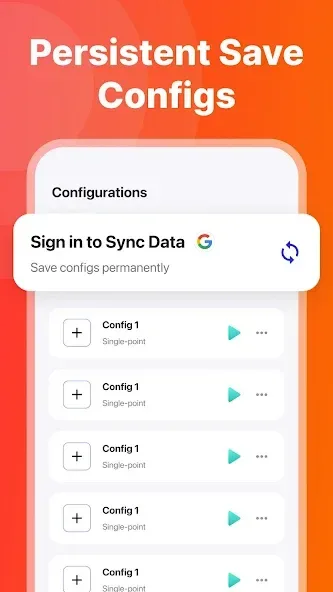
You can save a tap or swipe configuration for a selected app. When you open the app, Auto Clicker can help you load the saved configuration, and you can start it manually from the floating control panel. The app only accesses the list of installed apps to help you set up this feature.
Flexible & Variable Intervals
Want more control over your automation? You can customize your configuration with the use of this feature. You can customize and adjust the tap intervals and coordinate positions based on your specific needs.
Import and export saved configurations
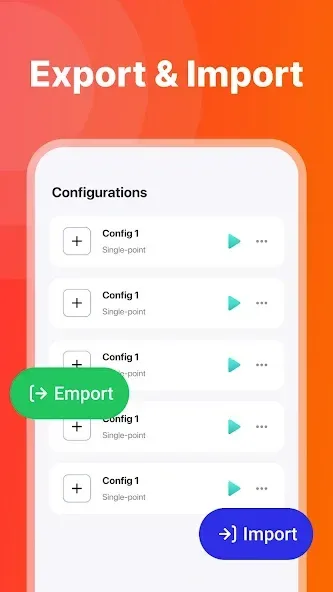
If there are too many configurations and you don't want to reset them, what should you do? Our auto clicker allows for the import and export of saved configurations with one-click. This feature requires local storage permissions to save and read your configuration files.
Change the skin of the click target
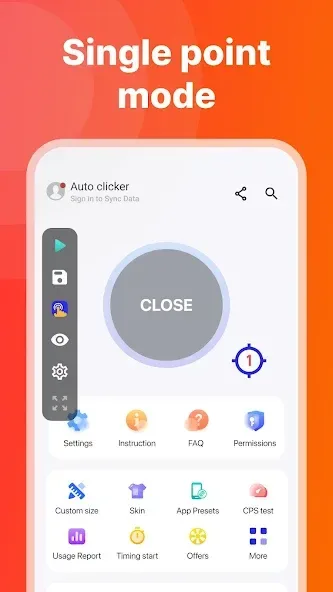
We provide a variety of styles of click icons for you to choose from. Personalize your experience with a variety of icon styles to match your visual preferences and interface theme.
Transparency adjustment of floating controls
Our auto clicker supports the transparency of the floating control, which is convenient for you to double click and set without hindering your other operations.
Advantages and disadvantages
Pros
Simple and user-friendly
Work on any part of the screen
Works great with web and mobile app games
Highly customizable
Cons
Ads can be intrusive at times
Inconsistent multi-mode experience
Summarize
Auto Click - Automatic Clicker is an app designed to automate tasks on Android, providing an efficient and effective solution for users who need to perform repetitive actions on their devices. This tool is especially useful for games, productivity tasks and any other activity requiring multiple screen taps. With an intuitive interface and a wide range of customization options, Auto Click - Automatic Clicker is the perfect tool for automating touches on your Android screen.








