

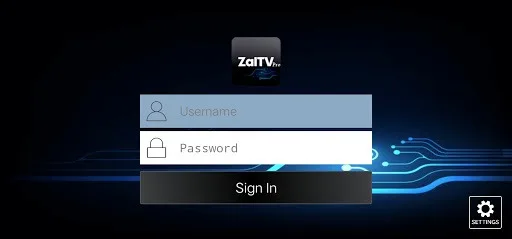
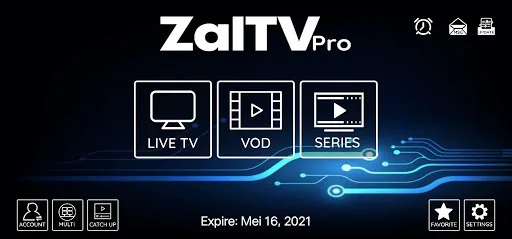
Zaltv is a video player with a built-in media player. It allows users to watch on-demand videos and browse episodes by track number. Users can add their favorite TV shows to their favorites. It supports backup and restore functions and can sync across multiple devices. It sends push notifications when new shows are available. It also includes a built-in VPN. The user interface is simple and easy to use. Parental controls are also included. Screen casting and media sharing are also supported, providing users with great convenience.
Features
Default player
EPG (Electronic Program Guide) support
catch up with the EPG
VOD with IMDb Info
Series by seasons and episodes
Add TV, VOD and Series to Favorites
Backup and Restore Synchronize settings with multiple devices
Schedule Recording to internal or external storage (DVR)
Program reminder from EPG Display
Schedule Recording from EPG Display
Buil-in VPN support
Advantages and disadvantages
Pros
Intuitive interface and easy activation via short codes
Supports live TV and on-demand IPTV playlists
Compatible across multiple devices and platforms
Stable performance with minimal buffering
Parental controls and favorites functionality
Cons
No included channels or IPTV sources
Paid app after free trial period
FAQS
What is ZalTV used for?
ZalTV is used to play IPTV content through M3U playlists on smart TVs and Android TV devices.
Does ZalTV provide channels or movies?
No, ZalTV does not include any content. Users need to add their own playlists to watch media.
How do you activate ZalTV on a TV?
You upload your playlist on the official site, get a 10-digit code, and enter it into the app on your TV.
Is ZalTV free to use?
ZalTV usually offers a trial period, after which a small fee may be required for continued use.
Who should use ZalTV?
It is best for users familiar with IPTV who want a simple and clean player for managing playlists on a TV.
How to Use
Step 1: after installing the app go to the URL provided.
Step 2: complete the registration process and get a validation code.
Step 3: enter the code to register as a user.
Step 4: find and enter your own M3U lists. These are not included in the app.
Summarize
ZalTV is a mobile and smart TV application designed as a media player for IPTV content. It runs mainly on Android-based TVs and TV boxes, where users can manage and play their own streaming playlists. Instead of offering built-in channels, it acts as a tool that connects your personal media sources to a larger screen.








