
VLC is a media player for Android. It can play local media files and supports disk sharing. It can parse various media file formats and has an audio media library that allows direct folder access. It includes many built-in audio control widgets and can stream video from network locations. The software is power-efficient, optimized for battery performance. Some permissions are required, but all decoders are built-in and do not need to be downloaded. The user interface is simple, allowing users to quickly get started. It is also very powerful, allowing you to play random tracks and categorize tracks by album, artist, or genre. It is completely free and easy to use.
Features
VLC for Android plays most local video and audio files, as well as network streams (including adaptive streaming), DVD ISOs, like the desktop version of VLC. It also support disk shares.
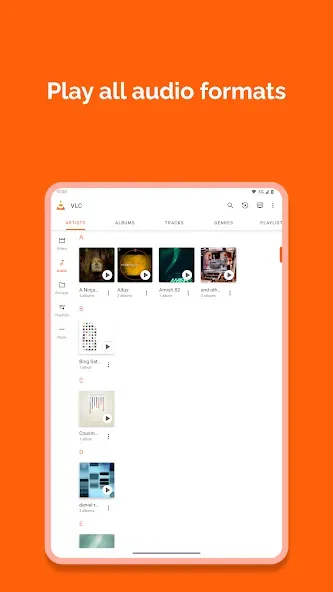
All formats are supported, including MKV, MP4, AVI, MOV, Ogg, FLAC, TS, M2TS, Wv and AAC. All codecs are included with no separate downloads. It supports subtitles, Teletext and Closed Captions.
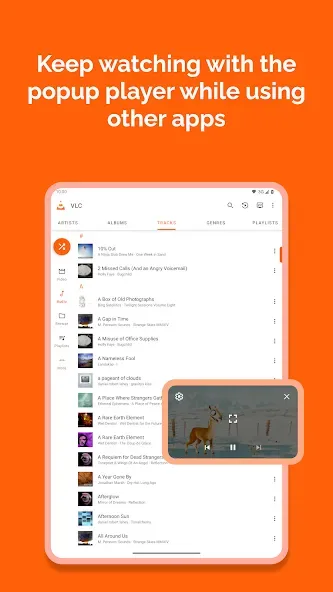
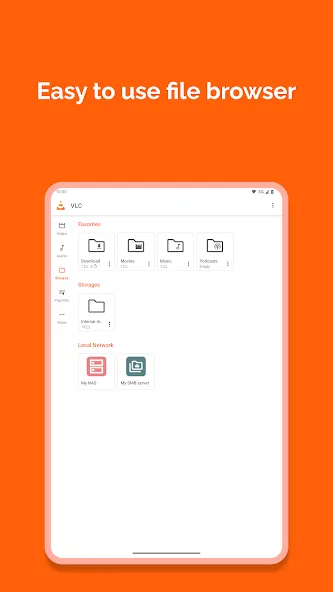
VLC for Android has a media library for audio and video files, and allows to browse folders directly.
VLC has support for multi-track audio and subtitles. It supports auto-rotation, aspect-ratio adjustments and gestures to control volume, brightness and seeking.
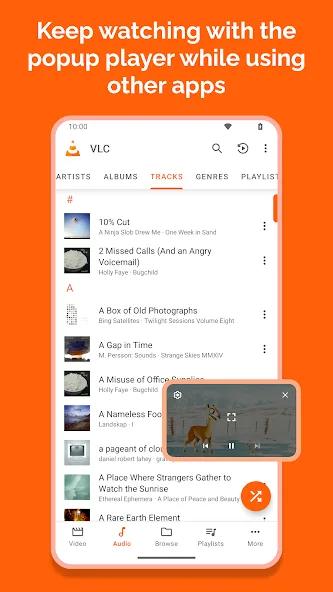
It also includes a widget for audio control, supports audio headsets control, cover art and a complete audio media library.
FAQS
What kind of video formats does VLC support?
VLC supports almost all video formats, including MKV, MP4, AVI, MOV, and more, eliminating the need for separate codec installations.
Can I use VLC to stream videos from a network location?
Yes, VLC supports network streaming protocols, allowing you to play videos directly from your local network or the internet.
Does VLC consume a lot of battery?
VLC is optimized for performance and battery efficiency. While video playback inherently consumes power, VLC’s efficient decoding algorithms minimize battery drain.
Permission Details:
It needs "Read the contents of your USB storage" to read your media files on it.
It needs "Modify or delete the contents of your USB storage" to allow file deletion and stored subtitles.
It needs "Full network access" to enable network and internet streaming.
It needs "Prevent phone from sleeping" to prevent your phone from falling asleep while watching videos.
It needs "Change your audio settings" to change audio volume.
It needs "Modify system settings" to let you change your audio ringtone.
It needs "Check network connection" to detect if the device is connected.
It needs "Draw on other apps" to launch a custom picture-in-picture widget.
It needs "Control vibration" for feedback on controls.
It needs "Run on startup" to set suggestions on the Android TV launcher screen, usable only on Android TV devices.
It needs "Microphone" to provide voice search on Android TV devices, ask only on Android TV devices.
User comments
everything is perfect , just a little matter of subtitles looks like the server is down for some reason its been months since the inapp option to download is down, i have to download the subtitles from different sites to find the best one fitting the movies other than that its a great app been using it since it first came out and ot always works great on all platforms
I'm a long time fan of VLC. I don't know why the controls were changed. I have figured it out, though. If you want to play all the audio on your phone, continuously, go to the first song, hit the 3 dot options, then play all. or make a playlist. not quite the most convenient methods. It was kind of like unlocking an Easter Egg. lol I still love this app though. Great work, guys.
A simple and good media player, probably the best out there for most people's needs. I play music on it and couldn't hope for more, it can shuffle songs and organize them by album, artist and genre but the sorting is not always the best, but that is not VLC's fault. It is simple to use and free, there is no reason not to get it if you listen to a lot of audio files or watch many videos on your phone.
Summarize
VLC stands as a powerhouse media player, bringing desktop-level functionality to your mobile device. More than just playing videos, it offers a seamless, versatile experience for managing and enjoying your entire media library. Its ability to handle virtually any file format and its host of customizable features make it an indispensable tool for anyone who consumes media on their Android device.








