

Virtual Master is a virtual machine tool for Android systems. It can isolate your phone's main system and create a second, independent Android system space running within it. This method avoids exposing some of the phone's private information. The two systems are completely independent, allowing you to log in to multiple social media and gaming accounts. The system created by this software supports background continuous tasks, enabling game idling. It can also improve game performance, providing a more stable frame rate in the virtual environment. This virtual machine software has many uses and is suitable for various aspects of life.
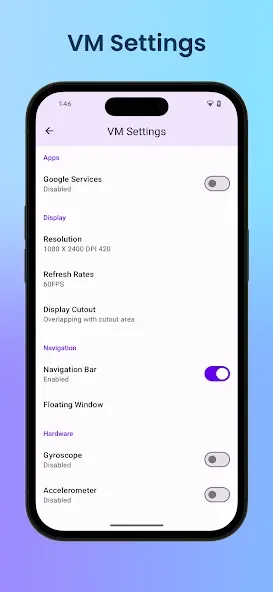
Features
Isolated privacy sandbox
Virtual Master runs apps inside a sealed Android system, which keeps them away from your main data. Apps in the Virtual Master space cannot read your contacts, SMS, or device ID, so sensitive information stays out of reach. This structure helps you try tools or social apps without exposing your primary phone content.
Multi‑account for social and games
You can clone apps inside the Virtual Master system and sign in with different accounts on the same device. This setup fits players who run daily tasks on multiple game profiles and users who separate personal and work logins. It also keeps accounts organized since each clone stays inside its own Virtual Master environment.
Background running for continuous tasks
Virtual Master lets apps and games in the Virtual Master system keep running while you use other apps on your main phone. This helps with auto tasks, downloads, or long game sessions that need to stay active. As a result, you move between spaces smoothly without stopping the activity inside the virtual OS.
Virtual Master support for better game performance
With Vulkan enabled inside the Virtual Master Android system, many high‑end games can run more smoothly. This matters for users who push graphics or maintain multiple game accounts. If your titles support Vulkan, you may see steadier frames during extended play in the virtual environment.
Multiple Virtual Master systems with customization
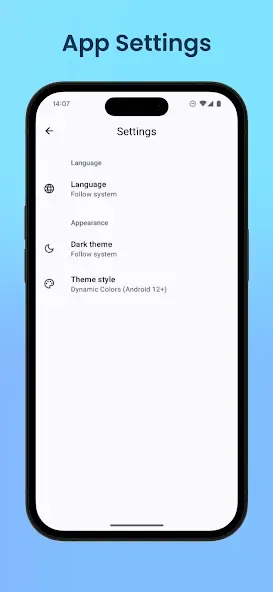
Virtual Master allows you to set up separate systems for different goals, such as Work, Game, or Privacy. You can customize the launcher and wallpaper in each system, then switch between them as needed. Compared with simple app cloning tools, this gives a complete OS per setup, which keeps workflows and data cleanly divided.
FAQS
- How much disk space does Virtual Master need?
Virtual Master runs a whole android 7.1.2 system. It needs to download about 300MB system image and requires about 1.6GB disk space to run. It will use more disk space if apps are installed or upgraded in the VM.
- How long does it take for the Virtual Master to boot?
For the first time you run it, it will take 1 ~ 2 minutes, because we need some time to install the android image on device. After that, it will take only 4 ~ 10 seconds. The exact time depends on the performance of your device and the load at that time.
- Can Virtual Master be installed in multi-user?
Virtual Master MUST BE installed in the device owner or administrator now.
- What to do if Virtual Master can't boot?
In most cases, some system file is damaged. Please ensure you have enough disk space, kill the app and reboot. If rebooting doesn't work, you can try the 'Repair VM' in VM Settings. Finally, you can try uninstalling and reinstalling.
How to Use
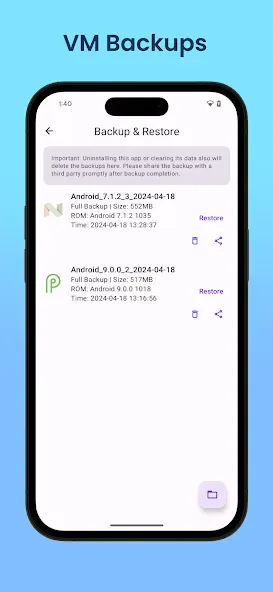
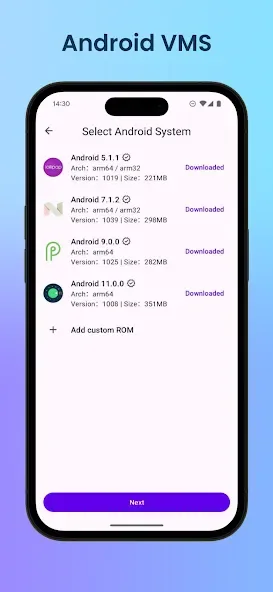
Open Virtual Master and choose to create a new Virtual Master system. Pick a name that reflects its purpose, such as Work or Game.
Wait for the system to initialize, then enter the Virtual Master home screen. Next, customize the launcher and wallpaper to match your routine.
Add apps inside the Virtual Master system through the app installer. After that, sign in with the accounts you want to keep separate.
If you plan to run tasks in the background, enable the settings that keep apps active. Then return to your main system and continue your regular use.
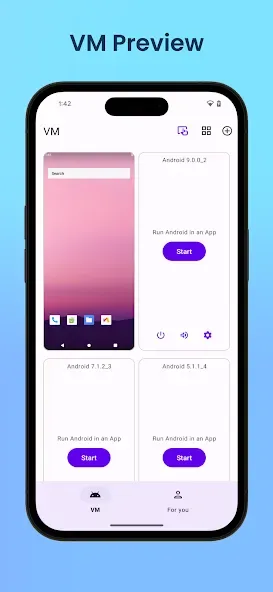
Switch between different Virtual Master systems when needed. This keeps work, gaming, and privacy activities apart and maintains clear boundaries.
User comments
Excellent app! It works perfectly on Android 16. I have not encountered a single ad, and everything I need has been available for free. Thank you so much for this app, it is crucial to make sure software never gets lost to time! EDIT: It takes a while, but I have encontered ads when trying to access a Virtual Master space. Nothing deal-breaking, but a little annoying. I still love what this app can do!
updating my review: The app is a bit more stable but android 4 still crashes a lot. It would also be nice if we could set a custom amount of allocated memory because it likes to eat all of the memory on my tablet and it uses over 7gb doing nothing but its still nice
it need I think not gonna overheat phone and have offline even the game is online you can still afk but if you activate it first that's I want about this but overall goods
Summarize
Virtual Master provides a powerful way to run a second Android environment on a single device, with strong multi-account options, support for several Android versions, and a privacy-focused sandbox. Vulkan support and custom ROM options add extra appeal for gamers and advanced users. However, frequent crashes, occasional boot problems after security updates, and missing controls such as a proper power button keep it from feeling fully polished. If you can tolerate these quirks, it is a very capable and flexible Virtual Master Android solution on mobile.








