

Castify provides an optimal and suitable entertainment solution for many different users as they can bring many types of content to TV with high quality. It could be videos, audio, or even podcasts suggested by the app. At the same time, the strength of the application is that it supports connection to most types of TVs used today and supports scanning to find a suitable device to transmit content. In addition, content can be found on your device or from your web browsing right on the app, or select a suitable podcast from the suggested content.
Highlights:
Support casting media in many files of different formats: For those of you who are interested, you can now enjoy using Castify to stream your videos, movies, images, and other content in different formats of MP4, MKV, MP3, JPG, PNG, HTML5, HLS Live Streaming, IPTV m3u file or URLs, and more. Feel free to connect to your Chromecast, Roku, Xbox, or DLNA supported devices and start streaming on the go.
Enjoy using the app to cast and mirror screen: With the app also having the casting and mirroring options enabled, you can now enjoy casting your videos, music, and photos. Or feel free to mirror your on-screen interactions to enjoy your touch experiences on the larger displays.
Have the inbuilt browser for your videos: With the inbuilt browser being available, Castify users can use the app to access video URLs to immediately watch or cast their on-page content. Or you can allow the browser to download your selected videos, as long as you have the URLs ready. With the auto popup blocking feature, Castify will make sure that you can browse the online content without being bothered.
Enable your playlists and queues: To improve your in-app experiences and casting performances, Castify users can now choose to enable the most useful playlists and queues in the app. Simply enter the application and start adding them to the casting menu. Customize your lists and queues to adjust your playing orders.
Keep tracks of your in-app experiences: For those of you who are interested, you can now enjoy using Castify to keep tracks of your different in-app experiences. Simply enter the application and start casting content on the fly. Castify will automatically record your play history and browser history. Thus, making sure that you are keeping track of your entire experiences. With the website bookmarks, you can easily return to the browser and start casting recorded content with ease. Plus, the app will let you search and keep track of your searches in the browser.
Enjoy the Picture in Picture mode: With the Picture in Picture mode available, Castify users can now improve their streaming and casting experiences. Simply enter the application and select whichever media content to be casted to the selected devices. The app will then let you view the content in PiP mode while using your mobile devices for other businesses and without affecting the streaming quality.
Make better uses of your Roku casts: For those of you who are interested, you can now make better uses of your Roku casts in Castify, using the provided features and tools. Have no troubles using the Roku remote control to easily cast and adjust your casting experiences in the app. Enjoy working with the Roku channels and improve your in-app interactions with each of them.
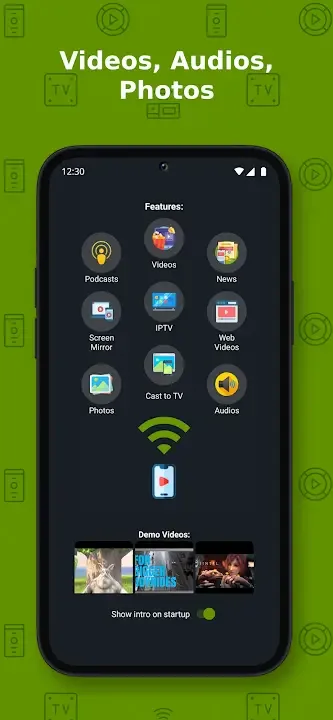
Functions:
Wide Device Compatibility
Castify is compatible with many popular streaming devices and Smart TVs:
chromecast: 1, 2 and Ultra HD 4K modhands.
Rock: Premiere, Express, Streaming Stick and Roku TV modhands.
Fire TV and Fire Stick: Seamless integration with popular Amazon streaming devices.
Xbox One and Xbox 360: Stream content with DLNA support.
Smart TVs with DLNA Support: LG, Sony Bravia, Samsung, Philips, Panasonic and more.
Multicast Source
Castify lets you play content from different sources:
Phone Files: You can stream videos, music and photos from your phone.
Websites: You can play videos from websites using the app's built-in browser.
IPTV: Supports m3u playlists.
Podcast: You can stream your favorite podcasts directly to your TV.
DLNA Servers: You can play media contents on your local network.
Ease of Use
Castify offers a simple and user-friendly interface:
One Click Broadcast: The app automatically suggests the most suitable device for your location.
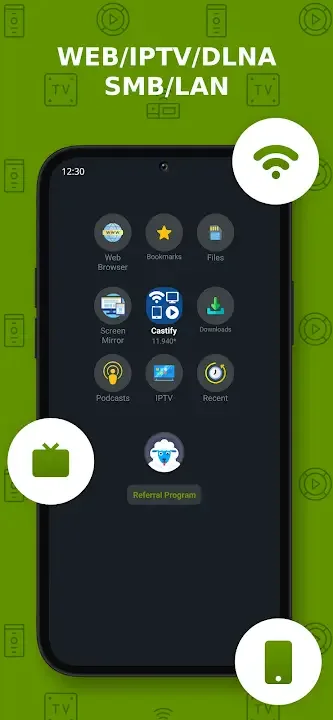
Website Bookmarks: You can save your frequently used websites for easy access.
Play History: You can easily access the content you have watched before.
Advanced Broadcasting Features
Screen Mirroring: It provides a larger screen viewing experience by mirroring your phone screen to the TV.
Roku Remote: It offers a dedicated remote control feature for Roku devices.
Pop-Up Blocking: Blocks annoying pop-ups on websites.
Picture in Picture (PiP): It allows you to continue watching your content while multitasking.
FAQs:
Q: Can I cast videos from websites that use proprietary formats?
A: The app only supports casting from websites that use public formats. Proprietary video formats will not be cast to TV.
Q: Why is a video not playing or disconnecting during casting?
A: There could be several reasons, including issues with your Internet Service Provider (ISP), the source website, or insufficient Wi-Fi signal strength.
Q: Is screen mirroring available on all Android devices?
A: Screen mirroring is available only on newer Android devices.
Q: Can I use the app with Apple TV's AirPlay?
A: Yes, you can use AirPlay with Apple TV, but some limitations apply, such as no support for MKV files and specific URL formats.
Q: Are there limitations when casting to Roku devices?
A: While Roku devices offer convenient casting, they may have limitations like no video resuming/scrubbing, audio streaming, and limited support for specific file formats.
Q: Does the app modify the video sources during casting?
A: No, the app sends the source to your streaming receivers without modifying the content.
Final words:
With this application, you can connect your phone to your TV or many other best devices today, helping you connect your phone to your TV quickly. Besides, the application also supports users to connect and control devices on multiple platforms. With connectivity, you can easily entertain and view a variety of gadgets. From there, you can also share photos and videos from your phone to your favorite TV, helping to share multimedia content directly from your phone to your Sony, TCL, Casper TV screen quickly without no need to spend too much time and effort. Ready to track and connect to your own world of gadgets.








