

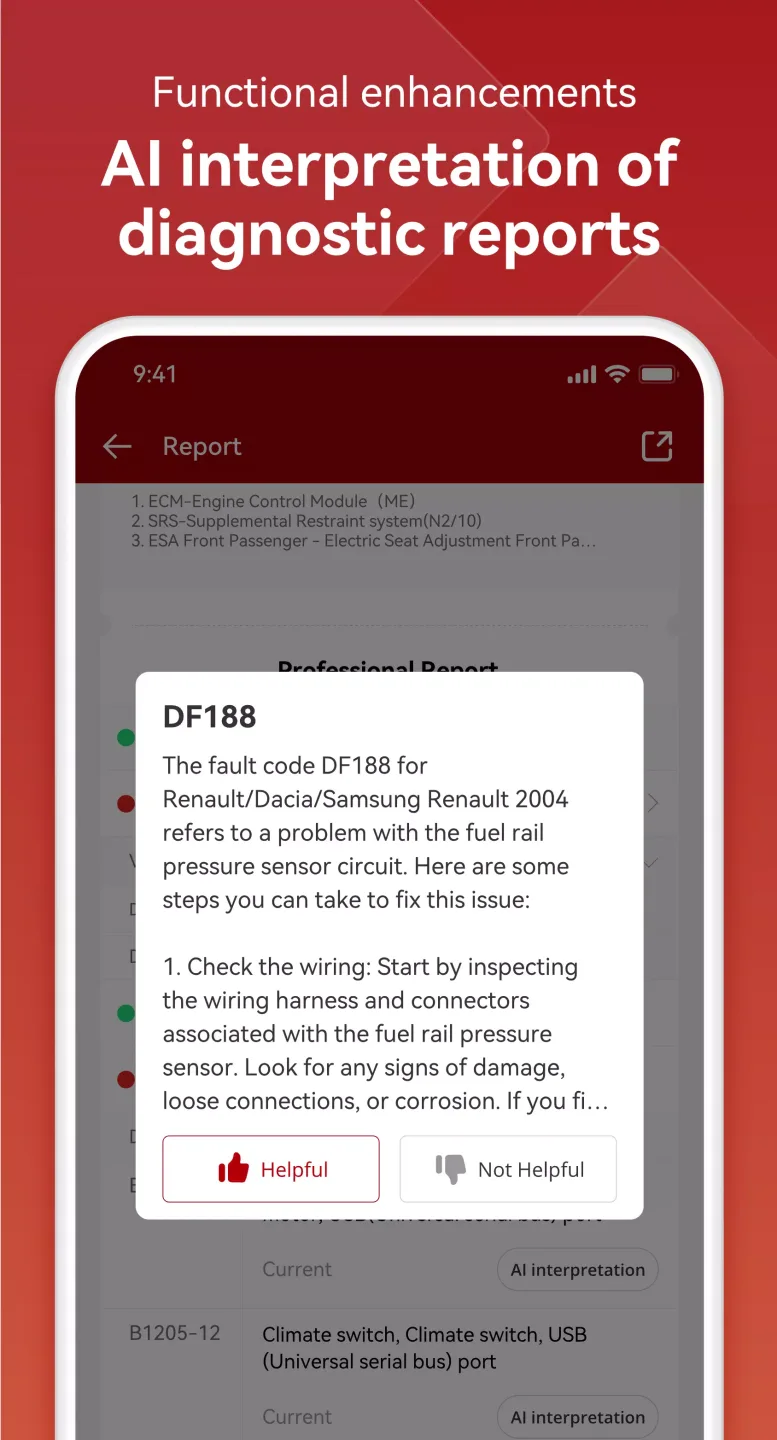
ThinkDiag is an outstanding vehicle diagnostic utility that helps users achieve comprehensive vehicle condition analysis, providing professional vehicle maintenance and repair advice to keep your car in good condition. The application presents a powerful, easy-to-use, and stylish vehicle diagnostic program for a wide user base. Users can experience clear, visual results reports, allowing you to easily diagnose vehicle faults without disassembling any parts. The application provides detailed fault code descriptions and supports excellent remote diagnostic services, making your vehicle maintenance tasks more efficient.
Click to load YouTube / 点击加载视频
YouTube ↗Attractive Features of ThinkDiag
Extensive Device Compatibility
ThinkDiag+ works with multiple Thinkcar adapters, including ThinkDiag, ThinkDiag 2, ThinkDiag Mini, ThinkDriver, and Thinkcar Pro. You can pair supported devices and use the same application in different vehicles and jobs without changing your phone settings.
Extensive Brand Coverage and Maintenance Reset
ThinkDiag+ supports diagnostics for over 100 car brands and includes 15 special maintenance reset functions. This coverage helps handle common repair tasks and system checks for various car models in a repair shop or home garage.
Bluetooth Control and In-App Store
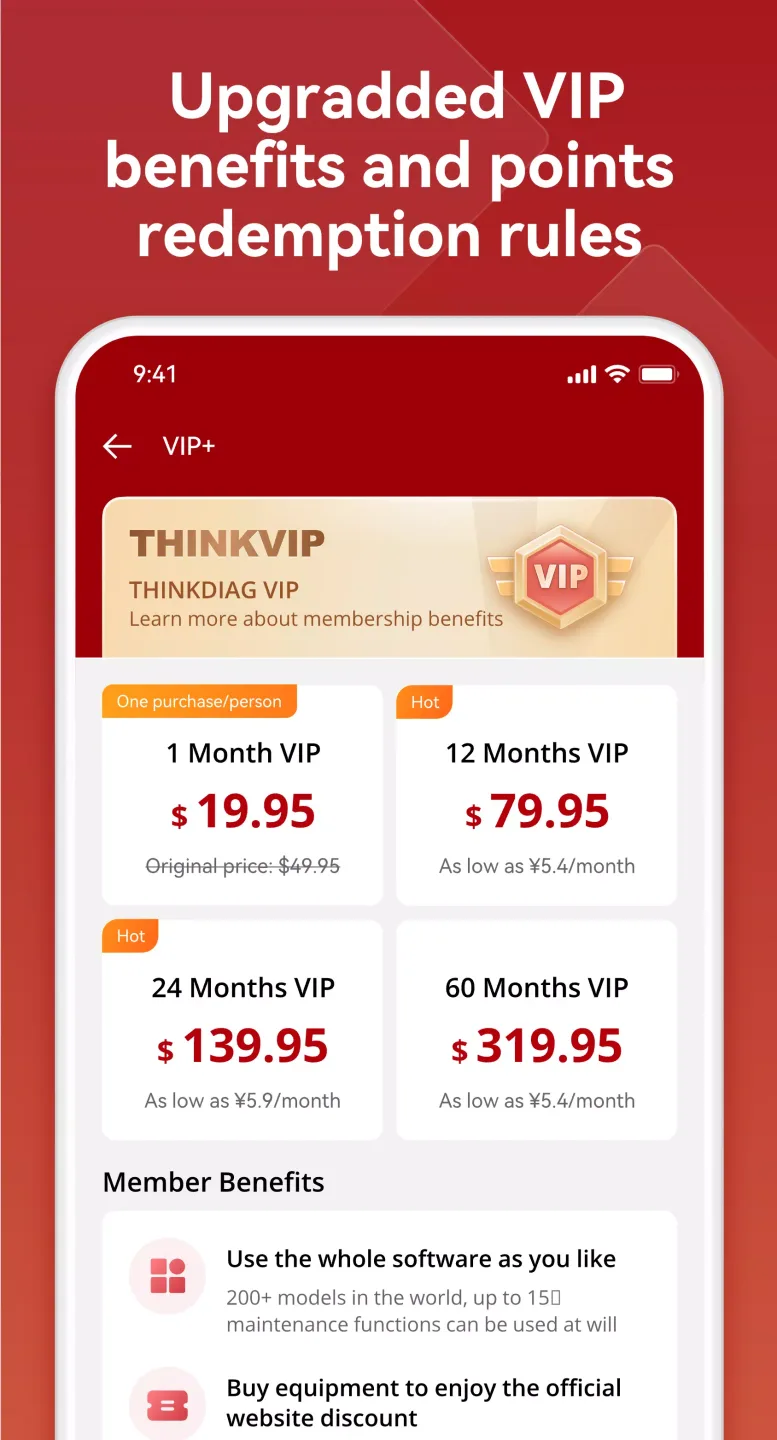
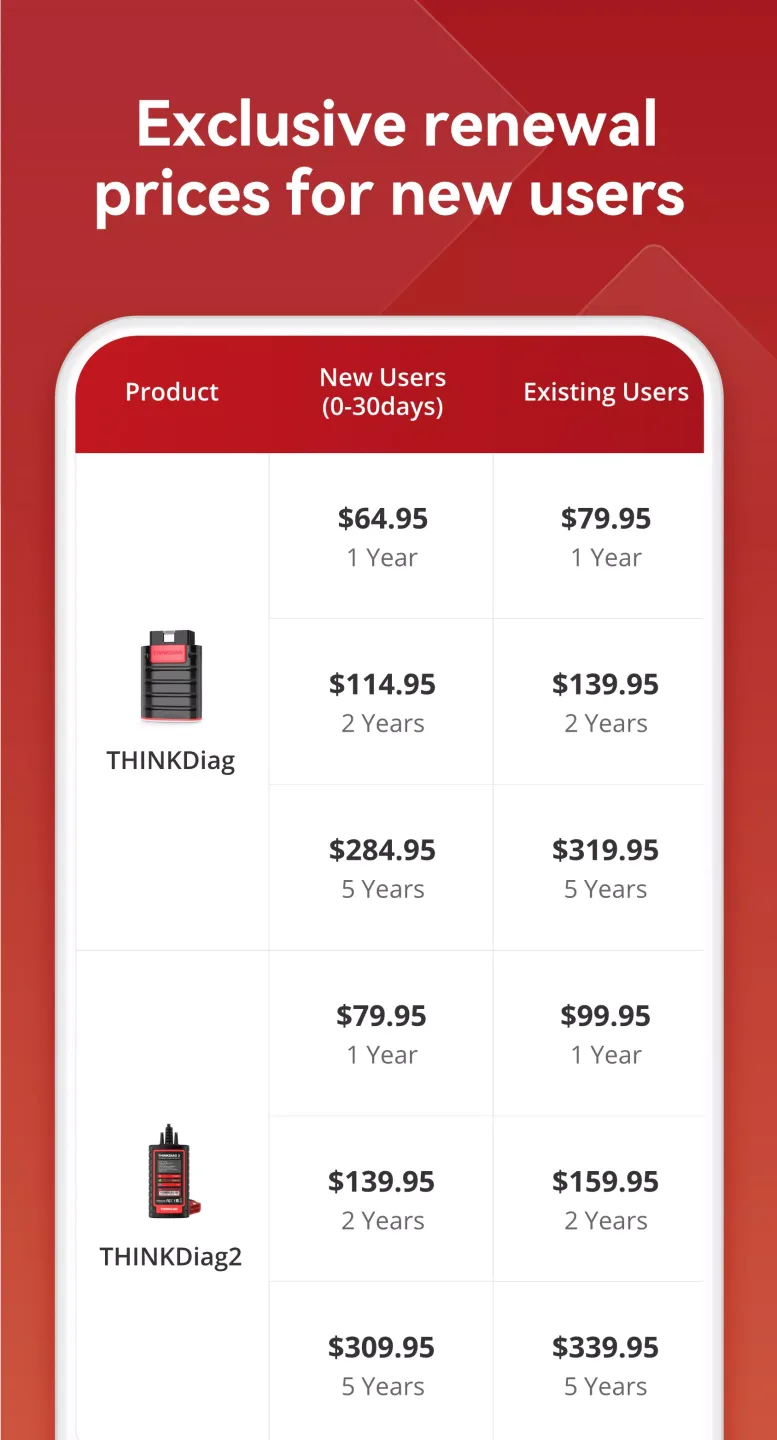
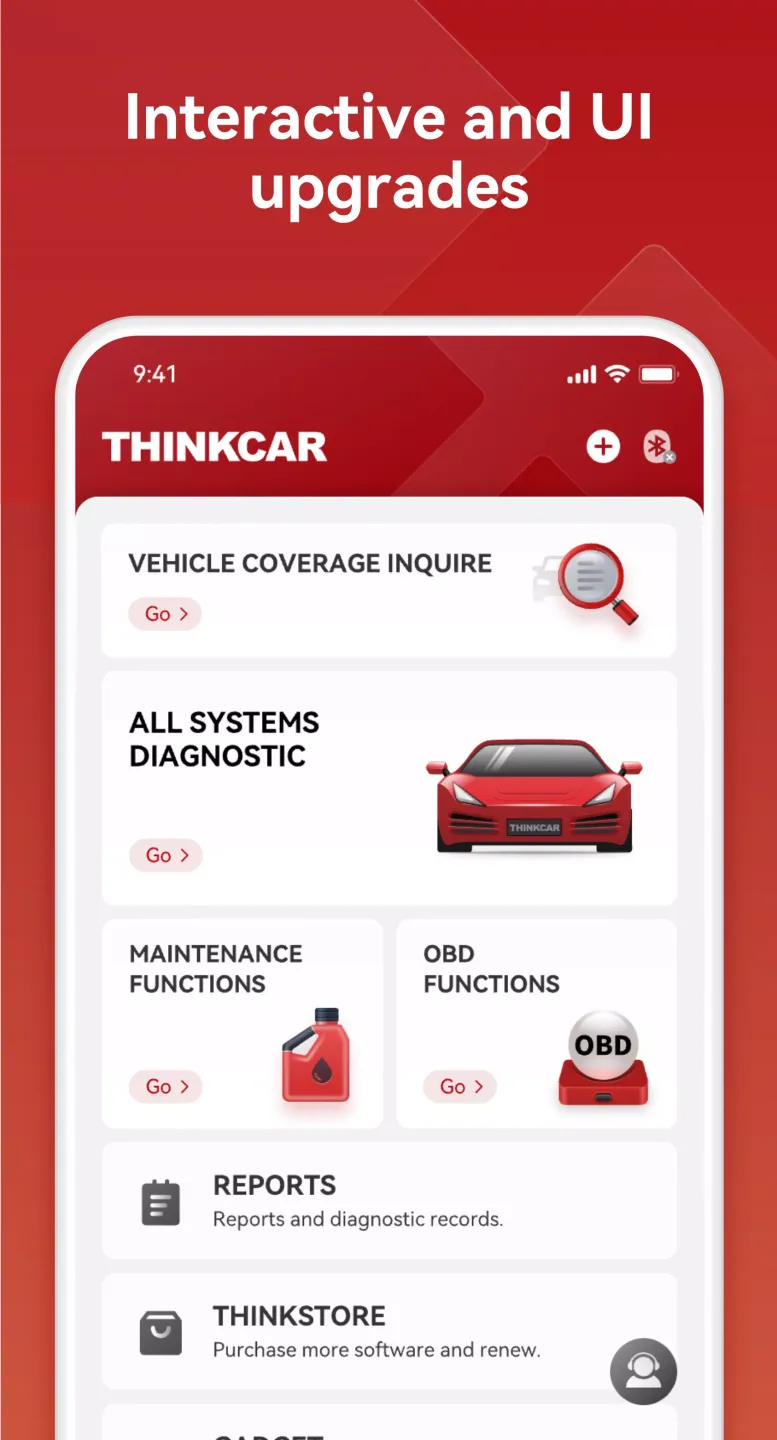
You can connect the adapter via Bluetooth and run tests directly through the app. ThinkDiag+ also offers an in-app store where you can subscribe to specific diagnostic packages as needed, keeping tools and licenses in one place.
Remote Diagnostic Support
When you encounter problems requiring additional advice, you can request remote guidance from a technician through the app. This service connects a professional to your session, providing advice and guidance on repairs. Service availability and providers may vary by region.
Fantastic Performance of ThinkDiag
Professional-Level Comprehensive Diagnostics
ThinkDiag+ can scan all of a vehicle's systems, from the engine and transmission to ABS, airbags, air conditioning, and many other components. Furthermore, it is compatible with over 100 car brands worldwide and can detect fault codes. It provides detailed fault code descriptions and allows these codes to be cleared after maintenance. Unlike universal OBD2 readers, ThinkDiag+ offers brand-specific advanced features, just like official manufacturer software.
Maintain Your Vehicle Like a Pro
In addition to diagnostic functions, this app includes over 15 specialized service features, including oil light reset, steering angle calibration, diesel particulate filter regeneration, throttle relearning, injector coding, and ABS brake system exhaust. These features make it an ideal tool for mechanical repair shops and technicians seeking precision, efficiency, and portability.
Read Real-Time Data and Perform Active Vehicle Tests
ThinkDiag+ provides real-time data reading, presented in a clear and smooth graphical interface, ideal for real-time monitoring of engine parameters, sensors, voltages, and other key metrics. It also supports bidirectional testing of compatible vehicles, easily diagnosing faults without disassembling any parts.
Wonderful Highlights of ThinkDiag
ThinkDiag OBD2 Connector + Full Brand and Special Function License + 3-Year Update Subscription
ThinkDiag supports 8 languages: English, French, Spanish, German, Portuguese, Italian, Japanese, and Russian.
ECU Coding (Custom) Function for Updating Vehicle Control Module Software
Actuator Testing Function for Testing Each System Actuator
Complete OBD II and EOBD Functions for Full System Scanning
16 Maintenance Functions
The complete ThinkDiag package includes over 294 diagnostic packages and supports over 246 car brands (see ThinkCar ThinkDiag Car Brand List)
Remote Diagnostics (Technician Side)
Owner Community
Compatible with Android and iOS phones and tablets. Connect to your phone via Bluetooth using the ThinkDiag app. Compact device size and easy connection:
The ThinkDiag app is available for download on Google Play and the App Store. Search "Thinkdiag" to download the application.
Frequently Asked Questions of ThinkDiag
Does Thinkdiag require an internet connection?
Yes, an internet connection is required to log in, update the software, and obtain license information before performing diagnostics.
Can I share diagnostic reports with others?
Yes, you can share your reports through the application.
What format are diagnostic reports saved in?
Reports can be exported as PDFs for easy sharing or printing.
Does it need charging?
No charging is required, as it draws power directly from the vehicle's OBD II port without any charging or other power source. The device has very low power consumption and is very safe.
Can Thinkdiag be used with multiple vehicles?
Yes, it can be used with many different car brands and models, but you must have a subscription or reset for the car brand you want to use.
Conclusion
Repair technicians can use ThinkDiag to check all the important diagnostic information that is not available in the vehicle's diagnostic system. By using ThinkDiag, they can see if the vehicle is damaged and make their own judgment about the cause of the damage.








