Penlynx: Digital Planner & Notes is a professional lifestyle tool that allows users to record their plans and schedules, and the software will remind them to complete tasks within a specified timeframe. It also caters to users' personalized note-taking needs, allowing users to add annotations directly to PDF files using a stylus pen. Users can also add images and stickers to enhance their notes. The software also boasts a minimalist interface, free of ads and pop-ups, allowing users to use all its features for free.
Click to load YouTube / 点击加载视频
YouTube ↗Features:
Add notes quickly, conveniently, easily: With Penly, the tool allows users to add notes quickly, easily, conveniently with a few taps. Users can “note” important information and tasks as well as keep track of notes whenever users need them anytime, anywhere.
Create a checklist: While creating notes, the Penly tool allows users to create lists to mark up tasks that have been and have not been completed. If users create work notes or notes that list items to do, this feature will be very useful!
Preview mode: Preview mode helps users review the listed items when officially saved or sent to friends, the Penly application can meet. This helps players to summarize all the notes written before sharing with others.
Tag a note: Each player’s note will be a different content such as about work, study or other items. With a person having so much content, tagging to manage each content is essential.
Share internal notes link: One great thing about Penly is that users can share note-taking links with colleagues, friends or friends who use Penly easily and conveniently.
Share and publish notes online with the community: Penly application allows users to share notes and publish notes online to friends, colleagues or relatives through social networking platforms or other software platforms easily and conveniently.
Dark Mode support: When using the Penly application, users want to manipulate and take notes at night but are afraid of bright screens, or glare that cause discomfort to the eyes. So users are completely assured, because the application allows switching to Dark Mode mode easily and quickly.
Highlights:
Comprehensive Digital Planning and Note-Taking Solution: Penly: Digital Planner & Notes offers an integrated platform for organizing schedules, tasks, and notes all in one place. Designed for Android devices, Penly combines versatile note-taking capabilities with robust planner features, catering to users who want their productivity tools to be both functional and visually appealing.
Versatility for Planning and Notes: Penly stands out with its multiple calendar views, allowing users to shift between daily, weekly, and monthly layouts. This flexibility supports a wide range of planning needs, from appointment tracking to long-term goal setting. The app further supports customized paper backgrounds—plain, lined, dotted, or grid—appealing particularly to those who enjoy bullet journaling or creative planning methods.
Flexible Note-Taking with Stylus Support: Penly provides a smooth writing experience with support for stylus input, which is especially useful for users with stylus-equipped devices. Users can switch between typing and handwriting, enabling quick notes, sketches, or detailed annotations. The available tools include pen, highlighter, shapes, and lasso for moving or resizing content, enhancing note organization and personalization.
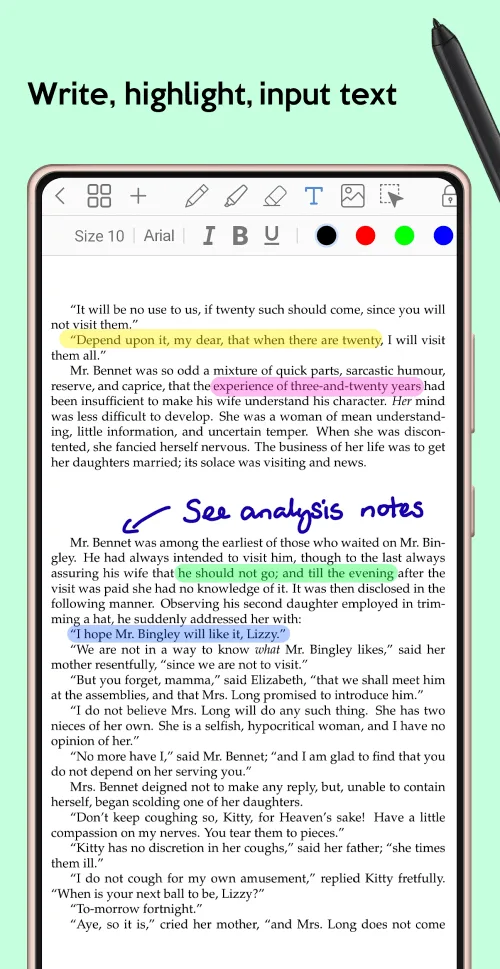
Document Import and Annotation: A notable strength is Penly’s PDF and image annotation functionality. Users can import PDF files, add handwritten or typed notes, highlight passages, and even insert custom stickers or images. Hyperlink support allows navigation to specific pages or external websites, which is helpful for digital planners or study organizers.
Functions:
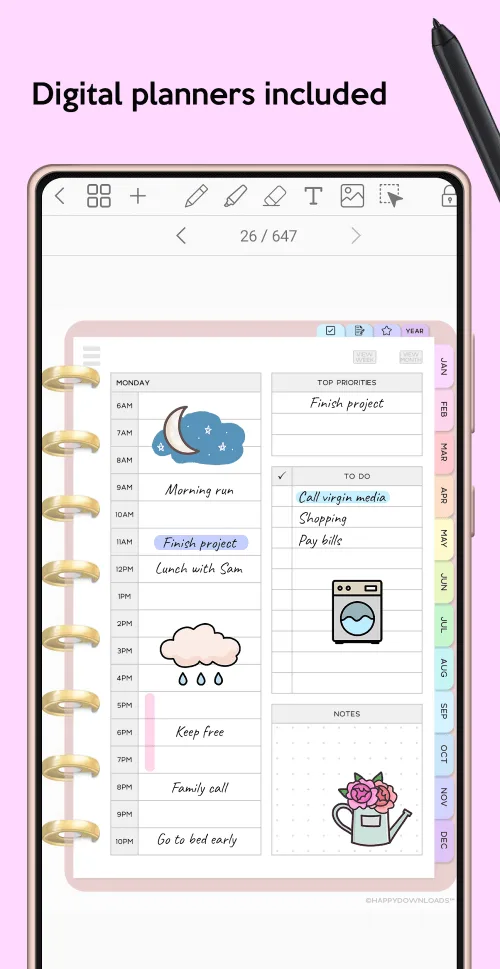
Digital planners & templates: Penly is known for its digital planners and templates with undated monthly, weekly, and daily digital planner templates to help you organize your life like a pro. The included planners have a simple, colorful style with horizontal daily pages that include a notes section for journaling.You can write directly on the templates to plan your days, weeks, or months. I like that the planners are undated, so they are reusable forever. Both portrait and landscape layouts are included to match your different preferences.Apart from the planners, Penly also includes templates for to-do lists, project trackers, meeting notes, and more. Feel free to create templates for recurring pages you need, like class schedules or meal plans.
Powerful PDF support: One of the most powerful features of Penly is the ability to import, annotate, and edit any PDF file. After importing a PDF in this app, you can add handwritten notes and drawings anywhere on the page, just as you would on a blank note.The links in the PDF will still work, so you can click them to go to different pages. You can also make new links by turning things like your notes into clickable links.Moreover, when you annotate, you can export it as a PDF or in Penly’s native format. It will also support editability. Unfortunately, the export has size limitations, so Penly works better for smaller PDFs than large textbooks.
Organization & cloud sync: Documents created or imported into Penly can be organized into folders and subfolders with a simple click. It eventually keeps your course notes, project plans, and journal entries organized.Penly also offers cloud sync through Google Drive integration. This keeps all your Penly documents backed up and synced between Android devices. You can sync manually or automatically whenever Penly is opened or closed.The syncing capabilities give you confidence that your documents are safely stored in the cloud rather than stuck on a single device.
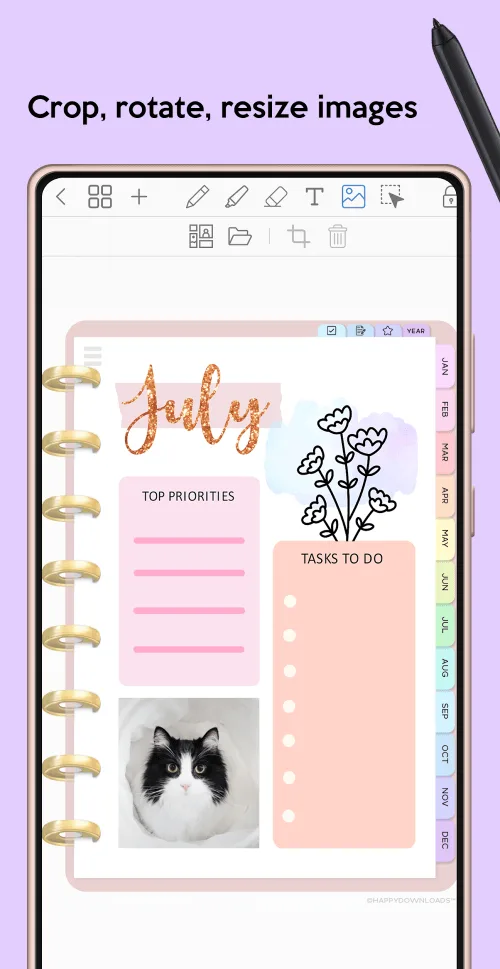
Stickers & media integration: Penly includes the ability to add stickers and media to spice up your notes and planners. Feel free to import your sticker packs to use or choose from included stickers with seasonal, planner, illustration, or emoji themes.The stickers panel makes finding and inserting relevant stickers a comfort thing. You can also easily bulk import media folders like photos and illustrations to insert them anywhere with a tap. However, images can be resized, rotated, or cropped after insertion.If you want to give your documents more engagement, use stickers and media.
FAQs:
Q: Can I use the app without a Bluetooth stylus?
A: Yes, you can also type text using a keyboard.
Q: Can I customize the pen styles and colors?
A: Yes, the app provides various pen colors, widths, and styles, including ballpoint and fountain pens.
Q: Does the app support image insertion?
A: You can insert and edit images, such as photographs, within your documents.
How to Use:
Penly APK is easy to use. All you have to do is open the app, and it will automatically bring up all your recently used documents on the sidebar. There are also other options that can help you organize your files easily.
You can create new documents or folders with ease. These documents include text files, photos, audio clips, videos, and PDFs.
Additionally, you can back up your files and folders with a single tap. The app will bring up all the files you have created, which you can then transfer to any cloud storage options that you prefer to use.
This way, you can access your files from any device or platform that you are using. It is the ultimate way to share and collaborate on your documents, no matter where you are.
It is also easy to select, copy, move, rename, and delete files. Even better, the app is set to open to the last page visited. As such, you can pick up where you left without much trouble.
Final Thoughts:
Penlynx: Digital Planner&Notes is a universal and very functional application with which you can keep notes, notes, make a calendar of tasks and tasks, as well as much more. Different colors, font styles, with the addition of stickers, uploading your own media files, and so on. Diligent, painstaking and order-loving people will be very pleased with what they will receive with this program. Well, convenient management will not create any special obstacles for beginners who are only dealing with the qualities and aspects of the application. So the software will go for serious tasks and keeping a kind of diary.