

The Bluino Loader - Arduino IDE APK allows users to upload their code directly to the Arduino development board, allowing them to program anytime, anywhere without any restrictions. The software boasts a simple interface, free of ads and pop-ups, allowing users to easily access all its features. Its robust compatibility allows users to conveniently program a wide range of code. Interested users can download the software from this site.
Click to load YouTube / 点击加载视频
YouTube ↗Features:
Upload sketch via USB OTG or Bluetooth
Support any USB driver: CDC/ACM, FTDI, PL2303, CH34X and CP210X
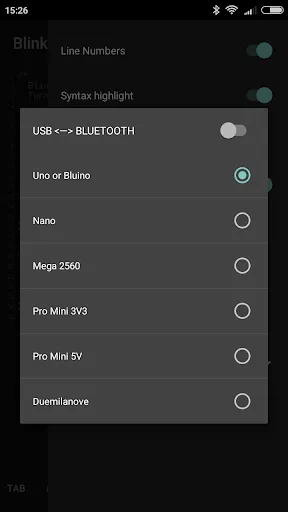
Upload sketch to Bluino/Arduino: Uno, Nano, Mega2560, Pro Mini and Duemilanove
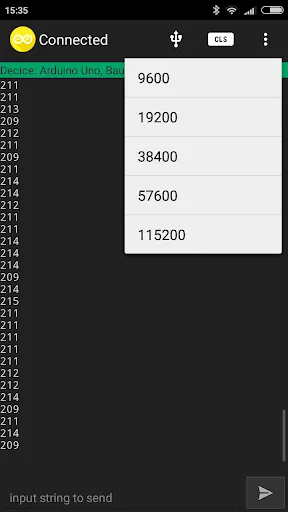
Serial Monitor bluetooth for debuging (In-App Purchase)
Bluetooth scanning for any devices name (In-App Purchase)
No Ads (In-App Purchase)
Upload .hex file for arduino
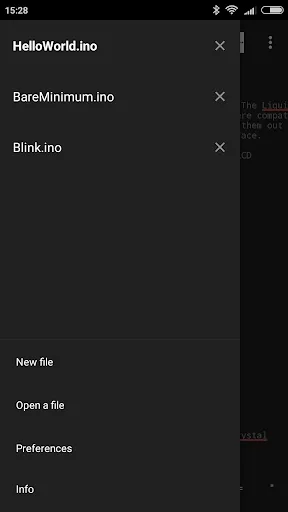
Open/edit arduino sketches (file *.ino *.pde)
Last support for Android 7 Marshmallow
Example sketches and libraries included
Compile sketches/generate hex file (no root required)
Highlights:
Simple Sketch Writing & Editing: Write, open, and tweak your Arduino sketches right on your phone. Standard file types like .ino and .pde are all good, so most Arduino code will work fine.
Flexible Upload Options: Want to upload your code? Use USB OTG or go wireless with Bluetooth—it supports both. Handy if you’re away from your laptop or just want some extra flexibility.
Wide Arduino Compatibility: This app works with a range of boards: Uno, Nano, Mega2560, Pro Mini, Duemilanove, and, of course, Bluino.
Broad USB Driver Support: Whatever USB driver you’ve got (CDC/ACM, FTDI, PL2303, CH34X, CP210X), the app should play nicely with it.
.hex File Support: Upload pre-compiled hex files if you’ve got them—no need to stick strictly to raw sketches.
Coding Perks: Syntax highlighting, line numbers, jump-to-line, and an auto-save mode make writing and editing much easier. Accidentally messed something up? Undo and redo have your back.
Organize & Search: Create, rename, and search through files and folders within the app. Even large projects are manageable on the go.
Handy Serial Monitor & Bluetooth Tool: Debug your projects using the built-in serial monitor or scan for Bluetooth devices straight from your phone (some features are unlocked with in-app purchases).
Functions:
Example sketches and libraries bundled
Sketch compilation and hex file generation without requiring root access
Sleek theme integrated with Material Icons
Support for reading various text file formats
Syntax highlighting specific to Arduino language
Inclusion of line numbers and 'Go To Line' feature
Option to wrap content if text exceeds a certain size
Auto-save mode for file storage convenience upon exiting the application
Read-only mode available
Create, search, and manage files and folders within the app environment
Support for Undo & Redo operations
Localization in numerous languages
Super cool theme with Material Icons
Support for reads every type of text files
Conclusion:
Bluino Loader - Arduino IDE is a tool that makes it easy to upload sketches to your Arduino board. It supports many types of sketches, such as text files, and other media.The tool is designed to be used with the Arduino board and its various interfaces. It supports many different boards, including the Uno, Mega, and Nano boards. It is compatible with both WiFi and Bluetooth interfaces.








