MiniMovie is a powerful mini-movie maker that combines photos and videos from your camera roll. By selecting the right style, you can create high-quality mini-movies. You can also add music and subtitles to your movies, making them even more impressive and personalized. Your movies and videos are automatically saved to the cloud and regularly backed up, allowing you to replay them anytime, anywhere. Interested users can download the software here.
Features:
Portrait or landscape mode: The first editor that lets you create slideshows or videos in portrait or landscape mode.
Smart face detection: Detects the subjects’ faces in the photo and sets them on the center of your chosen template automatically. Please be notified that it is only available for photo movie/slideshow.
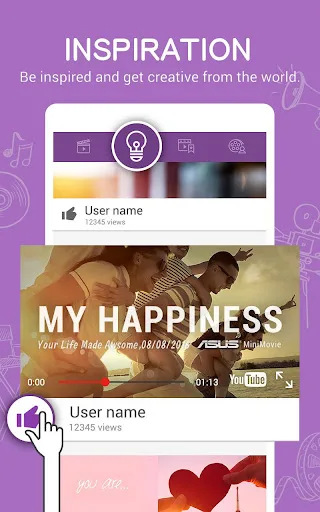
Inspiration page: Get inspired by the newly-featured mini-movies uploaded in YouTube.
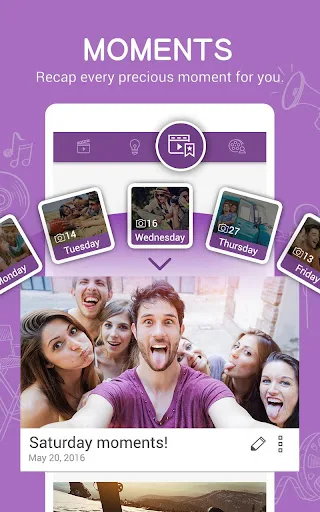
Moments: Instantly creates daily and weekly video memories with this instant video maker. You can edit, save, and share them anytime.
Cloud-based support: Grab photos/videos from Google Drive or Facebook to create your mini-movie.
Share via social media platforms: Share stunning videos to popular social media sites such as Facebook, Facebook Messenger, YouTube, Instagram, etc. or just save to Gallery on your smartphone via Share page.
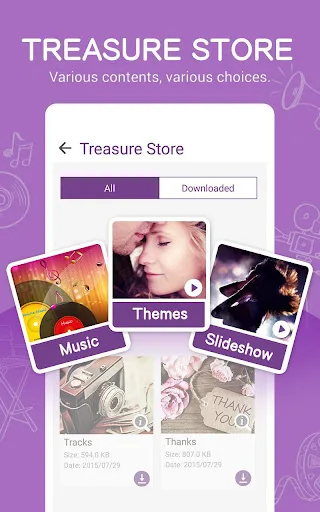
Themes: Select the perfect theme for the occasion from our library of professionally-made themes. Themes apply multiple effects including space-splitting, blending modes, bokeh, burning, particles, fade-in/fade-out, zoom-in/zoom-out to help users easily make their photos and videos like Hollywood movies.
Preview page: With this handy video editor, you can get instant previews of the edits you’ve made to photos, whether they be adjusting the photo order, changing the focus, replacing the photos, adding/changing music, or editing subtitles on the slides. For video clip, you can trim the video length and edit subtitles/ background music.
Edit order & display area: Rearrange the order of the photos and adjust the focal point of the displayed area. Please be notified that it is only available for photo movie/slideshow.
Functions:
A lot of people are perfectly satisfied in transforming the many pictures they take into slide shows that resemble movies. For memories, gifts on the holidays, or just a new way to create digital photo albums, this is a popular genre, and MiniMovie for Android is a great way to quickly create these presentations.
This app was developed and released by ZenUI ASUS Computer Inc, and it can be used by a variety of platforms. This download specifically is for Android, however, and it’s a free app that’s lightweight and runs very smoothly.
The gist of this app is that it allows users to enter a bunch of different photos to create a slide show movie. You can add a variety of filters, effects, text, and more to create a very professional presentation with your little photo movies. The interface is very user-friendly and you can quickly send a complete video file to someone right from the app. The movies are generally small yet maintain good quality.
Another cool feature is that you can upload the video directly to social media sites. Instead of having to save the file to your device and then upload it separately to different sites, you can send it straight from the app, which is a great way to save space on your device.
Final words:
MiniMovie-Slideshow Video Edit is an Android application that allows users to create professional-looking slideshows and videos with ease. The app has a user-friendly interface, making it easy for anyone to use regardless of their level of expertise in video editing. It comes loaded with various features such as themes, filters, effects, text overlays, music tracks, and more.One of the standout features of MiniMovie-Slideshow Video Edit is its ability to automatically generate movies from photos or videos on your device. This feature makes creating a movie quick and effortless since all you have to do is select the media files you want to include in your project, choose a theme, add some music if desired and let the app do the rest. You can also customize your slideshow by adding text overlays and adjusting transitions between images.