OTT Navigator is a feature-rich application. Tailored for Android TV and set-top boxes, and compatible with phones and tablets, it redefines your TV viewing experience. Users can create personalized playlists and take control of their entertainment. Furthermore, it integrates with playlists provided by your service and offers features such as live TV, time-shift functionality (for easily catching up on missed programs), and a rich library of past shows. Download and experience it now!
Highlights:
Enjoy watching movies online freely
Add the channels you often watch in favorites
Save episodes or some interesting shows
Internet support is required when participating in this app
The graphics system is designed in a light and simple way
It allows you to automatically organize channels into favorites based on their IPTV and category.
It has filters for channels, categories, genres, favorite channels, age, and other criteria, among others.
The user has the option of adding many M3U lists to the same interface.
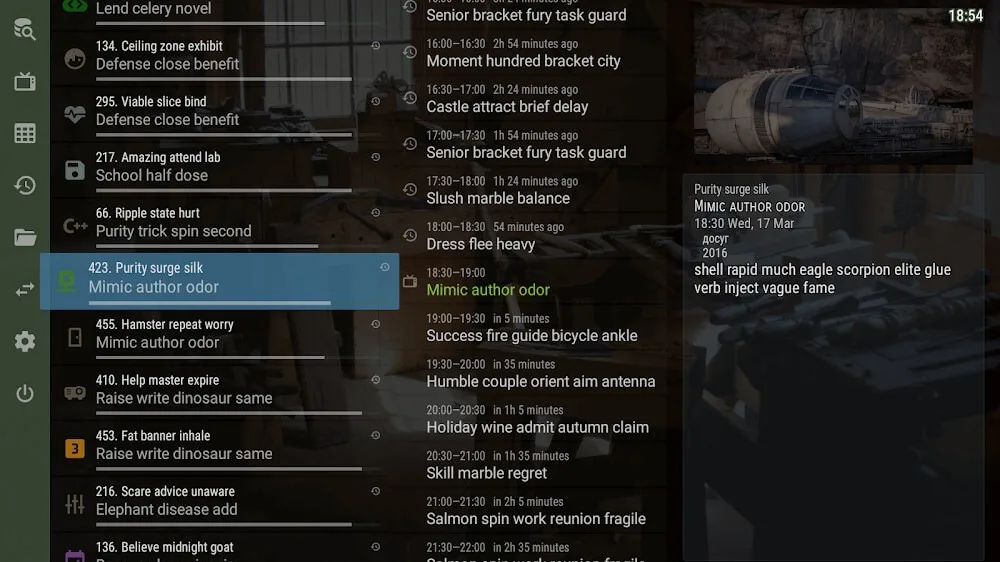
If the list contains information on the channel schedule, the grid will show the schedule hour by hour.
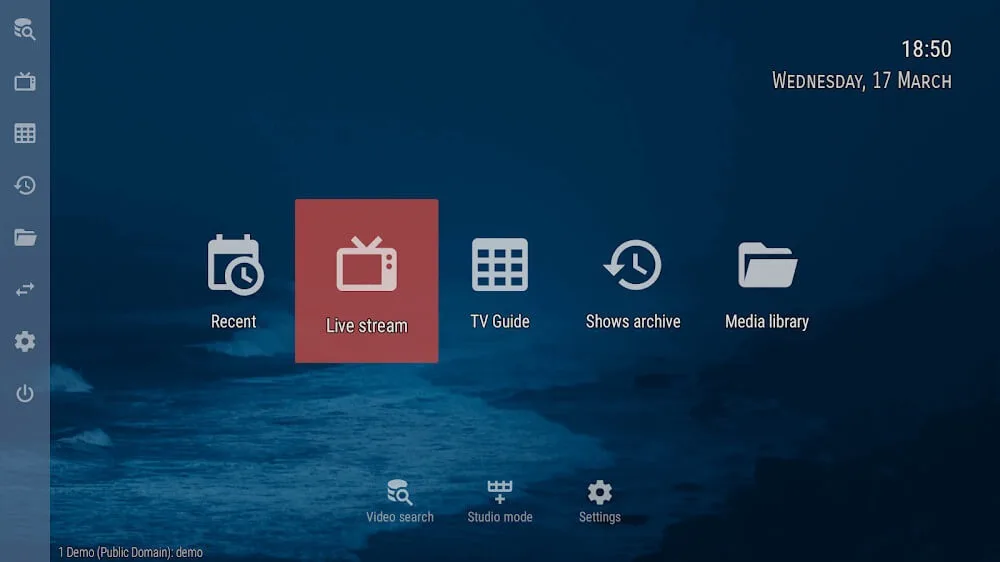
You may customize the visual style, theme, and menu kinds by navigating to the settings menu.
It demonstrates the broadcasting quality (SD, HD, and FHD).
Features:
Uninterrupted Live TV Experience
Extensive Channel Options: OTT Navigator IPTV provides a broad selection of live TV channels, ensuring that users can easily find and enjoy their favorite content, from the latest movies to popular TV shows.
Wide Genre Availability: Whether you're into romantic comedies, intense action films, or music programs, this app caters to every preference, offering a diverse range of genres for users to explore.
Ad-Free Viewing: One of the standout features is the absence of intrusive ads, allowing users to immerse themselves in uninterrupted entertainment without constant disruptions.
Multi-Device Compatibility
Supports Various Devices: Whether you're watching on a phone, tablet, or TV, OTT Navigator IPTV is designed for seamless integration across different devices, offering flexibility for users to enjoy content wherever they are.
User-Friendly Interface: The app's intuitive interface makes it easy for users to browse and select content, making the streaming experience smooth and hassle-free across all supported devices.
Convenient Viewing On-The-Go: With the app available on mobile devices, users can take their entertainment with them, enjoying their favorite shows while commuting or traveling.
Diverse Content for All Audiences
Wide Range of TV Programs: From children’s shows to women’s programs, OTT Navigator IPTV ensures there's something for every family member to enjoy. The app also features engaging game shows, making it a go-to option for diverse viewing preferences.
Quality Movie Selection: Enjoy high-quality movies in various genres. Whether you crave thrilling action, heartwarming romance, or spine-chilling horror, the app provides a comprehensive movie library to satisfy your entertainment needs.
Engaging Music Programs: In addition to TV shows and movies, the app also features exciting music programs, catering to music lovers and those looking to discover new hits and artists.
Perfect for Movie Buffs and TV Lovers
Endless Entertainment: OTT Navigator IPTV is tailored for individuals who love watching TV shows, movies, and live events. The app's large content library ensures users always have something to watch.
Customizable Playlist Features: Create personalized playlists to organize and access your favorite shows and movies quickly. The app’s easy-to-use features allow for a tailored viewing experience.
Optimized Streaming Performance: With optimized streaming, users can enjoy smooth, high-quality viewing without interruptions, ensuring a great experience whether you're at home or on the go.
Tips for Users:
Create Favorite Channel Groups: To make it easier to navigate through your favorite channels, create custom groups within the app. Simply select the channels you want to add to a group and assign a name to it. This way, you can quickly access the channels you love without scrolling through a long list.
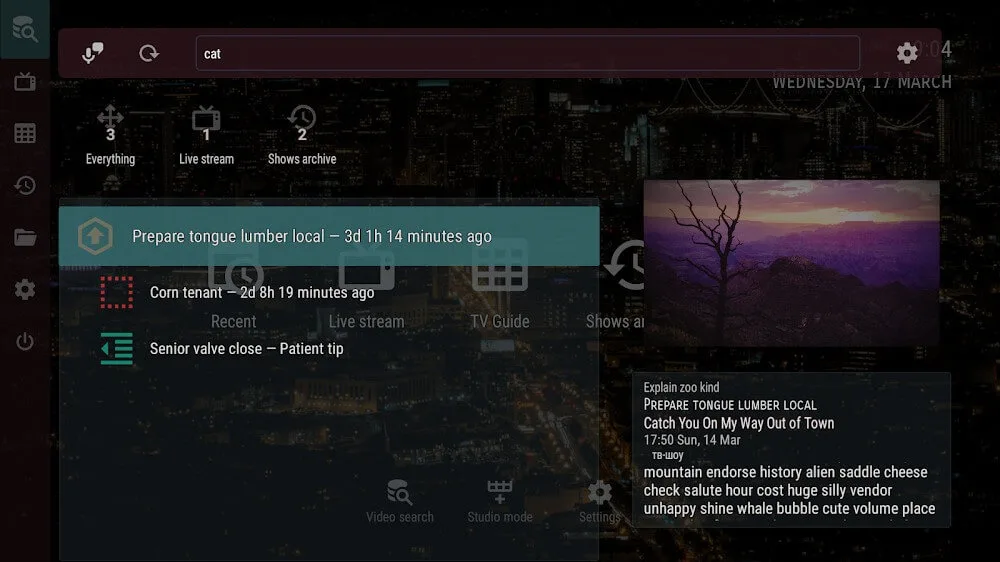
Take Advantage of Filters: When browsing the archive, use the various filters available in the app to narrow down your search. You can filter by channels, categories, genres, seasons, years, and more to find the shows you're interested in. This saves you time and helps you discover new content that aligns with your preferences.
Explore Different EPG Sources: OTT Navigator offers multiple EPG sources, including user-provided ones and Wikipedia. Take advantage of this feature to compare the information and choose the most accurate and detailed EPG source for your preferred shows. You can also contribute to the app's database by providing your own EPG data if your provider doesn't support it.
FAQs:
Can I watch live TV channels through the app?
Yes, the app supports streaming live TV channels from various providers. It categorizes favorite channels and allows easy access to them.
Can I search for specific shows or movies in the archive?
Absolutely! The app offers various filters and a search function to help users find archived shows and movies based on channels, categories, genres, and more. Users can even search by title, cast, and description.
Does the app support providers without a TV program?
Yes, the app retrieves data from multiple EPG sources, including user-provided ones and Wikipedia. This ensures that users have access to a wide range of content, even from providers without a TV program.
Can I resume playback from where I left off?
Yes, the app saves playback progress and automatically resumes from the previous moment. This allows users to continue watching seamlessly, even if they leave the app or switch to another channel.
Conclusion:
OTT Navigator is a versatile app designed for Android TV and TV-boxes. It offers a seamless live TV watching experience and convenient access to archived shows. With its playlist organization and comprehensive search features, users can easily find and watch their favorite content. The app's support for different OTT/IPTV providers and user-provided M3U playlists ensures a wide range of options for users. Whether you're looking to stream live TV or catch up on your favorite shows, OTT Navigator is a must-have app for Android devices.