
OS Style Launcher is a small and elegant theme application. With its clean and modern interface, it completely transforms the overall style of your Android phone, making it more refined. Users can easily control their device with navigation gestures and quickly and seamlessly switch between apps. It even includes a built-in battery optimization mode, making your phone not only look beautiful but also run smarter. Furthermore, this application provides users with other extended functions, such as extremely convenient searching and access to other apps. Download now and transform your device experience!
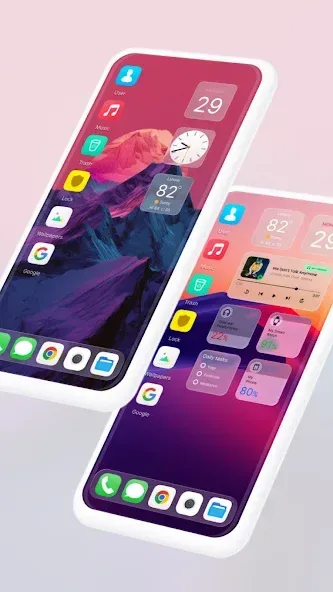
Highlights:
OS 18 Interface: Experience the exact design and feel of OS 18 on your Android device.
Smart Widgets: Add widgets that function like iOS, including weather, battery, and calendar.
Control Center: Swipe down to access a fully functional control panel like iPhone.
Dynamic Island: Enjoy a custom Dynamic Island effect miming Apple’s latest feature.
Lock Screen iOS Style: Get an iOS-style lock screen with notifications and quick access.
App Library: Organize apps automatically into categories like iOS.
Customizable Icons: Change your app icons to match iOS aesthetics with ease.
Smooth Animations: Enjoy fluid transitions and sleek animations for better usability.
Fast Performance: Lightweight and optimized for speed without slowing down your phone.
Ad-Free Experience: The app version removes all ads for uninterrupted usage.
Features:
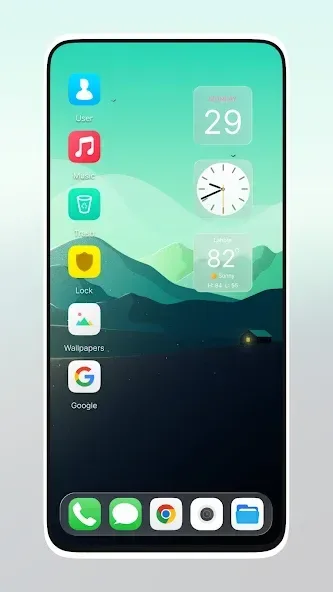
Visually Polished Interface: Enjoy a refined home screen with vibrant icons, crisp animations, and elegant wallpapers.
Smart App Management: Effortlessly organize and access your apps with gestures, folders, and quick-switch tools.
Personalization Options: Customize icons, layouts, themes, and widgets to match your preferences and style.
Built-in Utilities: Use advanced features like app lock, hidden apps, and secure folders for added privacy.
Productivity Widgets: Get quick insights from widgets like Weather, Clock, RAM usage, and more.
Lightweight & Fast: Designed for smooth performance and minimal battery usage.
Regular Updates: Stay current with continuous improvements and feature enhancements.
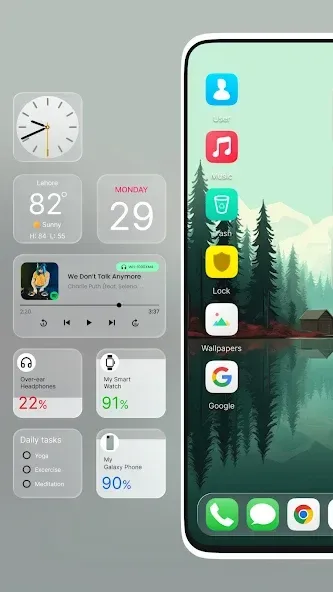
Benefits:
Fast, Simple, Efficient: The application will provide intuitive gesture controls that allow instant application switching and multitasking.
Search and Find: Users will own a smart search feature that finds any application or file in seconds.
Quick Access Now: The system has built a customizable quick access menu that helps you access the most-used features with just one touch.
Style Your Way: The application owns a rich theme library with more than 1000 icons and custom wallpapers.
Information at Hand: Users will be able to experience a flexible widget system to display personalized information.
Control Every Detail: A system with detailed control over layout, animations, and transparency effects.
Changelog:
- Bug fixes
- Ads related issues fixed by removing some desktop icons
- SDK update to support android 14 devices
- Consent form added
- Theme related bug fixes
FAQs:
What is Launcher OS used for?
Launcher OS is an Android launcher app that redesigns your phone’s interface to look and feel like Apple’s iOS, while still giving you full Android flexibility.
Does Launcher OS slow down the phone?
Nope. Launcher OS is built to be lightweight and smooth. It actually improves how your home screen and app management feel without draining your phone’s performance.
Can I use face unlock and passcodes with Launcher OS?
Yes, Launcher OS supports secure lock screens with both passcode and facial recognition features, offering solid security alongside a stylish look.
Is Launcher OS free or paid?
There’s a modified version with all the pro features unlocked, including ad-free usage, full personalization, and bonus tools—totally free of charge.
Conclusion:
OS Style Launcher is here, and it’s an incredible new design for the Android mobile system that will blow your mind. It’s time to unleash your device’s full potential and make it more capable, unique, and smart than ever before. This revolutionary launcher includes a powerful file manager that needs unrestricted access to your computer’s storage. Launcher iOS 16 interacts effortlessly with your device to manage all your files, and its backup and restore features give you peace of mind about the safety of your information.








