

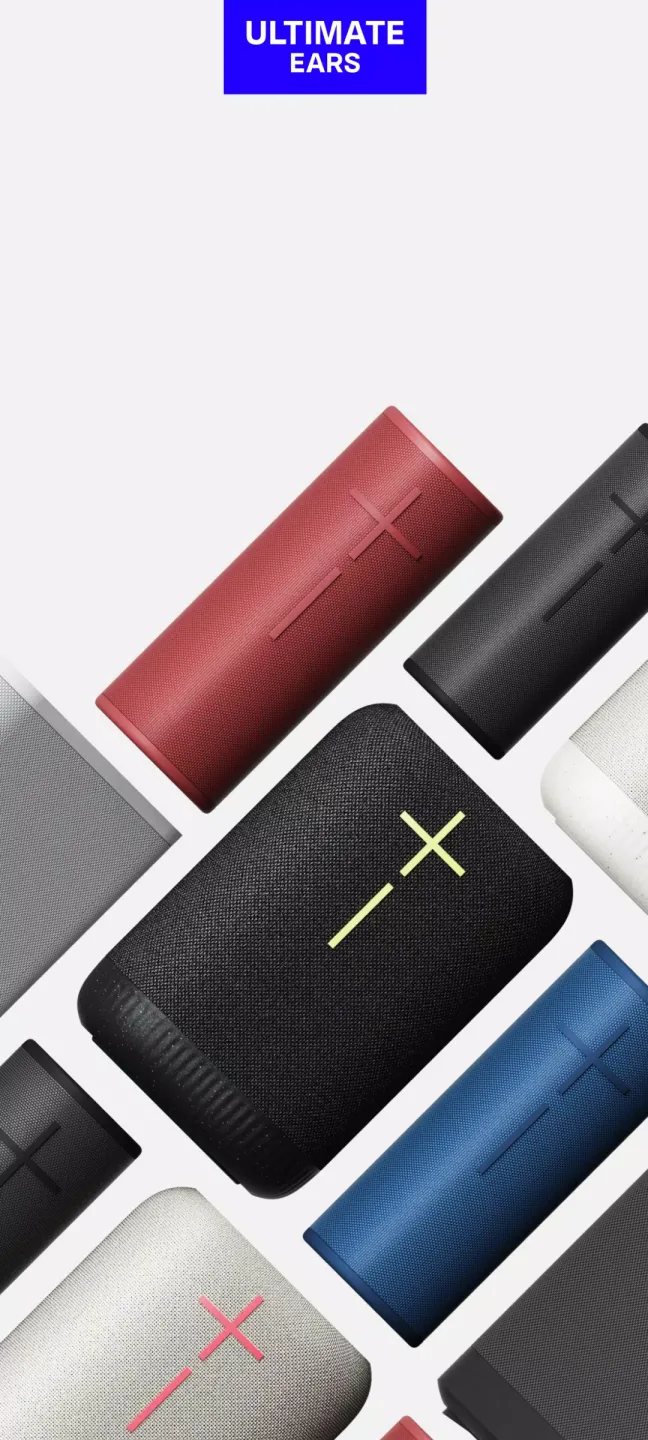
UE BOOM is a highly customizable speaker control software. After pairing with speakers from brands like BOOM and MEGABOOM, you can control them directly from your phone, connecting to your music library to play various genres of music and enjoy quality time with friends. UE BOOM offers users a wealth of music effects and utilizes a built-in equalizer to adjust the sound, providing an immersive listening experience. UE BOOM is constantly being updated and optimized, adapting to more speaker brands and launching more interesting features. Users can look forward to enjoying an unparalleled music environment.
Click to load YouTube / 点击加载视频
YouTube ↗Features:
Feature-Rich Control for Your Ultimate Ears Speakers: BOOM MEGABOOM by Ultimate Ears delivers extensive control and customization options for users of Ultimate Ears’ BOOM and MEGABOOM Bluetooth speakers. Designed for Android, this app transforms a smartphone or tablet into a comprehensive remote, streamlining device management and enhancing audio experiences for both casual listeners and party hosts.
Customizable Sound Profiles and Settings: A key highlight of the app lies in its robust equalizer (EQ) capabilities. Users can select from a variety of presets or construct their own custom sound profiles, tailoring audio to suit any mood or genre. Whether emphasizing bass for dance tracks or opting for clarity in podcasts, the EQ settings grant greater flexibility than standard on-speaker controls.
PartyUp Multi-Speaker Connectivity: The acclaimed #PartyUp function enables connection of over 150 BOOM, MEGABOOM, and select compatible models. This feature is particularly valuable for social gatherings, allowing users to amplify sound across large spaces or synchronize music between rooms. Linking speakers requires only a few taps, making multi-speaker setups both accessible and stable.
Convenient Remote Functions: With BOOM MEGABOOM, remote control is extended far beyond play/pause. Users can power speakers on and off, adjust volume, manage pairing, and even set alarms to start music at a set time. Speaker naming and shortcut creation offer an additional layer of personalization, and the app supports updating firmware, ensuring devices remain current with the latest performance improvements.
Highlights:
PartyUp lets you connect up to 150 speakers to take your parties to a whole new level - wherever, whenever, whatever!
You control the sound: All about that bass? In a tight space? You control the atmosphere with a couple of built-in EQ and custom options.
Remote control: Use the app to turn power on/off your speakers and other controls from afar.
Much more: personalize your speaker’s name, EQ preferences, and preset playlists (BOOM 3, MEGABOOM 3, BOOM 4,MEGABOOM 4, HYPERBOOM, EPICBOOM and EVERBOOM only)
Subscribe to updates so you never miss a thing. A simple tap in the app updates your speaker with the latest features in no time.
Sign-up to subscribe to Ultimate Ears newsletters and special offers.
FAQs:
How do I connect my UE BOOM to my device?
To connect your UE BOOM to your device, turn on the speaker, enable Bluetooth on your device, and select 'UE BOOM' from the list of available devices.
What is the battery life of the UE BOOM?
The UE BOOM offers up to 15 hours of battery life on a single charge.
Is the UE BOOM waterproof?
Yes, the UE BOOM is waterproof with an IPX7 rating, making it safe for use near water.
Can I pair multiple UE BOOM speakers together?
Yes, you can pair multiple UE BOOM speakers using the UE app to create a more immersive sound experience.
What colors are available for the UE BOOM?
The UE BOOM is available in various colors including black, blue, red, and more special edition colors.
Does the UE BOOM have a microphone for calls?
Yes, the UE BOOM has a built-in microphone for hands-free calls.
How long does it take to charge the UE BOOM?
It takes about 2.5 hours to fully charge the UE BOOM.
Final Thoughts:
Ultimate Ears is a free multimedia application that allows you to control your BLAST and MEGABLAST portable WiFi/Bluetooth speakers with Alexa built-in. The app enables you to customize the equalizer settings, control the volume, and pair up to 8 BLAST and MEGABLAST speakers for louder, more immersive sound. You can also manage WiFi networks, check battery levels, and set up and activate Amazon Alexa. However, please note that BLAST and MEGABLAST utilize WiFi for pairing and cannot be paired with other Ultimate Ears speakers. BLAST and MEGABLAST will not pair with BOOM, MEGABOOM, ROLL, or WONDERBOOM.








