NewPipe is a unique video website. Download the latest free Android version and experience a superior YouTube alternative. NewPipe presents users with an innovative open-source video software designed to provide a superior video sharing service compared to YouTube. Users can access a wealth of original, high-quality video content and music. The app also supports powerful download capabilities. Use NewPipe now and experience its outstanding features!
Click to load YouTube / 点击加载视频
YouTube ↗Outstanding Features
Lightweight Client
For many, a lightweight client is a godsend, as not everyone has sufficient device storage space. NewPipe is a complete remake of the YouTube client, small in size and perfect for smartphones. Its small size also allows for easy installation even on older Android phones with limited storage. Furthermore, the lightweight client loads quickly, offering two advantages at once.
Download Support
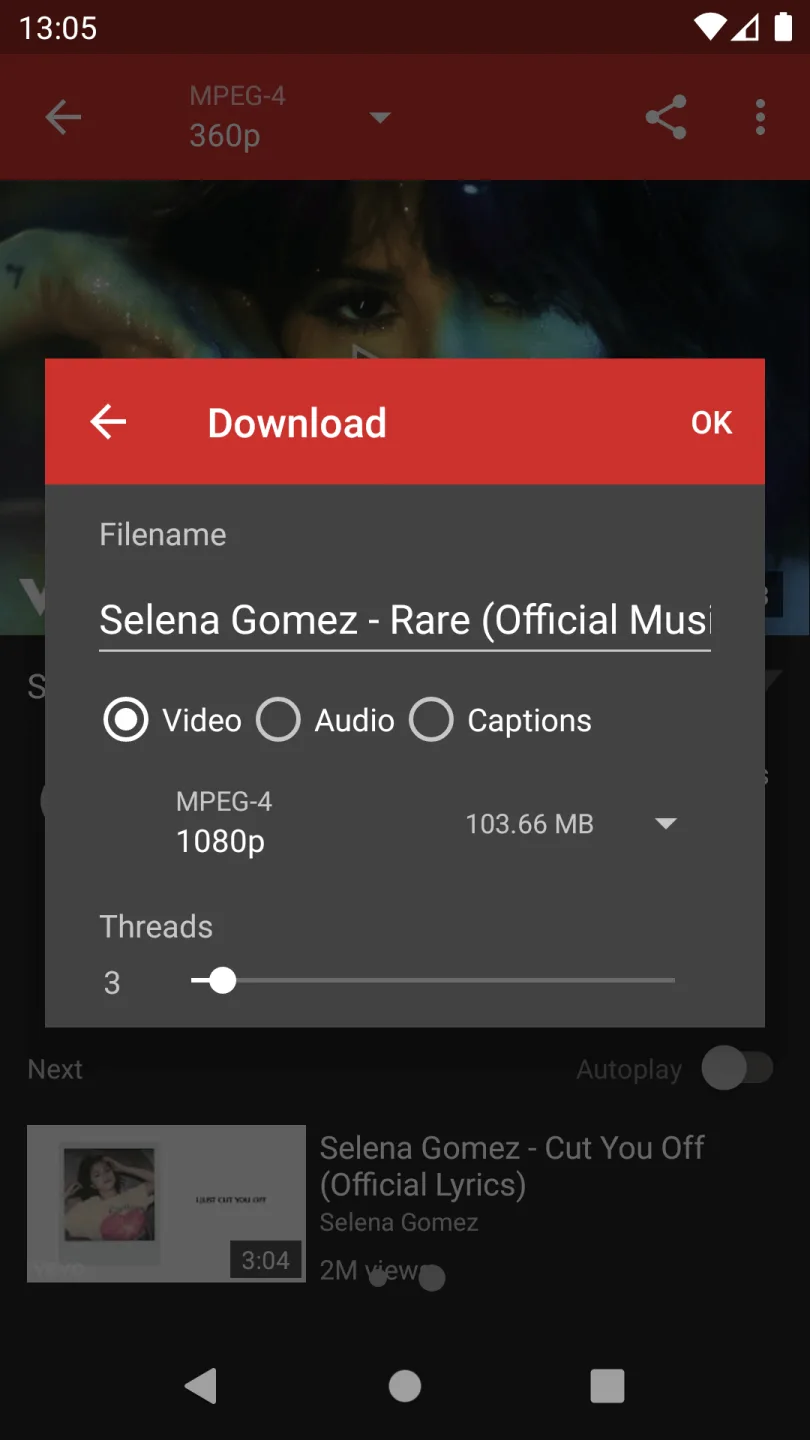
NewPipe is very useful for users who prefer offline video viewing. With this app, you can easily download any video you want. Its biggest highlight is the customization options. You can set download parameters based on your network connection speed and available storage space. Simply choose the download quality and storage location to start downloading videos on your device, much like Snapchat.
Background Playback Support
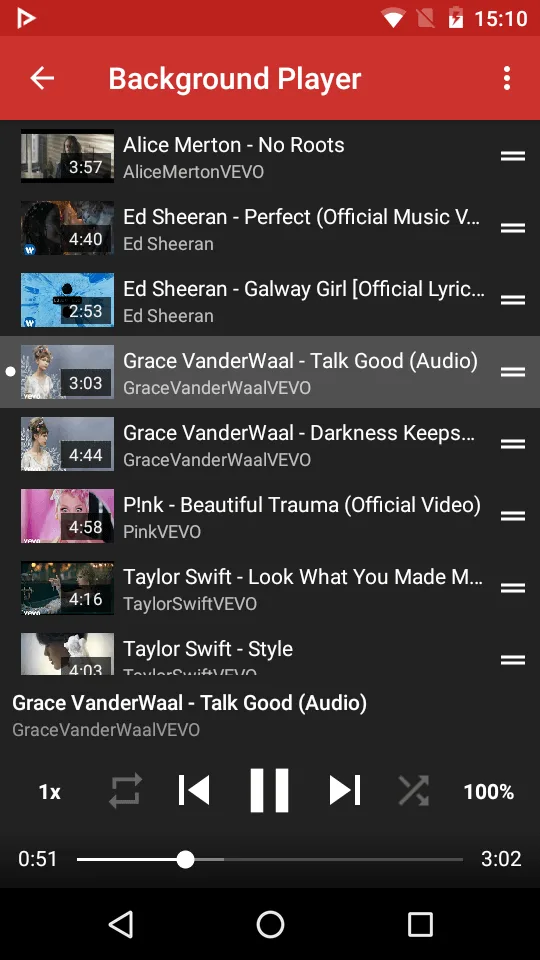
YouTube always urges us to purchase the premium version to enable background playback. Background playback is indeed very useful, but YouTube charges for it. Fortunately, NewPipe supports background playback just like YouTube Pro. Background playback is crucial for convenient app use. With this feature, you can easily load your favorite songs and let them play continuously in the background. Since YouTube includes almost all released songs on the internet, you don't need to install any third-party music apps. This will significantly enhance your video and music listening experience.
Fantastic Highlights
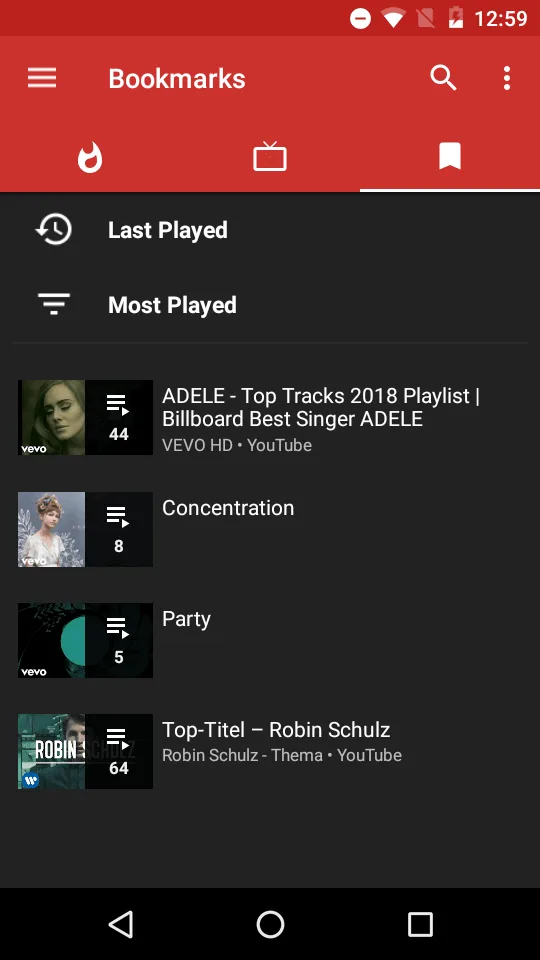
You can browse popular videos or use the built-in search function. NewsPipe doesn't use Google's proprietary API, only sending the minimum data required for its functionality.
Tap a video to start playing on your device. Videos play instantly, without ads. NewPipe offers all the features you expect, and more. You can view comments below videos, play videos in full screen, and add them to your playlist.
Other features include adjusting video stream quality, enabling background playback, and downloading videos to your local system for offline viewing. Enabling background playback is as simple as a tap. Afterward, you can hide the NewPipe app on your device without affecting video streaming.
Downloading is equally convenient. Simply tap the download button, select the video, audio, or subtitles you want to download, and then choose the file quality. NewPipe automatically displays the size of the downloaded file in the download dialog. The first time you use the download function, you will be prompted to select a download folder.
Enhancing Characteristics
Lightweight client with a button to download videos from the platform.
Download videos in different qualities of MPEG, WebM, and 3GP formats.
Download audio and subtitles.
Play videos in the background and open any content in a pop-up window.
Compatible with YouTube subscriptions and channels.
Supports MediaCCC, SoundCloud, PeerTube, Android TV, and Bandcamp.
Able to resume playback from where you left off.
Light and dark themes.
Multiple customization options.
Frequently Asked Questions
Is NewPipe safe to use?
Yes. NewPipe is completely safe to use on your device. The developers prioritize integrity and ethics; the code is virtually untampered with, ensuring your privacy and security.
Can we download videos offline using NewPipe?
Yes. We can download videos offline for free using NewPipe. Downloading your first video takes only a few taps; afterwards, simply click the "Download" button next to the video.
Does the NewPipe app have a data-saving mode?
For users with limited network connectivity, this app offers a data-saving mode. When enabled, the app automatically reduces screen resolution when possible to conserve network data.

Final Verdict
The main advantage of downloading the Android version of NewPipe is its lightweight size. It not only allows users to browse platforms faster but also helps save battery, data, and other resources. But that's just the beginning; it also supports downloading YouTube videos, background playback via a pop-up player, and integration with other platforms.