

Assistive Volume Button Premium is a powerful and convenient tool. Utilizing advanced technology, this app provides users with fully customizable buttons and sliders, allowing you to explore various style settings within the app. With Assistive Volume Button Premium, you can use a variety of unique features to enable different style settings for the virtual volume buttons on your device. Leveraging functions such as sensor-activated screen wake-up and simulated power button functionality, Assistive Volume Button simplifies your phone usage and saves you time. Click to download and experience it now!
Features:
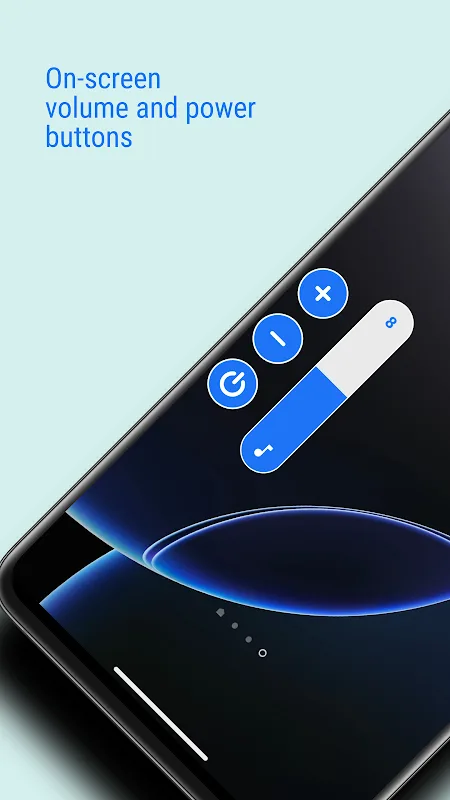
ONSCREEN BUTTONS
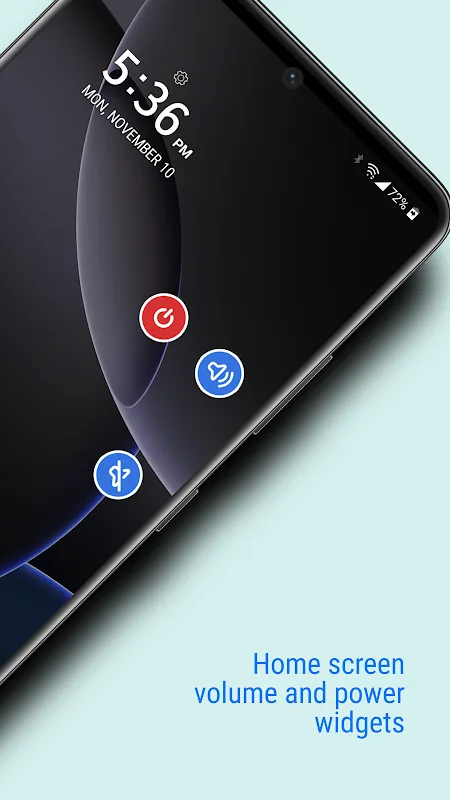
The core of Assistive Volume Button is displaying handy onscreen versions of your hardware keys. Simply tap the virtual volume or power button to trigger actions just like the physical versions. The buttons can even be repositioned anywhere along the screen edges for comfort. If real buttons give you trouble, these onscreen stand-ins restore control and convenience.
COMPLETE CUSTOMIZATION
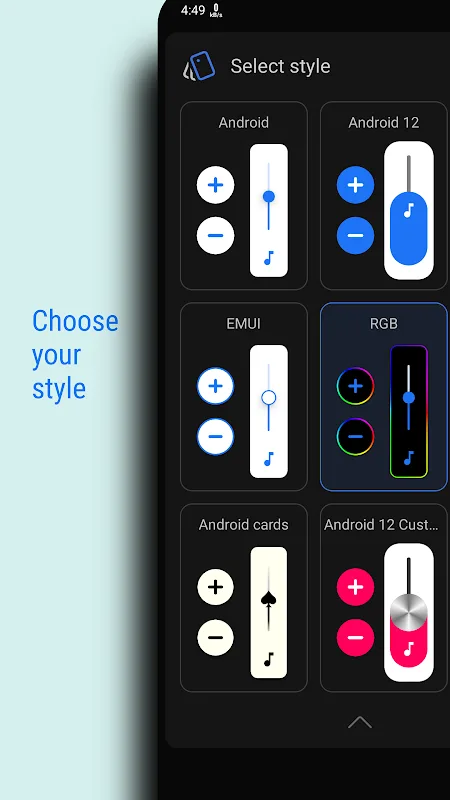
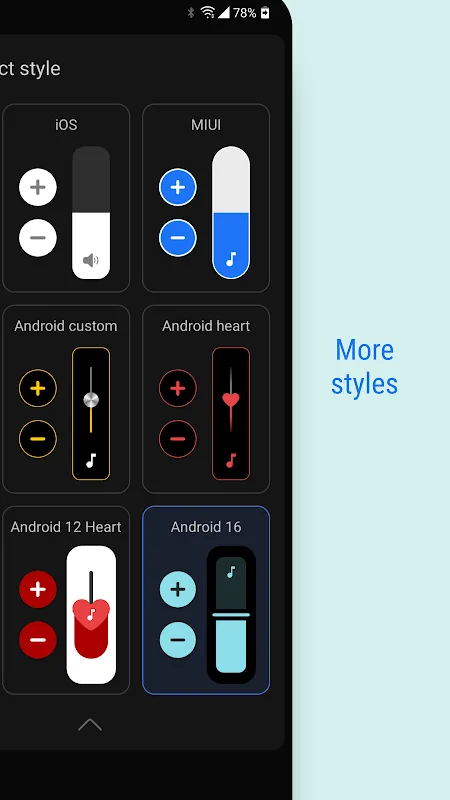
One of the best features is the high degree of customization offered. Resize the onscreen buttons as needed for easy viewing and tapping. Change their transparency, colors and stylish themes to keep the interface fresh. Show just the buttons you want or enable extras like brightness and media boost sliders. Tailor Assistive Volume Button to suit your needs and preferences!
SCREEN ON/OFF
For added convenience, virtual power buttons let you turn your display on or off. This comes in handy if you can’t easily reach the hardware key. Never struggle to wake your sleeping device again! An even handier option uses the proximity sensor to auto turn on the screen when you pick up your phone. It acts just like the real power button.
AUDIO BOOSTING
Having trouble hearing media? The volume booster pushes audio beyond the normal maximum levels for improved clarity when you need it. No more straining to hear videos or music. Simply tap the boost button for a quick volume increase. This cranks sound way up compared to what standard volume buttons allow.
LOWER BRIGHTNESS
On the flip side, you can also lower brightness further than usually possible for extra dimming in dark rooms. Enable the handy darkness slider for ultra-low luminosity. Combined with a black background, this creates the perfect night viewing mode. The expanded brightness range is a game changer.
PER APP SETTINGS
Assistive Volume Button even lets you customize configurations per app. Set individual volume, brightness, and button visibility levels that automatically apply when launching specific apps. This ensures your most convenient settings engage automatically where needed. Killer flexibility!
Tips and Tricks:
Experiment with different shapes and sizes for the volume button to find the most comfortable layout for your hands.
Customize sound types and brightness directly from the volume bar to enhance your overall user experience.
Utilize the sensor activation feature to quickly access your device without having to manually unlock the screen.
Take advantage of the app's ability to simulate a power button for easy device shut down.
FAQs:
Can I customize Assistive Volume Buttonearance of the volume button?
Yes, you can choose the shape and size of the volume button to suit your preferences.
Does Assistive Volume Button require access to my device's system settings?
Yes, Assistive Volume Button needs access to system settings to make adjustments to volume, brightness, and other features.
Is the sensor wake-up feature reliable and responsive?
Yes, the sensor wake-up feature is designed to be quick and responsive, making it convenient to access your device.
Conclusion:
Assistive Volume Button is a project that offers users to get a duplicate pair of buttons for sound regulation. This will also be useful for those who do not want to be distracted from the screen for changes, and especially for those whose physical buttons have become unusable for one reason or another. At the same time, there is also a tuning system, which will allow you to get the most convenient solution in your execution, so that you can carry out your plans without any problems. Simple in fact, but very useful in fact application that can be a real salvation. It remains only to download and try out this solution in practice.








