

Sudachi is an outstanding game console emulator that allows users to enjoy a vast library of classic and popular Nintendo Switch games on their mobile devices, providing an unparalleled entertainment experience. Sudachi offers gamers a wealth of customization options and superior device performance, allowing users to smoothly run their favorite games with simple configuration. This exceptional game emulator delivers an amazing user experience.
Click to load YouTube / 点击加载视频
YouTube ↗Wonderful Features
Configuring this emulator takes only minutes.
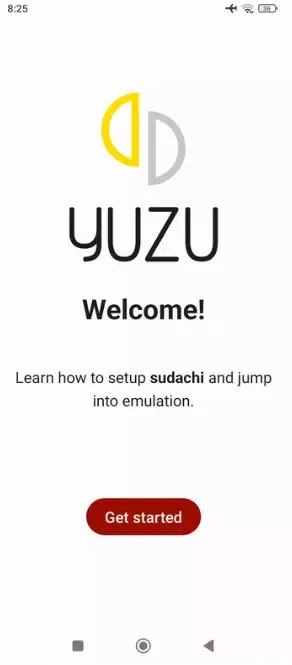
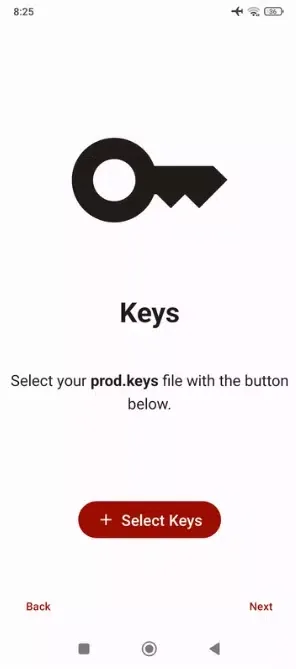
Before playing any Nintendo Switch game on your Android device, it's best to check out the quickstart guide, which you can obtain directly from the Sudachi official website. You can also refer to numerous video tutorials online. After installing the decryption key and the latest firmware version, you can run any game smoothly. The whole process is very simple. In just five minutes, you can download and install all the necessary software to fully utilize this emulator.
Customizable Emulator Controls
In Sudachi's configuration options, you can adjust the emulator's controls. By default, the emulator uses the Android device's touchscreen and displays virtual Pro Controller buttons around the interface. However, you can change the control settings to your personal preferences, such as choosing dual Joy-Con controllers, using only the right Joy-Con, using only the left Joy-Con, the console's handheld mode, or a GameCube controller. However, the best option is to connect a Bluetooth controller to your Android device. This will make your gaming experience very close to using a real console.
An excellent Switch emulator alternative.
If you're looking for a Nintendo Switch emulator that performs well on mid-range Android devices, consider downloading Sudachi. With this app, you can play many classic games from this popular Nintendo console anytime, anywhere on your Android device. Like other constantly updated emulators, Sudachi's compatibility list is constantly expanding, so if a game didn't work two weeks ago, it may now run perfectly.
Enhancing Performance
High Performance: Sudachi utilizes advanced emulation technology to run games smoothly on mid-range Android devices. Its optimized code ensures that many popular Switch games run at playable frame rates even on mobile devices.
Customizable Controls: This emulator offers flexible control schemes that can be customized to personal preferences. Users can choose from various virtual button layouts, including dual Joy-Con, single Joy-Con configurations, handheld mode, and even a GameCube controller layout. For the best experience, Sudachi supports Bluetooth controllers, delivering a console-like feel.
Expanded Compatibility: Like most emulators still under active development, Sudachi's game compatibility list is constantly growing. Each update adds more games to run or improves performance. Games that may have had issues in previous versions usually run correctly in newer versions.
User-Friendly Setup: While emulating modern game consoles can be complex, Sudachi offers a simple and easy-to-use setup process. Users can typically configure the emulator and start playing games in just a few minutes. A quick start guide is available on the official website, and numerous video tutorials are available online for new users.
Fantastic Highlights
Play Nintendo Switch games on non-console devices.
Works with many Nintendo Switch games.
Beautiful graphics and smooth gameplay.
Change graphics and control settings.
Save your game anytime and load it later.
Use different controllers, including Joy-Con.
Cheat codes are available in some games.
Add filters to improve game visuals.
Use touchscreen controls on compatible devices.
Runs in low-resource mode on low-end PCs.
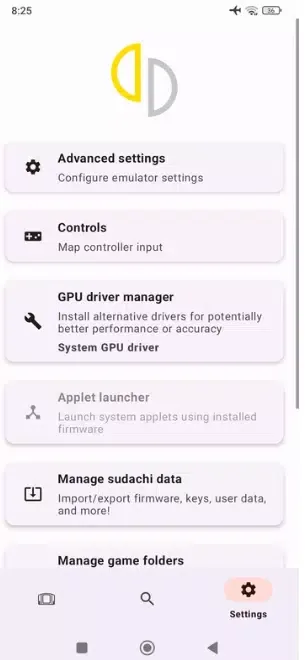
Easily back up and migrate your game data.
Excellent Benefits
Nintendo Switch emulator for Android mobile devices.
Advanced configuration options.
Configure control settings for up to eight players.
Light and dark modes and color themes.
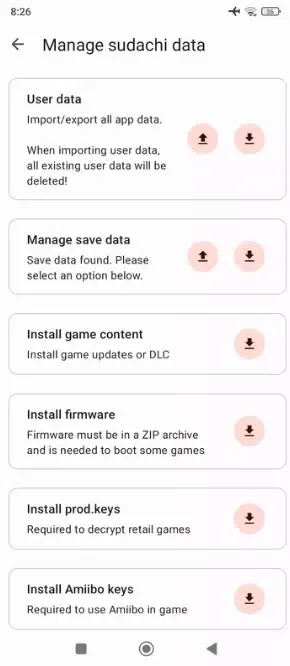
Functions for importing and exporting user data.
Optional "Amiibo Key" installation for use with Amiibo in supported games.
Conclusion
If you're a hardcore gamer, or just want to experience your favorite games but can't afford a console, Sudachi is the perfect choice. It's simple to use, smooth and convenient, and most importantly, completely free.








