
OTT Player is an excellent TV software. This application boasts powerful features designed to enhance the user's streaming experience by providing live TV and personalized playlists. With OTT Player, you can quickly find TV shows you're interested in and add them to your favorites list through its vast content library and powerful search function. For convenient and quick searching, users can also filter their favorites; if they can't find the show they want, they can try other methods. Thanks to its user-friendly interface, you can easily get started and enjoy a smooth viewing experience.
Highlights of OTT Player:
Diversity of content: From movies to TV shows, everything is under your control.
Diverse content for all ages: You just need to enter the age range, and the content will help the application identify and make recommendations more easily.
Unmissable high quality: The content provided is always in HD quality.
Minimize user discomfort: By reducing issues like lag, your experience is always the most stable and enjoyable.
Review anytime: The application operates normally even if you have used it for a long time.
Features of OTT Player:
Uses your provider playlist
OTT Player works with the playlists or stream links your provider gives you. There are no channels packaged in the app, so you add sources and start watching the content you already have. This approach keeps setup simple and avoids extra clutter. No content provided; requires your own legal playlist.
EPG, universal search, and smart filters
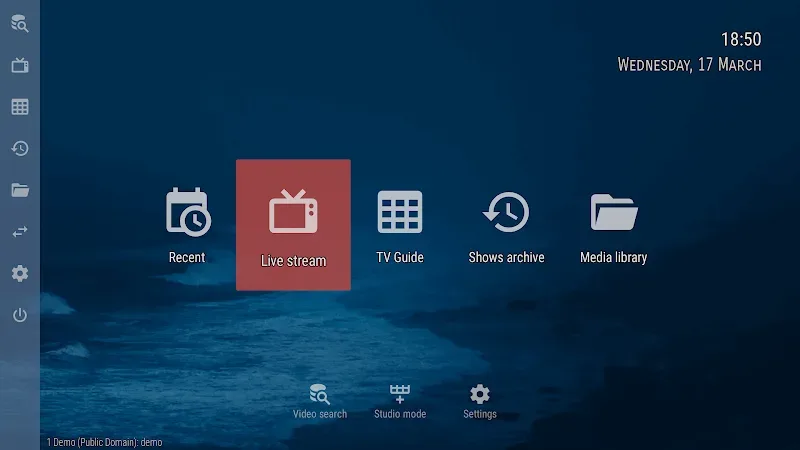
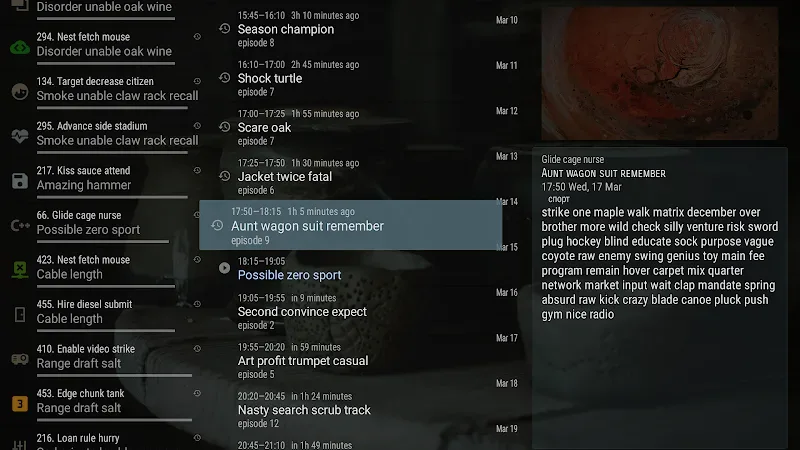
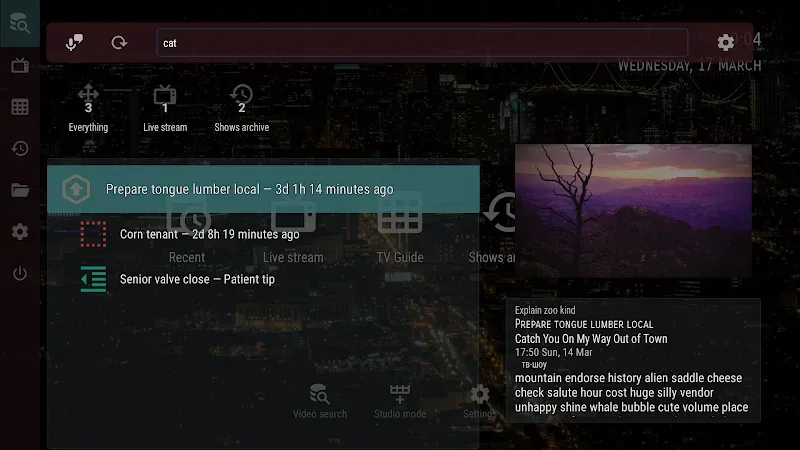
OTT Player supports rich program guides from multiple sources, including ones you add yourself. You can search across channels and archives, then filter by categories, genres, seasons, years, favorites, age ratings, or country to narrow results. These tools help you find shows faster and keep browsing organized. After you add your guide source, the program data appears alongside the channels you use.
Timeshift, archives, and reminders
When your provider offers timeshift or archive access, OTT Player lets you watch missed programs and earlier segments. It also supports show reminders so you do not forget upcoming broadcasts. With these options, catching up on content and planning viewing becomes straightforward. Availability depends on your playlist and provider settings.
Convenience for daily viewing
OTT Player automatically groups favorites and makes them easy to reach during browsing. It can start the last channel on launch so you resume where you left off without extra taps. Playback progress is saved and restored, which helps when you switch between programs or return later. These small touches reduce steps in everyday use.
Playback reliability and local network browsing
OTT Player uses standard HLS seeking when streams support it, which makes jumping to a time fast. If a provider does not support that method, the app falls back to a slower but compatible seek mode. It also includes media library management and UPnP/DLNA browsing on your local network, with playback handled through an external player. This keeps network discovery flexible while maintaining stream compatibility.
FAQs About OTT Player:
What is OTT Player?
OTT Player is a free streaming app for Android that supports IPTV playlists, letting users watch live TV, shows, and movies without needing a subscription.
How does OTT TV work?
You load IPTV playlist links into the app, and it displays the channels or video content available from those links for streaming on your mobile device.
Is OTT TV safe and legal to use?
Yes, the app is designed for legal streaming. It’s up to the user to add content sources that comply with copyright and regional streaming laws.
Who should use OTT TV?
OTT Player is ideal for Android users who like flexible streaming, know how to use IPTV, and want to customize their viewing with their own playlists.
Pros & Cons:
Pros
Ad-free streaming
Supports HLS, RTSP, TS by UDP, and RTMP
Web dashboard syncs playlists across devices
Low resource usage
Cons
Requires external M3U8 playlist and site registration
No native channel grouping or categories
SMS verification can fail during setup
Conclusion:
In short, OTT Player offers a convenient and flexible online TV viewing experience, meeting entertainment needs anytime, anywhere. Due to the possibility of custom lists of channels, immediate playback of fresh content, and smart search, the application enables users to have access to their favorite content without any obstacle.








