

Ever experienced playing PC games on your phone? Panda Mouse Pro lets you experience the feel of using a mouse and keyboard on your mobile device! Simply activate the connection to enjoy the PC-like experience of shooting games on your mobile device! Worried about security? Panda Mouse Pro doesn't use cloning technology, so you don't need to worry about being banned! If you're looking for a better mobile gaming experience, Panda Mouse Pro will give you a different feel, whether you're a casual or competitive player, you'll get a better gaming experience!
Usage
Keep your screen unlocked during activation.
Allow all USB debugging prompts.
If the wireless step fails, try wired (PC) activation once, then use a Wi-Fi script to make it persistent.
Depending on your device/OS policy, restarting your phone may require reactivation.
Tips
Use a high-quality OTG cable or Bluetooth adapter.
Inferior accessories often cause connection interruptions. A reliable OTG cable ensures a smooth, uninterrupted playback experience.
Adjust sensitivity according to genre
Lower the sensitivity for sniping in FPS games.
Fast-paced MOBA or racing games require higher sensitivity.
Matching game types improves accuracy.
Save multiple profiles
Create separate mappings for different game types—for example, one for shooters, one for MOBAs, and one for racing. Switching profiles saves time and improves performance.
Launch games directly from the Panda Mouse Pro
This avoids overlapping or cloning issues and ensures anti-ban security.
Keep apps updated
Updates bring better compatibility with new Android versions and the latest game patches.
Features
Enjoy PC-level gaming on your smartphone
Experience PC-level gaming performance for all battle royale games on your mobile device with Panda Mouse Pro. This innovative tool seamlessly integrates PC peripherals like keyboards and mice into your mobile device, elevating your gaming experience to a professional level. Connect wirelessly via Bluetooth, freeing you from cumbersome cables and making your gaming experience more flexible and convenient.
Seamless Integration of Mouse and Keyboard
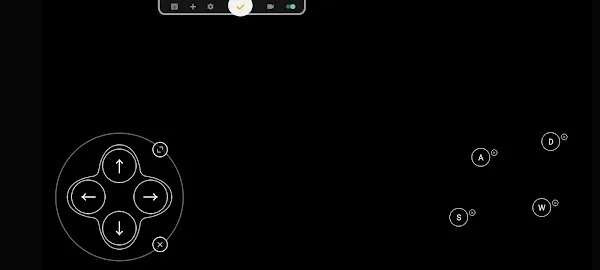
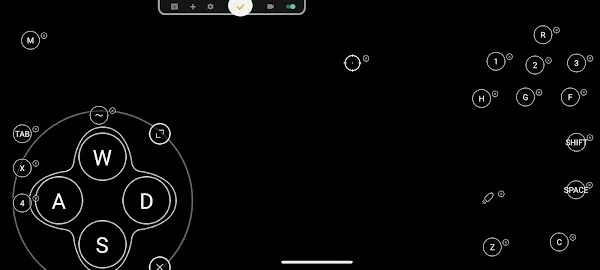
Gamers can use Panda Mouse Pro Tools to configure various settings, such as customizing key mappings and adjusting key positions, to enhance their gaming experience. This tool supports virtually all PC peripheral brands, allowing you to achieve a professional gaming experience in an affordable way.
Wireless Connectivity Support
If your device supports Bluetooth, you can enjoy the wireless experience of Panda Mouse Pro Tools, eliminating the hassle of tangled cables and distance limitations. This application supports all connection methods and can run independently without third-party applications. Of course, if you prefer a wired connection, external devices such as OTG and USB hubs allow you to easily connect your computer to your phone.
Anti-Cloning and Anti-Banning
Unlike other key mapping tools, Panda Mouse Pro Tools does not use cloning technology, thus reducing the risk of players being banned by various platforms. Now you can play games with peace of mind, without any worries or concerns.

Highlights
Imagine upgrading your mobile gaming device to the precision and responsiveness of a high-end PC gaming console. Panda Mouse Pro APK is designed for this purpose. This app significantly enhances the mobile gaming experience by providing the precise controls typically only available with a PC keyboard and mouse. Compared to the often imprecise touch controls on smartphones and tablets, Panda Mouse Pro offers precise targeting, crucial in fast-paced competitive games.
Gamers using this setup will find themselves immersed in a deeper level of gameplay, where every action is deliberate and impactful. This app dramatically changes the gaming landscape, enabling mobile gamers to compete on equal footing with PC players, thus redefining the meaning of gaming on phones or tablets.
Summary
Panda Mouse Pro APK is an essential tool for seasoned mobile gamers seeking a competitive edge. With its customizable key mappings, smooth mouse simulation, and macro support, this app elevates the mobile gaming experience to a whole new level. Whether you're a casual or competitive player, Panda Mouse Pro provides more precise, responsive, and comfortable gaming settings, significantly improving your performance across various game genres.








