

Wink: Video Enhancer & Editor is a user-friendly AI photo and video editor that offers powerful features to repair, enlarge, and enhance media content, suitable for social media posts and everyday snapshots. With Wink, you can transform everyday videos and photos into professional-quality content, even blurry videos and low-resolution photos. Whether creating vlogs, posting on social media, or recording everyday moments, this app helps you easily edit, enhance, and create, allowing you to create stunning videos and photos without any learning curve.
AI Tools:
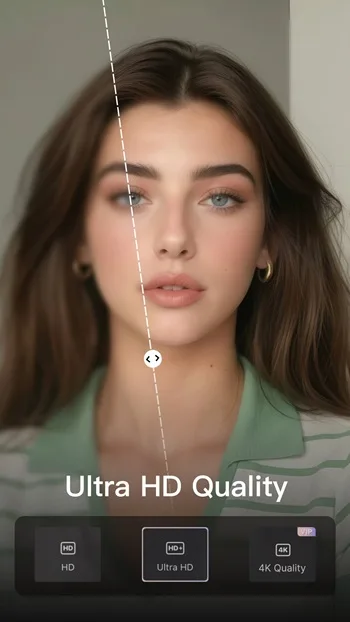
AI Repair & 4K Upscaler – Restore blurry or low-resolution videos and photos to HD, Ultra HD, or 4K.
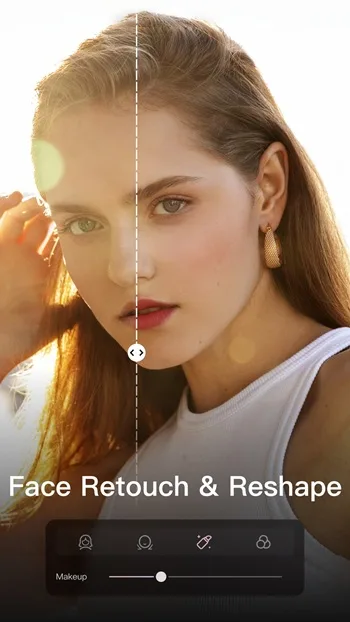
Face Retouch & Makeup – Smooth skin, whiten teeth, slim faces, and apply natural beauty filters.
Body Reshape – Adjust body shape and proportions for the perfect look.
Auto Captions & Subtitles – Generate accurate captions in multiple languages for social videos.
AI Remover & Background Cutout – Erase unwanted objects and backgrounds instantly.
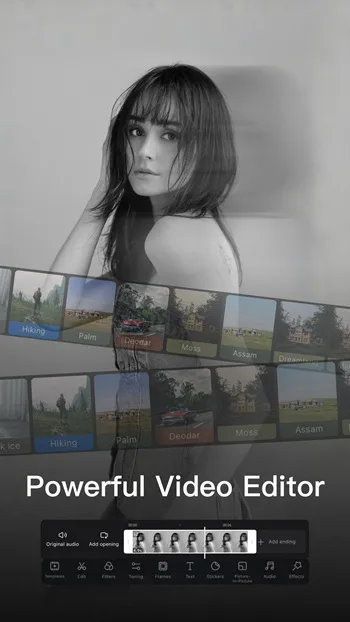
Filters, Templates & Video Editing – One-tap filters, trending templates, collage, transitions, and soundtrack.
Highlights:
Wink: Video Enhancer & Editor offers a wide range of filters, from natural and clean looks to retro, techno, and more creative styles. You can also add text and stickers, making it easy to create simple posters, announcements, or social media graphics. With just a few taps, you can enhance quality, apply a specific vibe, and make visuals ready to share.
For video editing, the app includes essential tools such as splitting clips, adjusting playback speed, and controlling volume. Filters and ready-made templates are also available, helping speed up the editing process. There’s also an auto-caption feature, saving time and effort when adding subtitles. The photo editor also offers retouching tools such as skin smoothing, teeth whitening, subtle face edits, and optional body adjustments.
AI-powered tools simplify editing by letting you remove backgrounds, erase unwanted objects, enhance low-quality images, and reduce blur with ease. There are also creative effects like cartoon, anime, and figurine styles for playful edits. However, the app has limits. Font options are restricted with no custom font support, and larger files may process slowly. Keep in mind also that while the app is free, a premium subscription is required to fully access its features.
Features:
Easy Video Editing
Wink offers an intuitive and user-friendly video editing experience. You can trim and cut your videos, merge multiple clips, and add smooth transitions effortlessly. Whether you’re a beginner or a professional, the editing process is seamless and straightforward.
Stunning Enhancements
What makes this app stand out is its powerful enhancement tools. You can adjust brightness, contrast, and saturation, as well as apply stunning filters to completely transform the look of your video. Whether you’re going for a classic or modern aesthetic, there’s a filter for every style.
Create Dynamic Videos
Want to add some fun to your videos? Wink provides a variety of animated effects, stickers, and text options that you can incorporate into your clips. Create engaging and lively videos to share with friends and make your memories even more vibrant.
Advanced Beauty Tools
For those who love recording selfie videos, Wink includes advanced beauty tools to enhance your appearance. You can whiten teeth, remove blemishes, and even change eye color to ensure you always look your best on camera.
Share Your Moments
Once you’re done editing, Wink makes it easy to share your videos with the world. Upload your creations directly to your favorite social media platforms or save them on your device for later sharing.
Changelog:
Live Wallpapers: Bring your pet plush to the screen.
Video Doodle Pen: Unlock a new way to create vividly.
Quality Restore: Supports video upload.
AI Transitions: 6 new smooth, cinematic motions.
Conclusion:
An outstanding feature of Wink is that it uses AI to restore and improve quality. This feature allows you to boost the resolution of low-quality photos, making them sharper and crisper. This feature is ideal for those who want to enhance old photos, giving them a refreshed, high-definition look.








