
FDown.net is an application specifically designed for downloading Facebook videos. Whether it's a clip, a tutorial, or a long video, you can easily obtain it with FDown.net, and no technical skills are required! Download speeds are fast, and the interface is clean, ad-free, and without complicated menus. Easily save with one click for offline viewing! Furthermore, FDown.net requires no registration or subscription, making it easy to use daily!
Usage
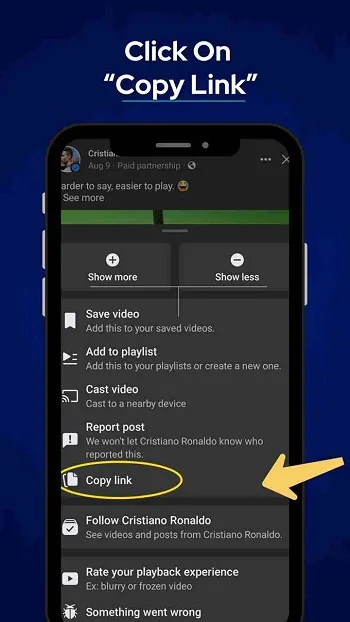
Step 1: Copy the Facebook Video Link
First, open Facebook and find the video you want to download. Click the three-dot menu (•••) in the upper right corner of the post. Select "Copy Link" from the drop-down menu. This will save the video URL to your clipboard, which you'll need in the next step.
Step 2: Open FDown.net
Next, open your preferred web browser and visit the FDown.net website. On the homepage, you'll see a text box where you can paste the Facebook video link.
Step 3: Paste the Video Link
After entering the FDown.net website, click the input box, and then press Ctrl + V (Windows) or Command + V (Mac) to paste the copied link. After pasting the URL, click the "Download" button to start processing the video.
Step 4: Choose Video Quality
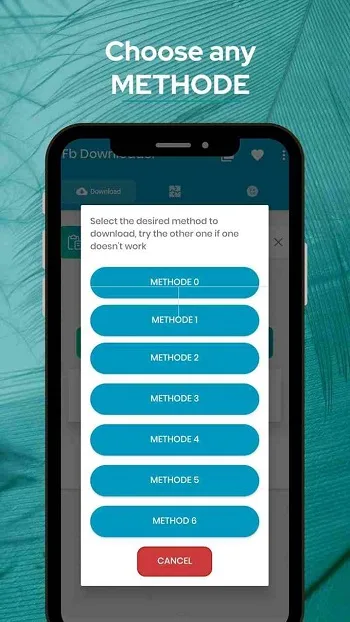
FDown.net will analyze the link and provide download options. You can usually choose between standard definition (SD) or high definition (HD) quality. Please choose the appropriate quality according to your preference. If you want a clearer video, HD quality is a better choice, but it may take up more storage space.
Step 5: Download Video
After selecting the desired video quality, right-click the "Download" button and select "Save Link As…". This allows you to choose the folder on your device where you want to save the video. Click "Save," and the download will begin. Once the download is complete, you can watch the Facebook video offline at any time.
Tips
Facebook Live videos can only be downloaded after the live stream ends. If the video starts playing in your browser instead of downloading, right-click and select "Save As…" to save the file. If you encounter a video with no sound or only sound, select the "No Audio Video" option to correct the file type. For private content that you have access to, the "Private Video Downloader" tool on FDOWN.net can help. In addition, there's a Chrome extension for more advanced detection, including Reels and Stories.
Features
Download 4K, 2K, 1080p, or 720p versions
Save stories, short videos, and watch videos
Watch public videos without logging in
Built-in Facebook browser for private downloads
Supports background downloads and batch downloads
Built-in HD video player
Supports MP4 and other formats
FAQs
What is FDown.net?
FDown.net is an online tool that allows you to download public videos from Facebook without installing software or creating an account.
Can I use FDown.net to download private videos from Facebook?
No, FDown.net only supports downloading videos set to public on Facebook; it does not support downloading private or restricted posts.
Do I need to create an account to use FDown.net?
No, FDown.net does not require any registration or login; you can start downloading videos immediately.
Is FDown.net safe to use on mobile devices?
Yes, FDown.net is mobile-friendly and runs smoothly on smartphones and tablets through any major browser.
Can I download multiple videos at once using FDown net?
No, currently FDownnet only supports downloading one video at a time—batch downloading is not supported.
Summary
If you're wondering if FDown net meets your needs, think of it as a lightweight Facebook video scraping assistant. It doesn't have fancy features or complicated settings; it's simply a tool focused on doing one thing well. Whether you're saving video clips for later viewing or saving content for sharing, it provides a smooth and straightforward user experience.








