

Diff Browser is a truly exceptional browser utility that delivers a seamless search experience, allowing you to effortlessly look up the information you need or visit websites that interest you. This application presents users with a stylish interface and a powerful feature set, offering access to robust search engines and outstanding ad-blocking services to ensure a clean, distraction-free browsing environment. The app supports convenient privacy settings to safeguard your data security. Users can enjoy personalized browsing configurations and superior bookmark management; furthermore, the app features an offline page function—allowing you to save pages for future reference—making it the ultimate choice for your daily browsing needs.
Click to load YouTube / 点击加载视频
YouTube ↗Attractive Features of Diff Browser
Fast and Lightweight Performance
Diff Browser prioritizes speed, opening pages rapidly even on computers with modest specifications. It boasts a low memory footprint, ensuring that tabs remain highly responsive. Consequently, you can scroll through pages and switch between websites with exceptional smoothness.
Ad Blocking to Minimize Clutter
The browser eliminates annoying advertisements, reduces distractions, and accelerates page load times—thereby saving mobile data usage. Additionally, this results in a cleaner, more streamlined reading experience for news articles, blogs, and forums.
Simple Privacy Controls
With just a single tap, you can clear your browsing data—such as history and cache. You have full control over which data to retain and which to delete. Furthermore, Diff Browser makes it easy to locate privacy options, ensuring that you always remain in full command of your privacy settings.
Data Saver for Slow Networks
In Diff Browser, you can choose to block images on demand to reduce data consumption and accelerate page loading speeds when network connectivity is poor. This feature is particularly useful while traveling or when using a data plan with metered billing. When enabled, the browser prioritizes the display of text content on web pages.
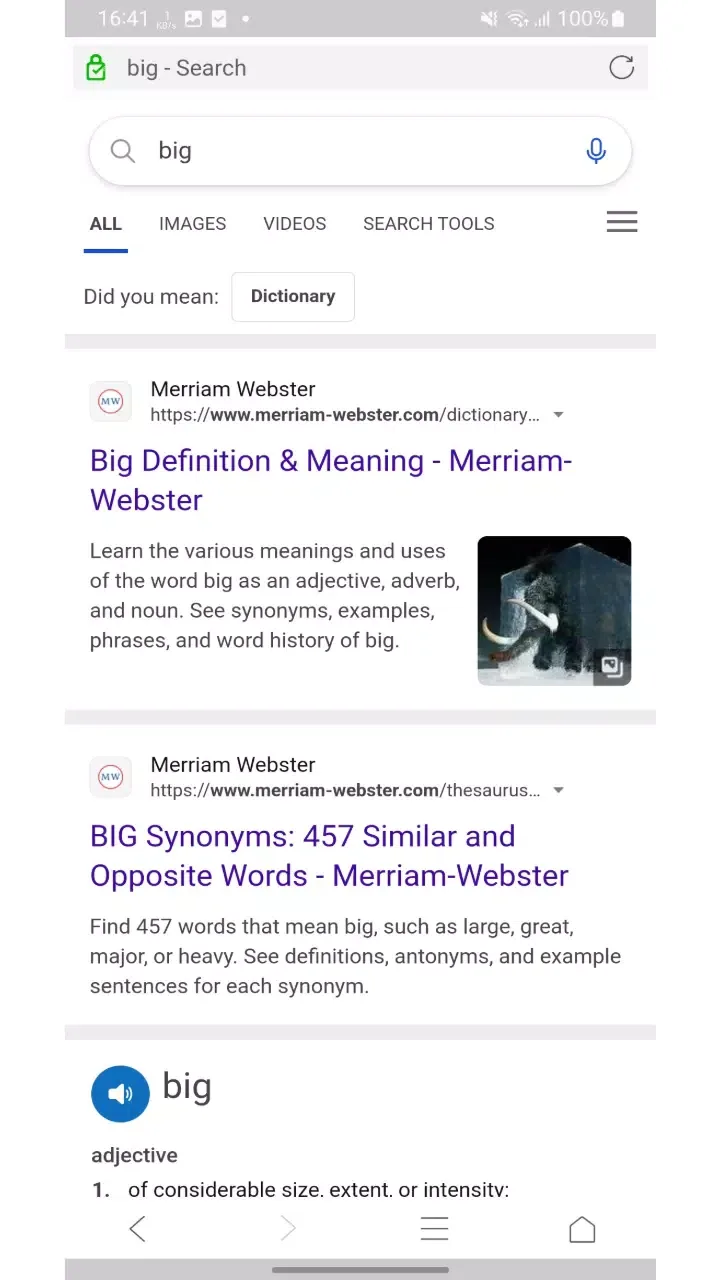
Amazing Performance of Diff Browser
The primary function of this application is to enable you to browse the web without interruptions. It blocks annoying advertisements, prevents trackers from monitoring your online activity, and even allows you to browse in Incognito Mode without leaving any traces behind. All these features are built directly into the app, requiring no additional software installations. Its design is clean and straightforward—which is precisely where its charm lies—ensuring that it loads quickly and runs smoothly, even under poor network conditions.
Tab management within the app is incredibly convenient—something you will truly appreciate if you have ever tried juggling a dozen open windows simultaneously while searching or shopping online. Switching between tasks is both fast and fluid. Additionally, the app offers a full-screen mode and an option to view desktop versions of websites—features that are particularly valuable when reading articles or watching videos.
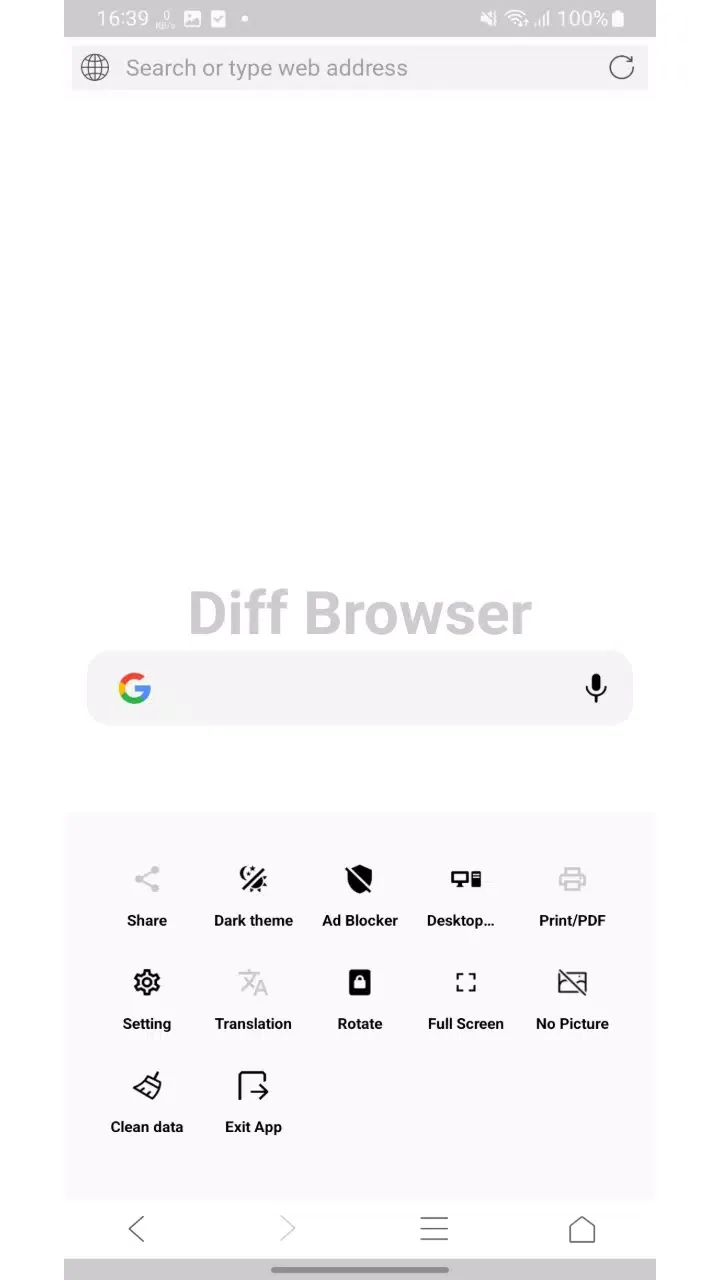
Helpful Tips of Diff Browser
Once installation is complete, open Diff Browser and set it as your default browser so that links open directly within it.
Access the menu to review your privacy settings, then use the "Clear Data" option as needed to delete your browsing history and cache.
Next, enable the ad blocker within the settings; this ensures fewer interruptions while pages load and reduces data consumption.
When accessing websites over a slow network connection, toggle the "Block Images" option to prioritize loading text, thereby minimizing bandwidth usage.
Finally, when a wider view of the page layout is required, switch to "Desktop Site" or "Full Screen" mode via the menu, and use the translation feature to read the content in your preferred language.
Frequently Asked Questions of Diff Browser
Can I run Diff Browser on a PC or Mac?
Yes, you can run Diff Browser on your computer using Android emulators such as LDPlayer or MEmu. After installing an emulator, download the Diff Browser APK file from APKPure, then drag and drop the file into the emulator to install it. Once installed, you can launch Diff Browser directly from the emulator's home screen.
Does Diff Browser feature a "hidden mode" for private browsing?
Diff Browser prioritizes privacy protection and offers quick options to clear your browsing history and cached data; however, it does not specifically market a dedicated "private mode." You can regularly clear your data and adjust your privacy settings to minimize any traces of your browsing sessions.
Are Diff Browser and Diffchecker the same product?
No, Diff Browser is an Android web browser focused on speed and privacy, whereas Diffchecker is a tool designed for comparing files and text. Therefore, they are distinct products with different purposes.
Summary
Diff Browser is an ideal choice for users who prioritize simplicity, privacy, and speed. It is an excellent option for students, remote workers, users with limited data plans, or those using older devices. If you are simply looking for a straightforward and easy-to-use web browser, this app will certainly meet your needs.








