

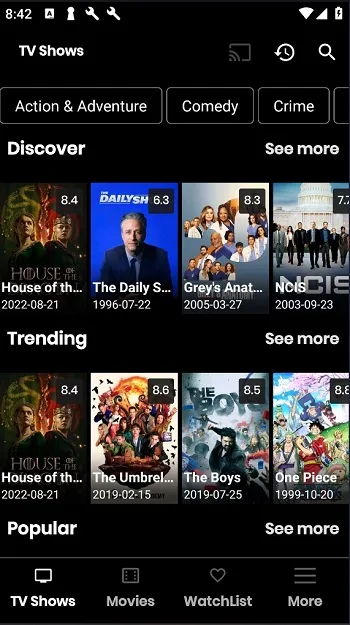
Nova TV is a streaming app designed for Android devices. Here you can find a vast collection of HD movies and TV shows, easily accessible whether you're using a phone, tablet, or Android TV! Its user-friendly interface is easy to use and suitable for users of all ages. If you enjoy film and television content, you'll find something to enjoy here! It offers Trakt.tv integration, allowing you to record your viewing history and easily discover your favorite content! In addition, Nova TV supports offline viewing and pre-downloading, so you can easily watch anywhere!
Features
Large library of HD movies and TV shows
1080p and even 4K HD movie content
Sync, collect, and manage your viewing history with Trak.tv
Get high-quality links with Real Debrid
Find content with SeriesGuide
Subtitle optimization in over 225 languages. Touch-friendly interface, simple interface, allowing you to easily open videos, select links, and start watching.
Advantages and Disadvantages
Advantages
HD picture quality: Enjoy amazing programs in up to 4K resolution.
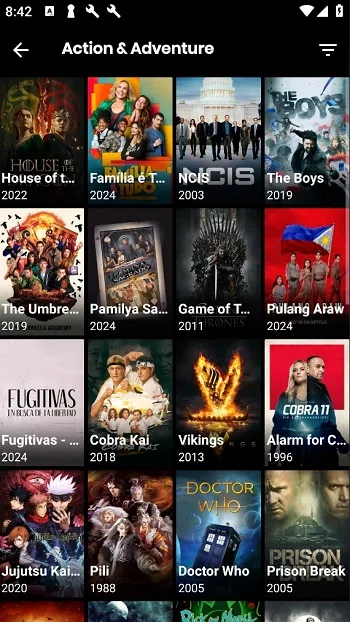
Massive Content Library: From the latest movies to must-watch TV shows, Nova TV has it all.
User-Friendly Interface: A Netflix-like interface design makes navigation a breeze, ensuring you easily find the content you want.
Disadvantages
Reliance on Internet Speed: While Nova TV offers high-quality streaming service, a fast internet connection is required for smooth viewing.
Limited Offline Functionality: You can download shows, but sometimes the selection is limited.
Download
Step 1: Enable Unknown Sources
Since Nova TV is a third-party application, you need to enable "Unknown Sources" in your device settings.
Open your Android device's settings.
Navigate to "Apps & notifications" or "Security".
Tap "Install unknown apps" (or "Unknown sources").
Select the browser or file manager you will use to install the APK and enable "Allow from this source".
Step 2: Download the Nova TV APK
Open a web browser (Chrome, Firefox, etc.).
Please visit the official Nova TV website: novatvapk.com
Click the download button and wait for the APK file to be saved to your device.
Step 3: Install the APK
Open your file manager and locate the downloaded Nova TV APK file (usually in the "Downloads" folder).
Click the APK file and select "Install".
Wait for the installation to complete.
Step 4: Launch and Set Up Nova TV
After installation, click "Open" to launch the Nova TV app.
Allow the necessary permissions for accessing storage and media.
If prompted, select a media player (e.g., MX Player or VLC).
Start browsing and watching video content.
FAQs
Q: Is the Nova TV APK for Android free to use?
Yes, the Nova TV APK for Android is completely free to download and use. The app allows you to watch movies and TV shows without any subscription or account registration. Users can browse content, select streaming links, and start watching immediately, making it very attractive to users who want to enjoy entertainment without paying a monthly fee.
Q: 2. Does Nova TV APK (Android version) offer movies and TV shows?
No, Nova TV APK for Android does not host any content on its servers. It's simply an aggregator, collecting streaming links from various publicly available resources on the internet. Therefore, users will often see multiple links for the same title, providing greater flexibility and choice.
Q: Can Nova TV APK for Android be installed on Android TV devices?
Yes, Nova TV APK for Android is compatible with Android TVs, TV boxes, and Fire TV devices. Its interface adapts well to large screens and can be easily controlled with a remote. This makes it ideal for users who enjoy watching movies and TV shows on a big screen.
Q: Does Nova TV APK for Android support HD streaming playback?
Nova TV APK for Android supports HD and even Full HD streaming playback, provided the video source quality is high enough. Actual playback quality depends on the selected video source and your network speed. Users can switch video sources to find the optimal balance between clarity and smooth playback.
Summary
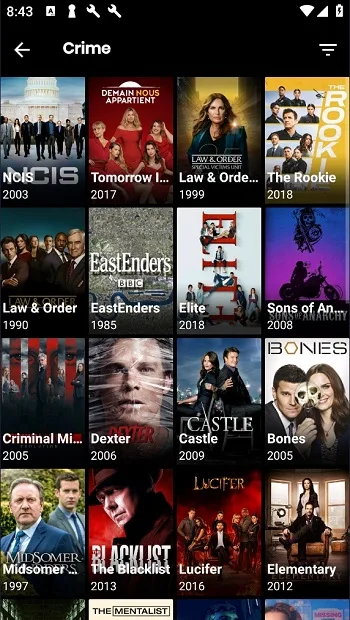
NovaTV aggregates links to a vast amount of on-demand content and presents it in a clean Android interface. It focuses on quick access to popular movies and TV series, and its library also includes short dramas and some anime. During playback, it strives for high-definition picture quality if the source supports it. The navigation is simple and compatible with both phones and tablets; you can browse by category or directly view popular content. The NovaTV APK is specifically designed for Android devices and is regularly updated to ensure link availability and stable NovaTV playback.








