

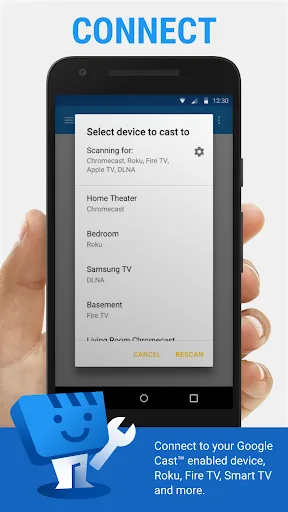
Web Video Cast is a video casting application that easily streams videos from your device or network to your computer for a cinematic viewing experience. Web Video Cast boasts broad device compatibility, working with Chromecast, Roku, DLNA receivers, Amazon Fire TV, and Fire TV Stick. Many other TVs can also be set up with a compatible network, ensuring a large-screen experience for any needs. Furthermore, Web Video Cast plays videos in common formats such as M3U8, MP4, and HTML5, allowing you to play videos in any format!
Usage
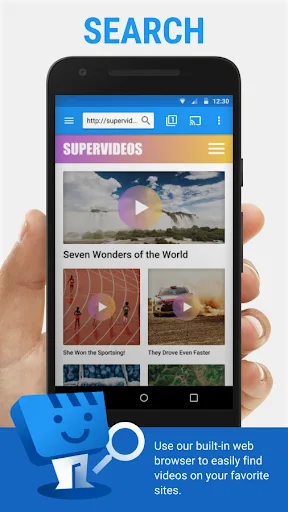
- Find the video you want to watch online.
- Ensure the video can be played on a mobile browser without Flash.
- Connect to your streaming device.
- Play the video as usual. Or, click the play button on the toolbar.
Features
Supports Multiple Video Sources
To maximize user enjoyment of various favorite shows, Web Video Cast can cast videos from numerous other applications to your TV. These applications include video upload apps, media players (such as Google Drive and Dropbox), and NAS data storage devices. Popular movie or video websites (such as Netflix or YouTube) are also integrated into the Web Video Cast interface. You can choose any page to watch what you want.
Customizable Audio and Video Quality
In addition to the number of applications supported, Web Video Cast must also offer a full range of output quality options to give you the best experience. When you start streaming video from your mobile device to a large screen, you can choose the desired output video quality. Everyone wants to watch their favorite content in the highest quality, but you must also consider the quality and size of your screen to find the most suitable resolution.
Furthermore, Web Video Cast supports a variety of different video and audio formats, including OGG, MP3, WAV, and popular video formats such as MKV, FLV, and MP4. Therefore, you can watch almost any type of video and audio.
Integrated Practical Functions
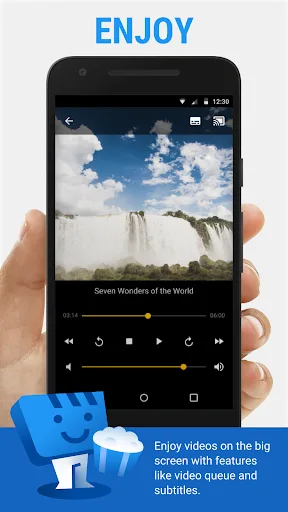
In addition to the above features, Web Video Cast integrates other functions designed to provide you with the best user experience. For example, the flexible video player function allows you to pause, fast forward, and rewind at any time.
Web Video Cast also allows you to download videos directly from the web and then stream them to a big screen. Furthermore, the app supports saving your viewing progress. This way, you don't waste time searching for your current episode while watching, and you won't experience interruptions in video playback. Isn't that convenient?
Highlights
Easy Shortcut Creation: Setting up shortcuts helps you quickly view content you've missed, as it only takes a tap.
View Your Viewing History: You can view the content you've watched, allowing you to review content you're interested in for a long time at any time.
Multimedia Support: In addition to videos on your device, you can also cast images, music, or HTML5 videos.
FAQs
What types of content can I cast using this app?
You can cast a wide variety of content, including videos from popular websites such as movies, TV series, and live news and sports events. It also supports casting local videos, photos, and audio files stored directly on your Android phone.
Does it support external subtitles?
Yes, this tool offers robust subtitle support. It can detect subtitles on web pages, allowing you to use custom subtitle files, and even provides an integrated subtitle search function via the OpenSubtitles.org website.
Which streaming devices is Web Video Caster compatible with?
Web Video Caster is designed to support the most popular streaming devices on the market, including various smart TVs and dedicated media streaming hardware, ensuring broad compatibility with many existing home entertainment systems.
Can I stream my personal photos and music?
Absolutely. In addition to video content, the app also fully supports streaming local photo libraries and audio files from your phone to your TV. This allows you to easily share and enjoy your personal media content on the big screen.
Summary
If you want to send various videos to your TV with a simple and convenient application, download the Web Video Cast APK for free and enjoy your favorite content on the big screen.








