

Back Button is a fun and useful tool. This powerful app allows users to simulate the system's back, home, and recent apps buttons, making it the ultimate solution for physical button problems on your phone. With Back Button, if your device's physical back button is broken, or if your device still retains this function, then this app is your ideal choice. Whether your back, home, or recent apps buttons are not working properly, this app can simulate these system buttons, allowing you to continue using your phone smoothly.
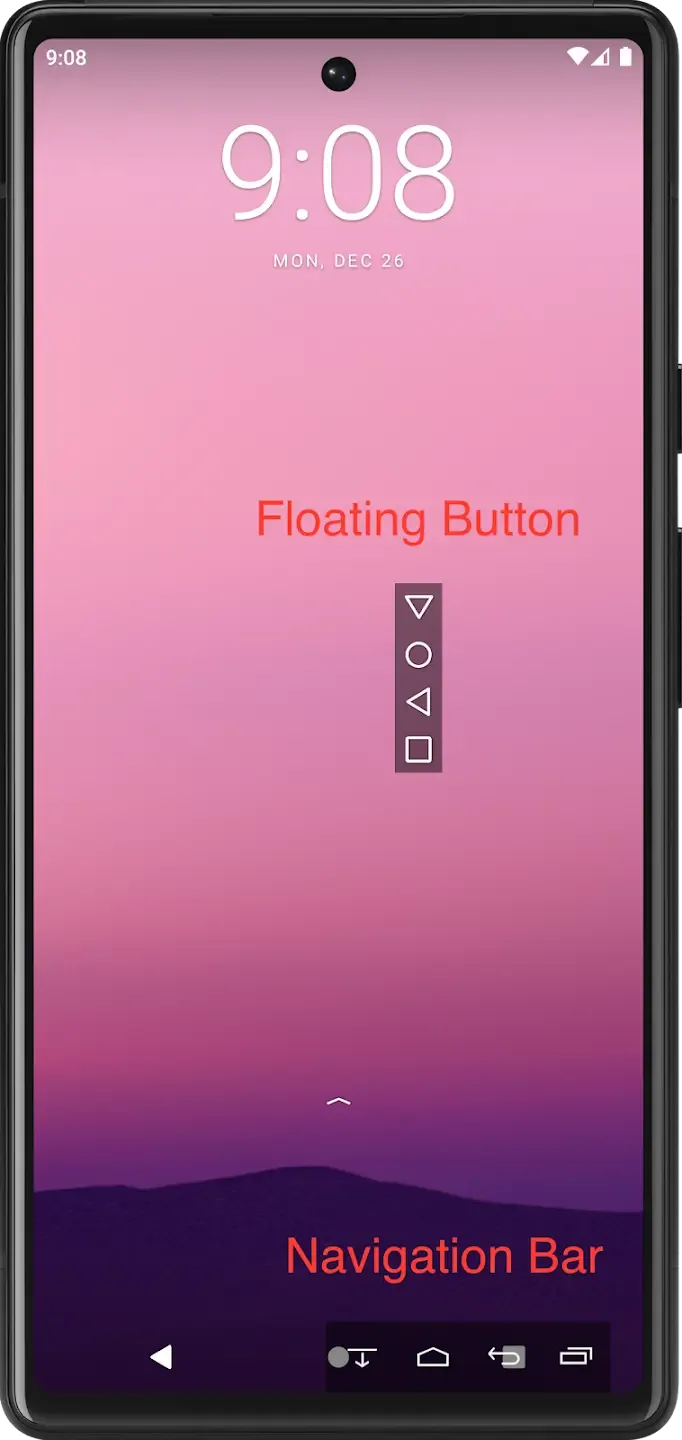
Highlights:
Press and hold the button to move.
"Home button", "Resents button" and "Notification bar" can also be displayed.
Order of buttons can be changed.
Multiple types of button shapes.
Button colors can be customized freely.
Very simple to use!
Features:
Easy to Use: Press and hold the virtual button to move it anywhere on your screen.
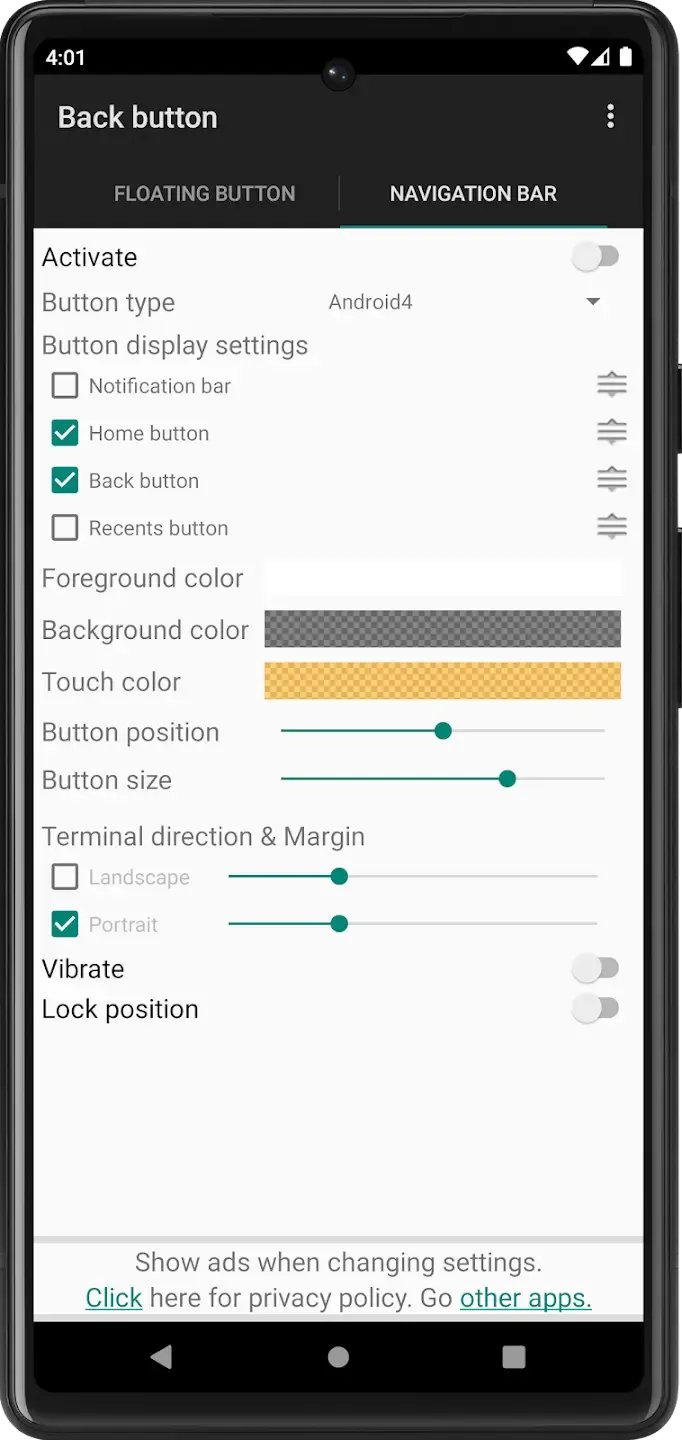
Customizable: Adjust the button’s position and size to fit your needs.
Simulates System Button: It works just like your phone’s back button, giving you a familiar feel.
Accessibility: Ideal for those who have trouble reaching the back button or have damaged phone buttons.
Personalization: Customize the button layout, shape, and color to suit your style.
Tips for Users:
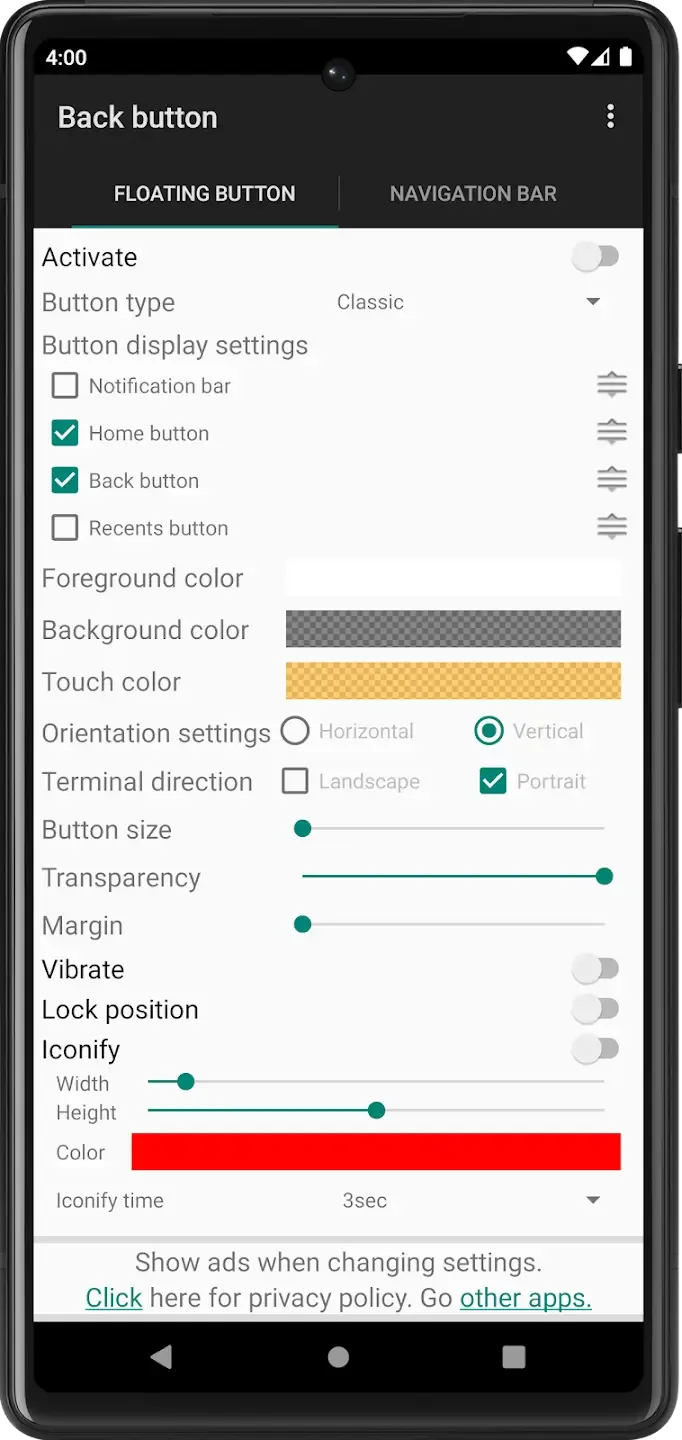
Drag or Pin it: The back button can be dragged anywhere on the screen, giving users the option to position it conveniently. It can also be pinned in place to disable dragging.
Custom theme: Users can customize the appearance of the button by setting the button color, pressed color, and background color. They can even make the button translucent if desired.
Vertical and Horizontal Support: The button layout can be adjusted to either vertical or horizontal orientation, allowing users to choose the orientation that best fits their device and personal preference.
Pros & Cons:
Pros
Provides an effective solution for malfunctioning physical buttons.
Works without requiring device rooting.
Offers a user-friendly and intuitive interface.
No subscription is required.
Cons
Limited customization features.
The design and functionality feel somewhat outdated.
Conclusion:
Back Button is a sufficient alternative for the broken navigation bar of your smartphone or tablet. This way you can optionally utilize the keys flashed on your screen in order to effectively operate some tasks on your device. If you value your disk space over additional personalization settings then, this small program will satisfy you already. Otherwise, Soft Keys 2 is more suitable for you to install.








