

SO Launcher is a stunning theme and wallpaper utility that helps users refresh their mobile interface, enjoy a visually pleasing experience, and maintain a relaxed and cheerful mood. The app presents a lightweight yet feature-rich theme and wallpaper software for a wide user base. Users can easily explore a rich variety of designs in an intuitive categorized interface, enjoying high-definition images and convenient previewing. The app offers smooth interaction and dynamic graphics, helping you create a refreshed and personalized space, achieving aesthetic appeal.
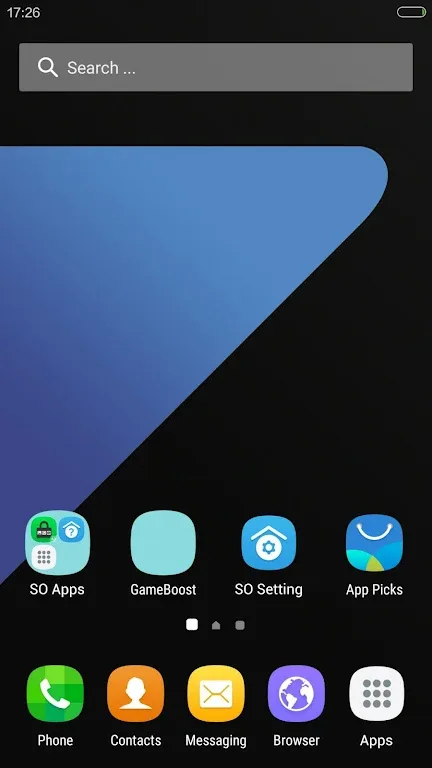
Wonderful Features of SO Launcher
Supports icon themes, compatible with over 5000 icon packs and themes
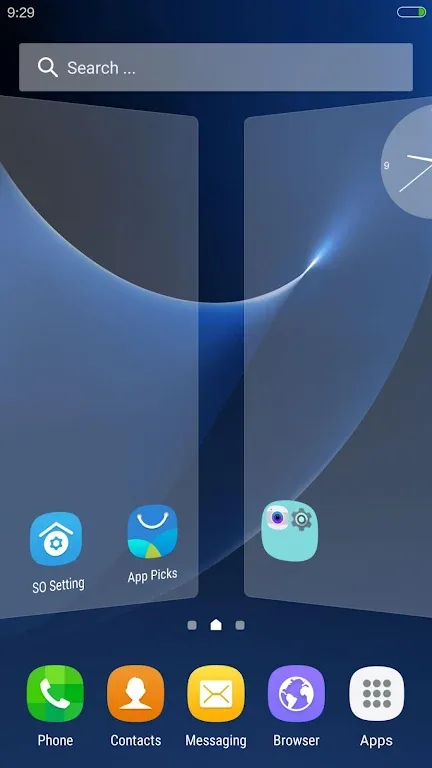
Galaxy S6 TouchWiz launcher scrolling effect
Supports drawer app sorting, drawer folders, and app hiding
Convenient sidebar: Includes a cleaner, toggle button, flashlight, etc.; you can drag the sidebar out from any position.
Multiple gestures and Dock icon gestures
Unread message counter/notification for SMS, email, missed calls, and WhatsApp, etc.
Transparent status bar and navigation bar for Android 4.4, Android 5.0 devices, and Galaxy S6 and Galaxy Note devices.
Back up and restore launcher settings and layouts; import layouts from other launchers.
Highly customizable with over 200 options:
Change launcher desktop and drawer grid size, edit icons, lock desktop, and more.
4 UI size modes for easy icon resizing.
4 drawer styles: horizontal, vertical, vertical with categories, and list.
Multiple desktop and drawer transition effects; multiple live wallpapers.
Amazing Performance of SO Launcher
An Android app that provides users with a Samsung Galaxy S7-like interface experience. The app's packageId is "com.so.launcher" and it can be downloaded from the Google Play Store. With this launcher, you can transform your smartphone's interface to look like a Samsung flagship.
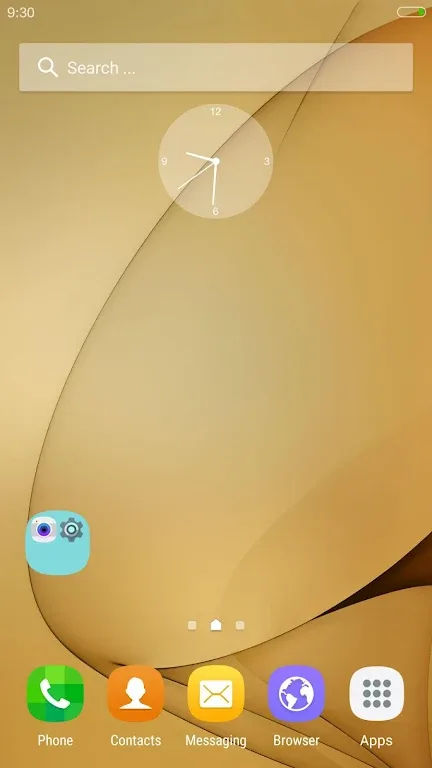
One of SO Launcher's most notable features is its rich customization options. Users can choose from various themes, wallpapers, widgets, and icon packs to create a personalized home screen. In addition, it offers a variety of transition effects, making screen transitions more visually appealing.
Another advantage of using SO Launcher is its performance optimization features. It extends battery life by reducing CPU usage and freeing up device memory. This means that even older smartphones will run more smoothly after installing this launcher.
Pros and Cons of SO Launcher
Pros
Galaxy-inspired interface with smooth scrolling and transitions
Powerful customization options covering themes, icon packs, grid sizes, and drawer styles.
App drawer organization tools, including sorting, folder, and app hiding.
Sidebar utilities and gesture controls (including Dock gestures) for faster navigation.
Support for unread counts in messages, emails, calls, and WhatsApp.
Backup, restore, and layout import options.
Ad-free positioning.
Cons
Semi-transparent status bar and navigation bar functionality depends on the supported Android version.
If you prefer to keep customization options to a minimum, the sheer number of settings might feel overwhelming.
The number of unread messages is primarily specific to certain messaging apps and categories and is not universally applicable.
Frequently Asked Questions of SO Launcher
Can this launcher use third-party icon packs?
Absolutely! It supports almost all third-party icon packs, providing you with a wide range of customization options.
Can I switch back to my previous launcher if I don't like this app?
Yes, you can easily switch back to your previous launcher. Android allows you to choose a default launcher, so you can switch launchers whenever you need.
Will using this app affect my device's performance or battery life?
This app is designed for efficiency and generally will not have a significant impact on your device's performance or battery life. However, the actual impact may vary depending on your device configuration and level of customization.
Final Verdict
In short, if you want to refresh your Android phone and improve its performance, then SO Launcher might be exactly what you need. Its user-friendly interface allows you to easily navigate all the available settings and customization options without feeling overwhelmed or confused.








