

Adblock Browser is a free mobile browser built on the Adblock Plus ad-blocking plugin. It features native ad blocking capabilities, automatically blocking various types of ads such as pop-ups, pre-roll video ads, and banner ads. It supports blocking new types of ads by updating its rule base, and also allows for custom filtering rules or adding to a whitelist. Furthermore, it reduces data consumption by blocking ad downloads, and its optimized kernel combined with parallel download technology improves page loading speed while reducing resource usage and extending device battery life.
Click to load YouTube / 点击加载视频
YouTube ↗Features:
Built in ad blocking
Adblock Browser latest version blocks many disruptive pop ups, video ads, and banner overlays by default. Pages open with fewer interruptions so you can reach the content you came for without sudden takeovers.
Tracker and privacy controls
Adblock Browser reduces common tracking by blocking known tracking requests. You can review privacy options in settings and adjust what is blocked to match your comfort level.
Acceptable ads setting
Some non intrusive ads may appear to support websites and creators. You can turn this setting off or customize it at any time in the browser settings to choose what you see.
Data and battery savings
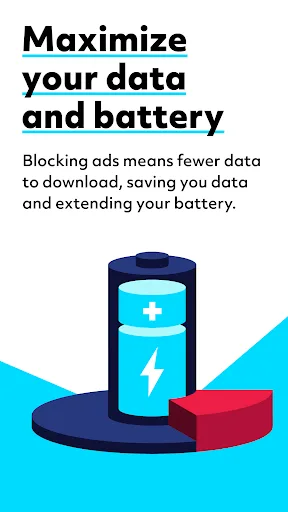
By stopping heavy ad requests, fewer files are downloaded in the background. This can lower data use and help extend battery life during long browsing sessions.

Highlights:
- Game Acceleration: Solve game lag and slow progress issues with the game mode acceleration feature.
- Login Manager: No need to remember passwords; securely log in to frequently used websites with one click using the login manager.
- Video Acceleration: Intelligent acceleration and a unique cinema mode for a smoother and more enjoyable video viewing experience.
- Ad Blocking: Blocks video ads, web page ads, ISP-hijacked ads, and Baidu search ads—all implemented.
Pros and Cons:
Pros
Blocks pop-ups, banners, and video ads automatically
Warns about potential malware or adware sites
Customizable search engine, notifications, and theme color
Data savings when browsing on mobile networks
Includes bookmarks, multiple tabs, and incognito mode
Cons
No desktop counterpart for cross-device sync
Websites that rely on ads may require manual whitelisting

FAQs:
What is Adblock Browser?
Adblock Browser is a safe and secure web browser with built-in and easy-to-use privacy settings. It features built-in ad blocker, invisible trackers blocker, anti-fingerprinting and end-to-end encryption across devices so you can have a better web experience and stay safe online.
What are Adblock Browser’s innovative security features?
Adblock leverages the same underlying mechanism to block malicious websites, as SafeBrowsing, yet differently. It has built-in a Smart Aggregator Service that pulls information from multiple reputable sources. Adblock ensures better coverage over the security landscape, offering you a better protection.
Why is Adblock Browser faster than traditional browsers?
While browsing with Adblock some unwanted content like cookies, trackers and ads can be blocked. This allows websites to load and display faster. With it`s one-click cookie consent pop-up blocker, the browser experience is uninterrupted, allowing you to reach the website`s content faster. Adblock is using advanced parallel downloading technology, where files are
Conclusion:
Users interested in an ad-free browsing experience can download Free Adblocker Browser to take advantage of its comprehensive features. With its focus on privacy, security, and user satisfaction, the app serves as a valuable tool for anyone looking to navigate the web efficiently and without the hassle of unwanted advertisements.








