

Musi: Simple Music Streaming Advice is a music player app. It's easy to use; you can easily create playlists and add your favorite songs. It's also feature-rich, with easy options for replaying, skipping songs, and going back to the previous track, all with a simple click of a button. The app also provides a "Hot Recommendations" section where you can find the most popular songs recently, see what others are liking—maybe they'll be your favorites too! The app's interface is clean and the navigation is very clear, suitable for all types of users.
Using
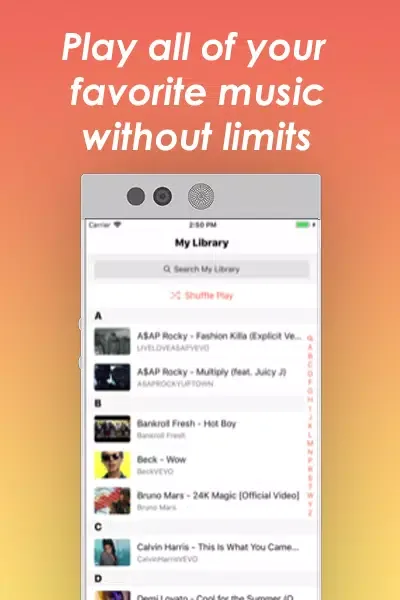
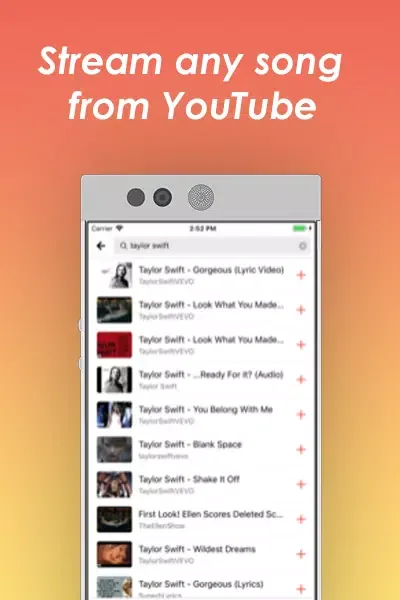
This app is very simple to use. Just click "My Media Library" to load your playlists. To create a new playlist, click the "Create" button. Then, you can add all your favorite YouTube videos. While the playlist is playing, the app records your playback position and displays the video that's about to play. You can easily skip songs or replay other songs using the buttons on the screen. When the app is playing a full video, you can put down your phone and listen to music while doing housework or other tasks.
To help you discover more music, Musi App Free displays a "Hot Recommendations" section when you open the app. This section features the most-watched videos of the day. Click on a video to watch it and add it to your favorites. There's also a "Popular Songs" section with the same function, highlighting the most popular songs from the past 24 hours.
Features
Playlists
Create and name playlists for different moods or activities.
Add, reorder, and delete tracks with just a few taps.
Start with ready-made playlists if you prefer quick listening.
Floating Pop-up Player
Musi allows you to place a small player window above other applications. You can play, pause, or skip songs without switching screens, which is incredibly convenient when chatting or browsing the web. You can adjust the pop-up's position so it doesn't obstruct important areas of the screen, making it easy to access controls while multitasking.
Speed Up Your Search with Filters
You can use filters to narrow down your music library. Sort or filter by title or artist to find the songs you want to listen to faster. This feature is especially useful when your collection grows and you need to quickly find the right songs.
Simple Playback Controls
Musi's core interface is clean and intuitive. You can start or stop playing tracks, switch to the next or previous song, and quickly jump to a specific position using the timeline. These basic functions allow for easy one-handed music playback control.
Pros & Cons
Pros: Easy to use; Large music library; Create and organize playlists; Shuffle, repeat, and skip tracks.
Cons: Does not support offline playback.

FAQs
Is Musi suitable for all levels of users?
- Yes, the application's guide is designed to meet the needs of users at all levels, making it easy for anyone to understand and use its features.
Can I see background information before installing Musi?
- Yes, the application provides background information about the software to help users make an informed decision before installation.
Is Musi easy to use?
Absolutely! This application is not only easy to use but also fun to operate, ensuring a smooth and enjoyable user experience.
Conclusion
The Musi application is undeniably convenient and practical. The application has a user-friendly interface, clear navigation, and is suitable for all types of users. In conclusion, Musi offers an excellent user experience, and its convenient features and vast music library make it an ideal choice for anyone looking for a simple and easy-to-use music streaming app.








