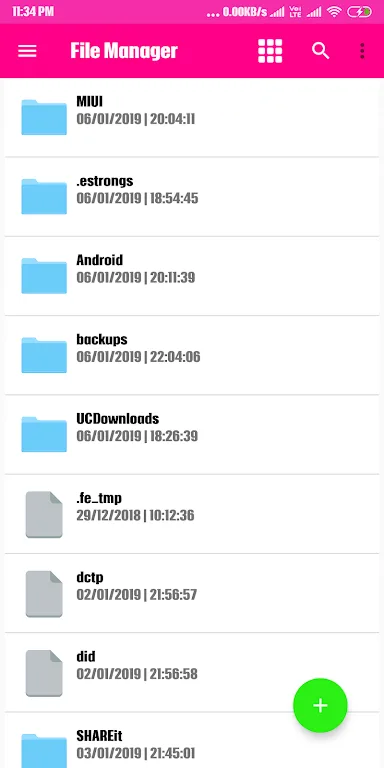
Filza File Manager is a fun and engaging file management application. It offers a full suite of file management features, allowing users to automatically organize their phone's files, folders, and apps, saving you time and effort. With Filza File Manager, you can organize and sort your phone's files by various criteria, easily switching between ascending, descending, or folder sorting. This application automatically organizes your phone's files, folders, and apps, saving you time and effort. With just a few clicks, you can view file or folder properties and enjoy a range of powerful security features.
Highlights:
Select multiple items
Cut, copy, paste, and move
Create and delete files or folders
Rename, search, share, and bookmark
Hide items, compress, and unzip
Features:
App manager tools
Next, Filza: File Manager includes an app manager for routine maintenance. You can browse installed apps, back up app files, uninstall safely, share items, and check app properties from one place. This keeps app data and packages visible when you need to review or tidy up.
Storage browsing and categories
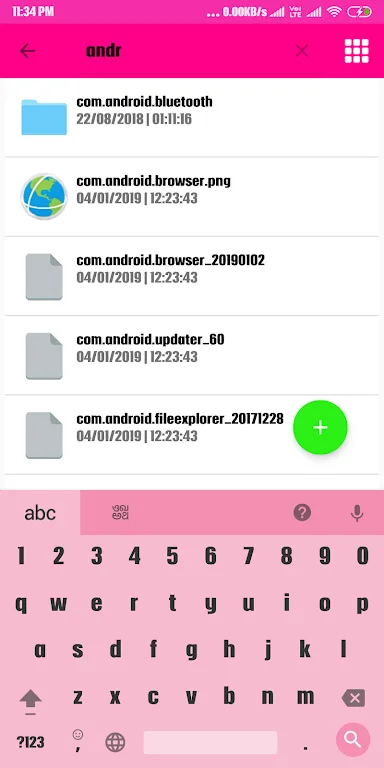
Additionally, you can manage both internal and external storage. Browse folders, run searches, and view content arranged by type so documents, images, music, and videos are easier to find. Categorized views help you locate the exact file without digging through deep paths.
Remote access and archives
Finally, Filza: File Manager supports FTP for accessing your device storage from a PC. Transfer files back and forth and handle common archive formats. You can create compressed files and extract ZIP or RAR archives directly inside the app.
Tips and Tricks:
Intuitive User Interface:
Filza's user interface is designed to be sleek and intuitive, allowing you to navigate your file system with ease. The layout is clean and organized, ensuring that even beginner users can quickly become proficient.
Comprehensive File Management:
Manage your files effortlessly with options to create, move, copy, and delete files and directories. Filza supports multiple selection modes, which means you can manage bulk files or perform single actions smoothly.
Multi-tasking Support:
With Filza, you can open multiple tabs at once, allowing you to work on different files simultaneously. This multi-tasking feature enhances efficiency, making it easier to transfer files between folders.
Built-in Media Player and Viewer:
Play music, video, and view images directly within the app. Filza supports a wide range of file formats, so you can enjoy your media without needing to switch to other applications.
File Compression and Decompression:
Filza supports various compression formats, enabling you to zip and unzip files directly from the app. This feature is perfect for consolidating files for sharing or saving space on your device.
Cloud Storage Integration:
Effortlessly connect and manage your files stored in various cloud services. Filza supports popular platforms like Google Drive, Dropbox, and more, allowing you to access your documents from anywhere.
Conclusion:
Filza File Manager is a must-have tool for Android users looking for a seamless and efficient way to manage their files. With its user-friendly interface, robust features, and convenient after-call screen options, it improves productivity and organization on your device. Download Filza File Manager today and experience hassle-free file management at your fingertips.