

Node Video Editor is a powerful video editing software. This application comes equipped with numerous basic and advanced tools to help users connect video clips and perform various technical processing for professional-level video editing. With Node Video Editor, users can easily make complex modifications to videos, from adjusting brightness and color quality to adding effects through masks. On the audio side, it also features a spectrum viewer, allowing you to see the best editing points or how volume changes when gain is increased.
Highlights:
Complete Control Over Sound: The app gives users complete control over the sound in their videos. Users can easily adjust the volume, equalizer, and add unique sound effects to create the perfect audio experience.
AI Integration for Fast and Beautiful Background Removal: The integration of AI artificial intelligence in Node Video allows for quick and accurate background removal. With just one tap, users can remove unnecessary people and objects and replace the background with new scenes.
Professional Effects: The app offers a wide range of professional effects to enhance videos. From stunning color effects to dynamic motion effects, users can easily add life and uniqueness to their videos.
Extensive Audio Library: The app provides users with access to a vast audio library with hundreds of cool sound effects. This saves users time searching for audio on the web and allows them to easily add music and sound to their videos.
Features:
Hundreds of Video Effects
The video effects are essential for video editing, be it the basics or the advanced editing. There are more than a few hundred unique video effects available in this app. The video effects like the blend mode, Motion Blur, Fractal Noise, Time Remap and many others. You can choose any of the available effects and even create custom effects with advanced tools.
Layers and Groups
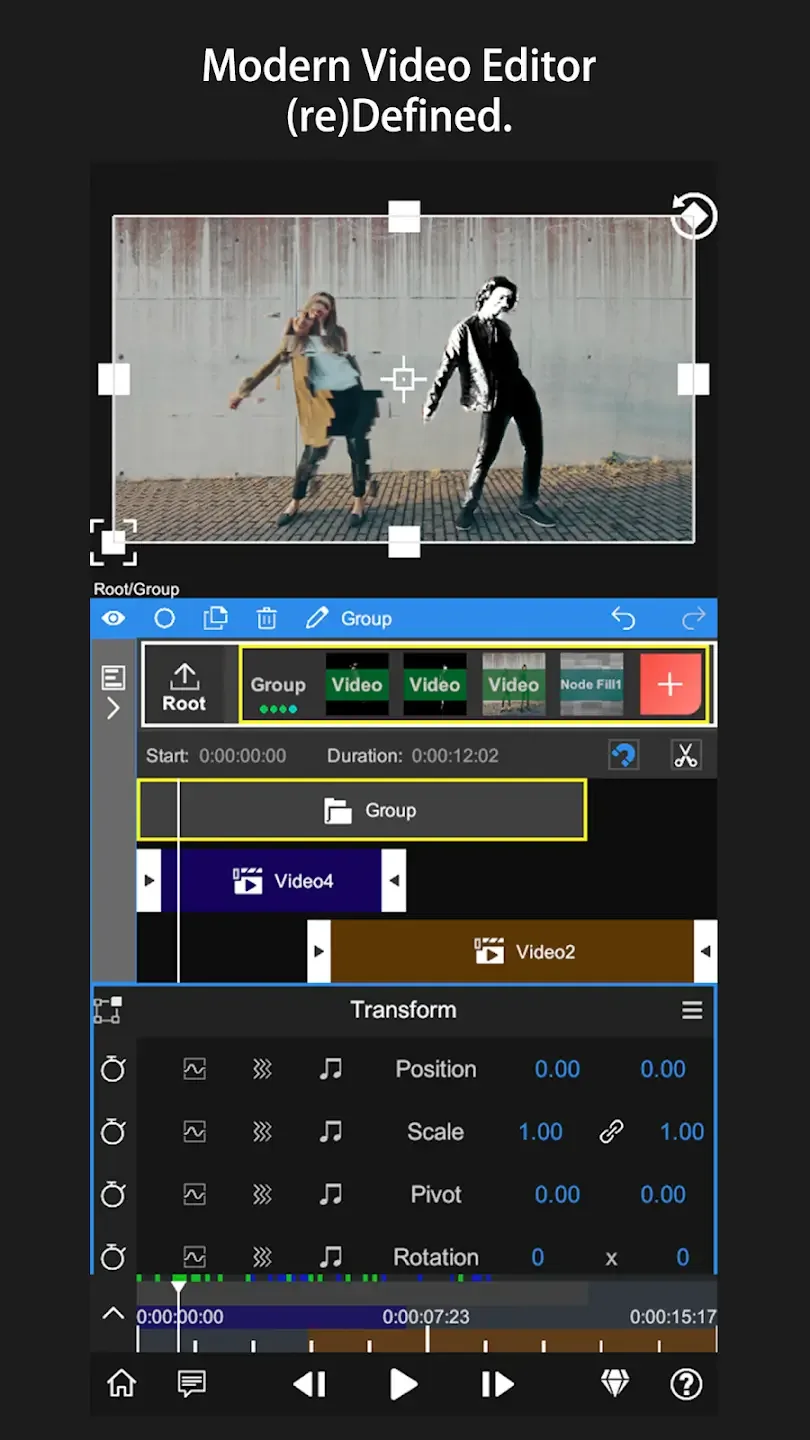
Layering and grouping the multiple video clips, audio and effects have been made easier with the Node Video Editor app. You can access the layering menu to access a wide range of options to customize the layering. Also, you can group everything at your convenience and replicate the various video effects and transition keys. That’s one of the best features for professional video editors.
Audio Controls
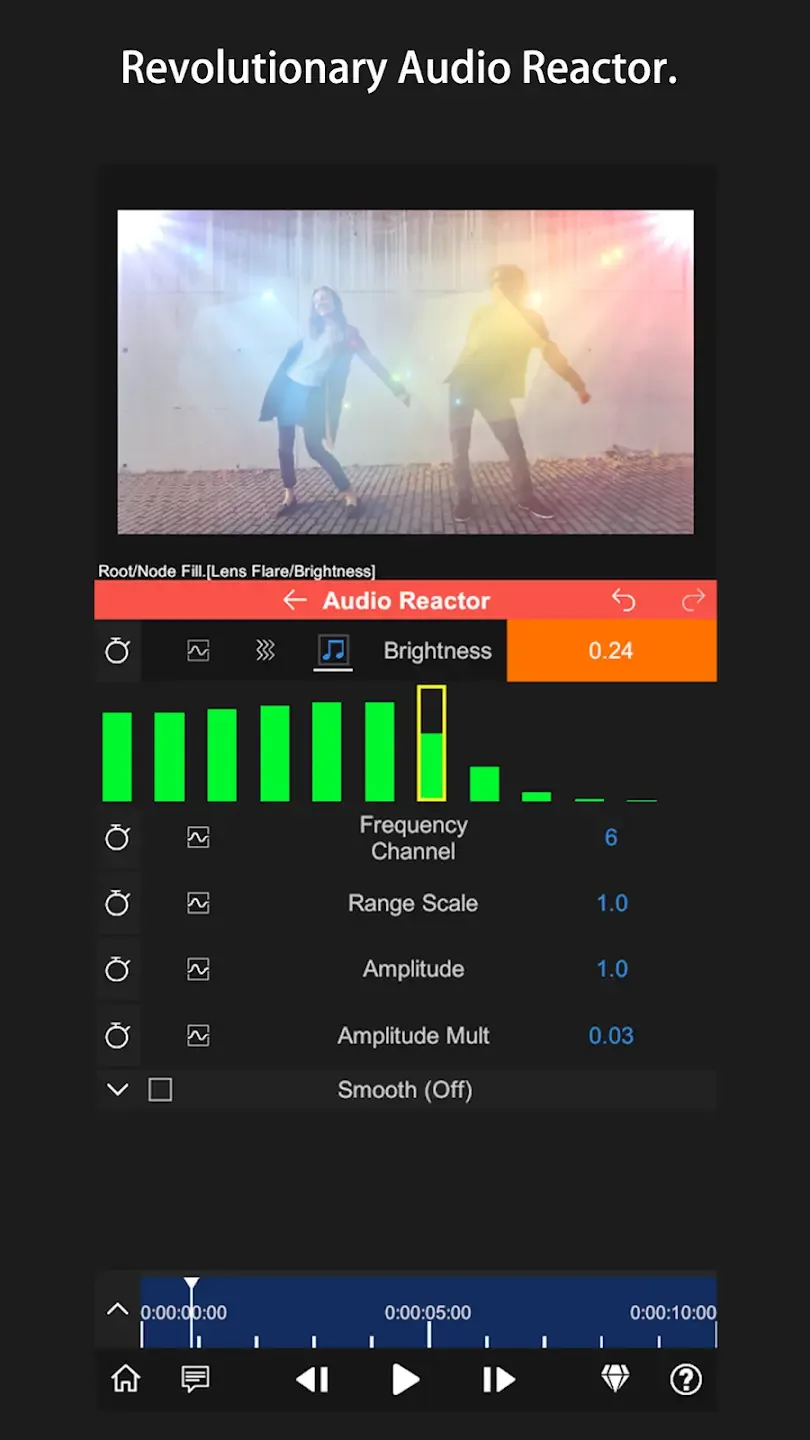
Audio is an essential part of any video. With the Node Video editor, you will have full control over the audio spectrum. You can visualize the entire spectrum and adjust the various settings for the audio. There is the timeline feature, where you can manually adjust the audio and even cut the audio clips as per your needs. The users can easily adjust the frequency, audio band, speed and many other things with the Audio Reactor controls.
Color Grading
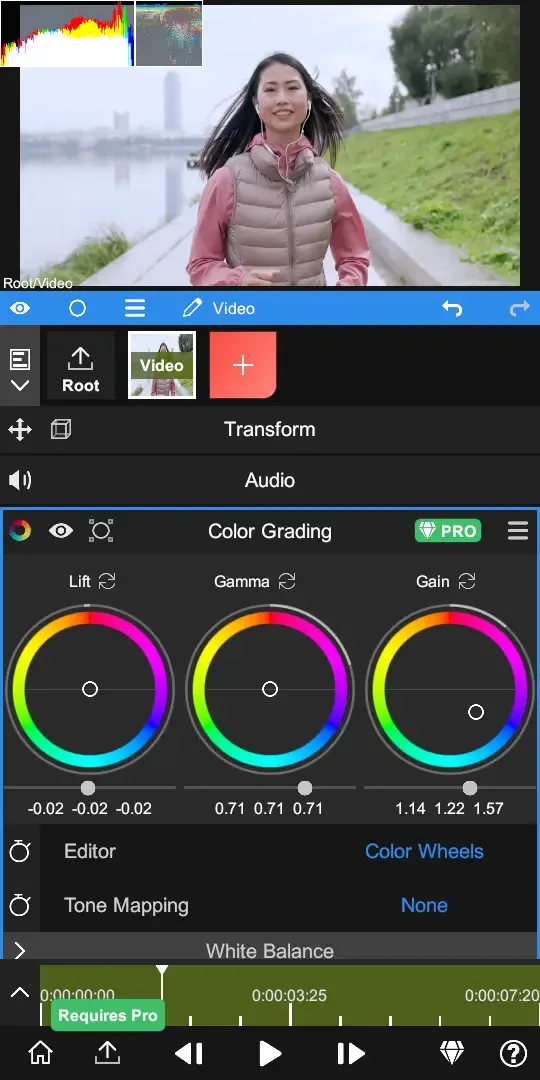
It’s rare to see advanced colour grading on Android video editors. But with the Node Video editors, you can access all of the professional colour grading tools. The app supports the HSL colour map, Tone mapping, Gain, Gamma, and life settings. Not just that, you can choose from the preset profiles, which allow you to automatically apply them and change the colour grades of your videos.
Pros & Cons:
Pros
Easy to use user interface.
Supports a wide range of video formats including MP4, 3GP and AVI.
Ability to add music or voiceover recordings as well as text overlays.
Offers basic editing functions such as trimming clips, adjusting speed and adding transitions between videos.
Can be used for both professional-level projects or simple home movies with ease.
Allows users to share their creations directly on social media platforms like Facebook, YouTube etc.
Cons
Difficult to use for beginners.
Limited features compared to other video editing apps.
Not compatible with all Android devices.
Poor customer support and limited online resources are available.
Changelog:
- Added [Glass] material. After enabling the 3D switch, it can be changed under [3D Rendering Settings - Material - Type].
- Other bug fixes and improvements.
Final Words:
When exporting videos, you can choose the resolution (up to 1080p), the FPS (the number you want), and the quality. Regarding the latter, if you opt for the high setting, you will obtain the lowest possible compression— although you can always customize it to choose the bit rate yourself. If you are looking for a complete video editor for your smartphone or tablet, don't hesitate to download Node Video , as it is very intuitive and easy to use.








