
Click Assistant is a utility app designed specifically for Android users. This app offers powerful features, especially excelling at automating gestures such as clicks, swipes, and pinches, aiming to help users complete a variety of repetitive tasks. With Click Assistant, you can leave your phone idle and let it automate various repetitive operations, thus freeing up more time for other tasks. The app also offers multiple click methods, such as long swipes and touchscreen drawing. Enjoy easier work management by pre-setting activities.
Highlights:
✓ Easy to use
✓ Multi-Touch gestures - You can tap, swipe, pinch, or spread one or more fingers to perform useful actions
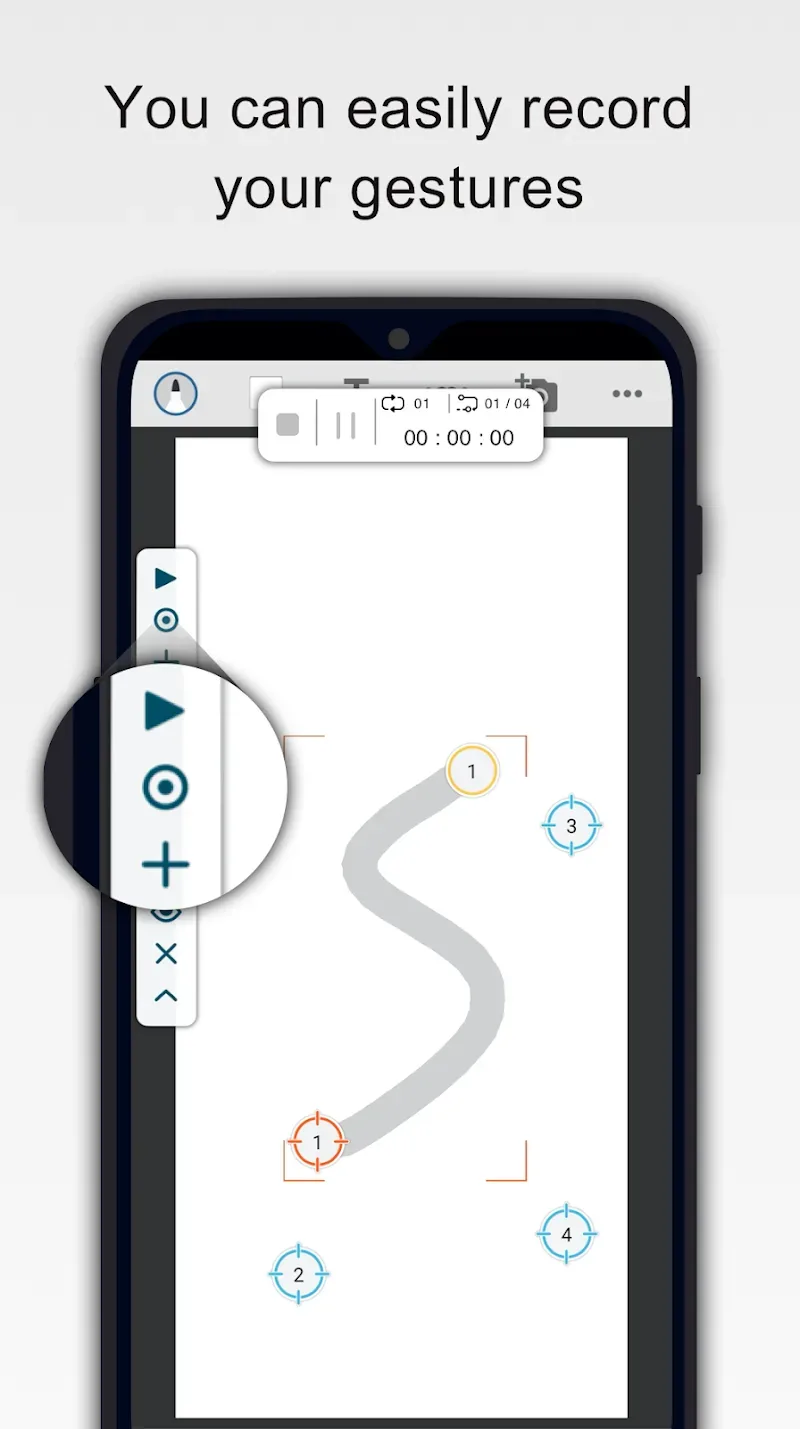
✓ Recording gestures - You can easily record your gestures
✓ The new interface allows you to stop, pause or resume the script at any time
✓ Innovative curve swipes and two-finger zoom gestures
✓ Personalization - You can adjust the size and opacity of the operating interface
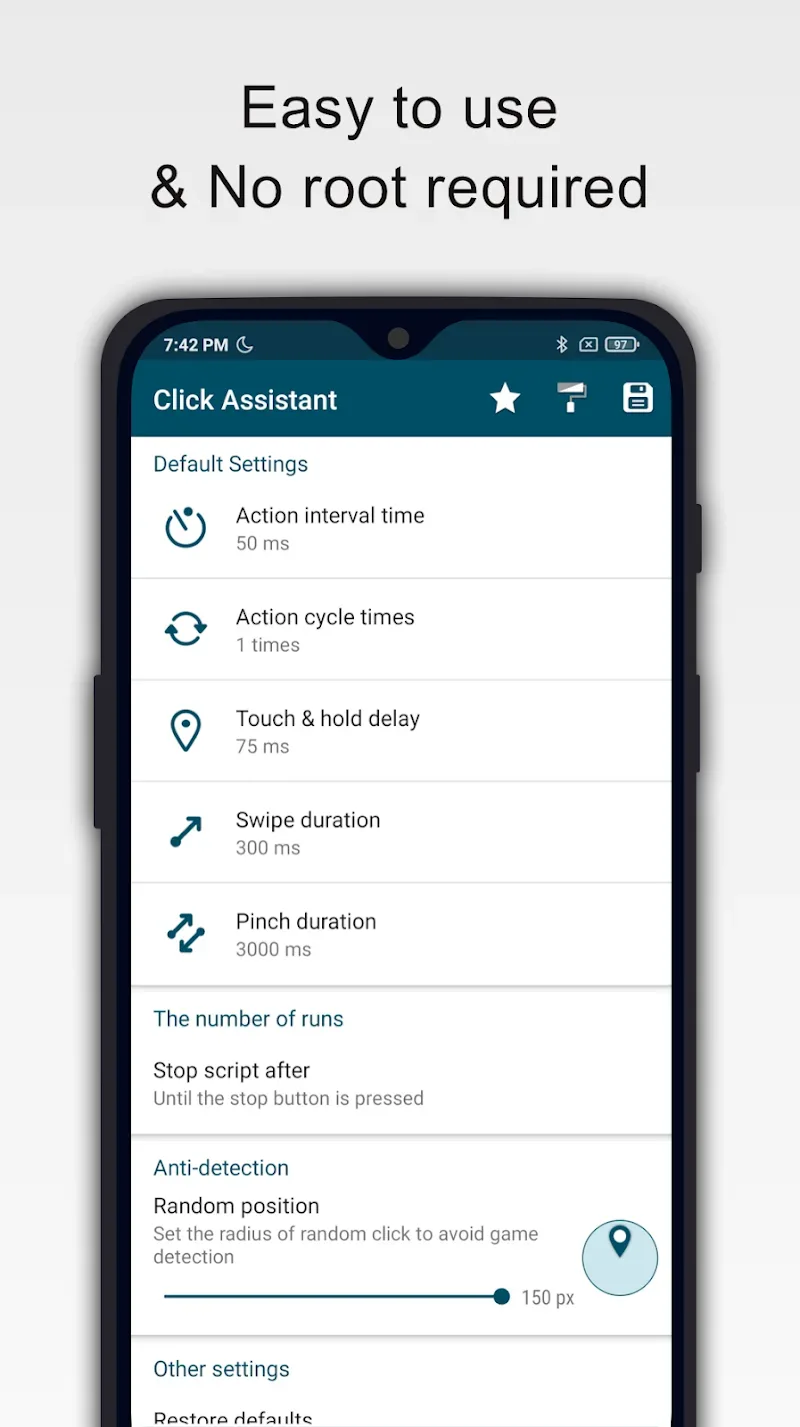
✓ Separately set the parameters of the clicks, such as delay, touch duration and number of repetitions
✓ It can save/load scripts
✓ Countdown timer
✓ No Root
Features:
Multi touch gestures and curve swipes
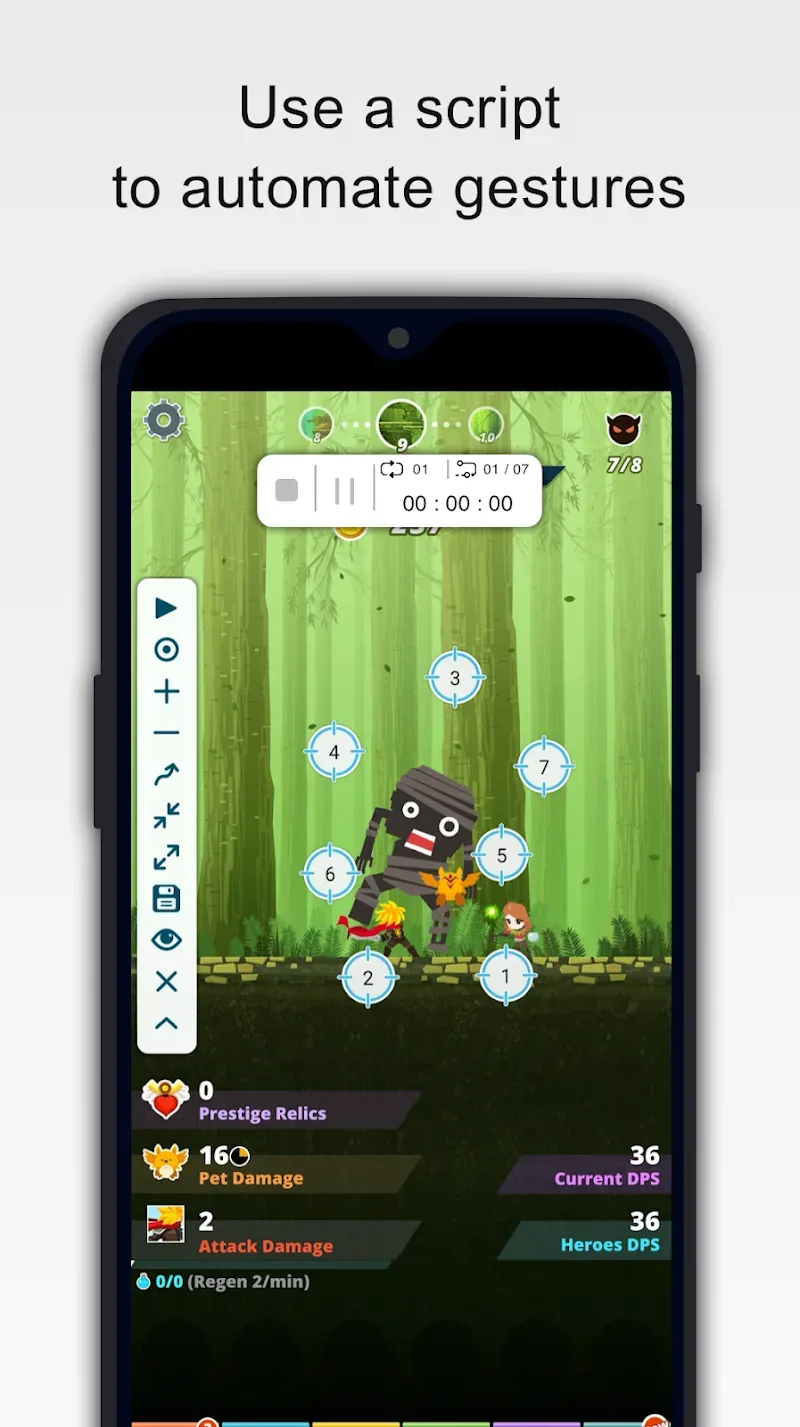
Auto Clicker : Click Assistant supports taps, curve swipes, and two finger pinch or spread. You can set several touch points to simulate complex interactions on the screen.
Gesture recording and playback control
Next, you can record your gestures once, then play them back when needed. During playback you can stop, pause, or resume from the on screen panel. A countdown timer helps you prepare before scripts start.
Timing, duration, and repeats
Also, set per action parameters to match your task. You can adjust delay between actions, touch duration, and the number of repetitions to control script speed and length.
Interface options, storage, and requirements
Finally, personalize the interface by changing the size and opacity of controls for better visibility. Save and load scripts to reuse them later without reconfiguring. The app does not require root. It uses the Accessibility Services API to perform clicks and swipes, and on Android 12 or later the accessibility permission must be granted.
Tips for Users:
Multi-touch gestures are a significant aspect of Auto Clicker: Click Assistant. The app allows users to perform actions using one or more fingers, including tapping, swiping, pinching, or spreading fingers. This capability enhances the app's functionality, offering a range of gestures that can be recorded and executed as needed. Recording gestures is straightforward, enabling users to capture their movements and replay them at any time.
An innovative feature of this application is its ability to perform curve swipes and two-finger zoom gestures. These advanced gestures broaden the range of tasks that can be automated, catering to more complex interactions within apps. Users can personalize their experience by adjusting the size and opacity of the operating interface, ensuring it meets their preferences.
Parameters of the clicks can be customized to fit specific needs. Users can set delays, touch durations, and the number of repetitions for each click action. This level of detail ensures that the automation process is tailored to individual requirements, whether for gaming, data entry, or other repetitive tasks.
The app includes a countdown timer, allowing users to prepare before automation begins. This feature can be particularly helpful when timing is crucial for certain tasks. Additionally, scripts can be saved and loaded, making it easy to manage different automation configurations for various applications or scenarios.
Changelog:
Fixed minor issues and enhanced performance.
Added support for edge clicking.
Conclusion:
You can also create custom profiles to open them when necessary and avoid wasting time setting up your gestures all over again each time. Make unstoppable progress in your clickers and put an end to repetitive tasks thanks to the extensive customization and automation options offered by Click Assistant.