
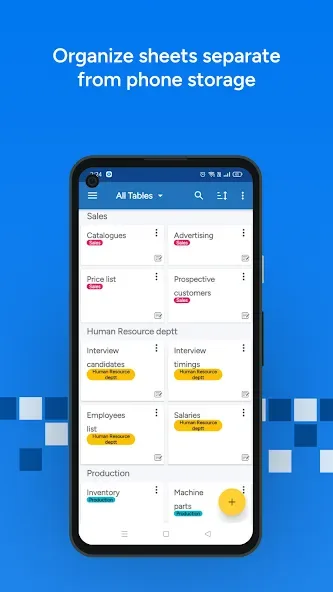
Table Notes - Mobile Excel is a fun and engaging office management application. Boasting powerful features designed specifically for data organization, it offers a convenient solution for professionals struggling with data chaos. With Table Notes - Mobile Excel, you can save various business records in an orderly fashion, finding the structure you need whether tracking expenses, managing teams, or maintaining inventory lists. The application uses a spreadsheet format, allowing you to easily enter and maintain various types of notes, enjoying well-organized information processing.
Highlights:
Users can also take advantage of drawing tools, enabling them to mark and annotate photos for clearer communications. The app integrates Google Maps for easy address entry, making it convenient for logistics and transport applications. With the ability to pull phone numbers directly from contacts, users can streamline their data entry process. Calendar pickers simplify the selection of date and time, enhancing the overall user experience.
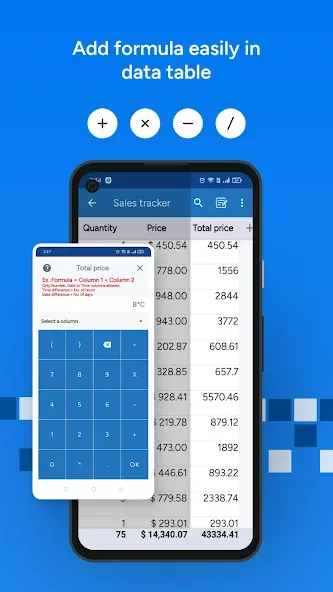
One of the practical tools within Table Notes is the dropdown list feature, which allows for quick selection from predefined options. Checkbox functionality enables users to change values effortlessly, making it suitable for tasks that involve tracking completion or preferences. Users can also implement various formulas to calculate numbers and time effectively within their spreadsheets, which adds a layer of functionality akin to traditional spreadsheet software.
Collaboration features are a significant aspect of Table Notes. The app allows users to add team members, customers, and suppliers to view and edit shared spreadsheets in real-time. This collaborative approach is beneficial for teams working on joint projects, where multiple users can input data simultaneously. It is important to note that only the admin is required to pay for additional collaborators beyond the first two, allowing for flexible team dynamics without excessive costs.
Perfect For:
Restaurant Owners: Waiters take orders that update instantly in the kitchen.
Doctors: Maintain patient databases and reports.
Freelancers: Track projects and expenses.
Everyone: From students making timetables to taxi drivers logging trips.

Features:
Organized spreadsheet format for notes
Quick entries from Home screen shortcut, Google Now search app, or Clipboard
Voice recognition for minimal typing
Add reminders and export notes to excel and PDF
Graphs analysis and sharing via social media platforms
Math operations, sorting, and filtering for efficient management
Tips and Tricks:
Explore Templates: Start by exploring the sample templates provided in Table Notes to find one that fits your needs or modify them to create your own custom format.
Utilize Reminders: Set alarms for important tasks or events to stay organized and on track with your schedule.
Try Graphs Analysis: Use the graphs feature to visually analyze your data and track your progress over time, whether it's your expenses, fitness records, or comparison charts.
Conclusion:
Table Notes - Mobile Excel is free for up to ten tables, with cloud server backup included, ensuring you have the necessary tools to efficiently manage your spreadsheets while on the move. For additional guidance, resources such as tutorial videos and social media support are available to enhance the user experience.