

Winlator is a user-friendly game emulator that allows users to enjoy various PC games on their mobile devices by simulating the Windows environment. By customizing configuration files for each game, users can adjust graphics quality, input methods, key layouts, and other settings to their liking, resulting in a comfortable gaming experience without affecting the settings of other games. The software also includes built-in testing tools to help users test graphics quality and compatibility, ensuring a smooth and stable gaming environment.
Click to load YouTube / 点击加载视频
YouTube ↗Features of Winlator:
Run Windows x86/x64 Applications: With Winlator, you can run most Windows desktop applications that you would typically use on a PC, such as productivity software, utility apps, and more. It brings Windows functionality to Android without needing a PC. Some popular types of applications you can use include:Office suites like Microsoft Word and Excel,Design software like Photoshop or GIMP,Development tools such as Visual Studio.
Play PC Games on Android: For gamers, Winlator offers a fantastic opportunity to run PC games on Android. Older games, in particular, are well supported, but newer ones may not be as optimized due to hardware limitations. With Winlator, you can enjoy popular titles like Fallout 3, Deus Ex, and The Elder Scrolls: Oblivion on your phone or tablet.
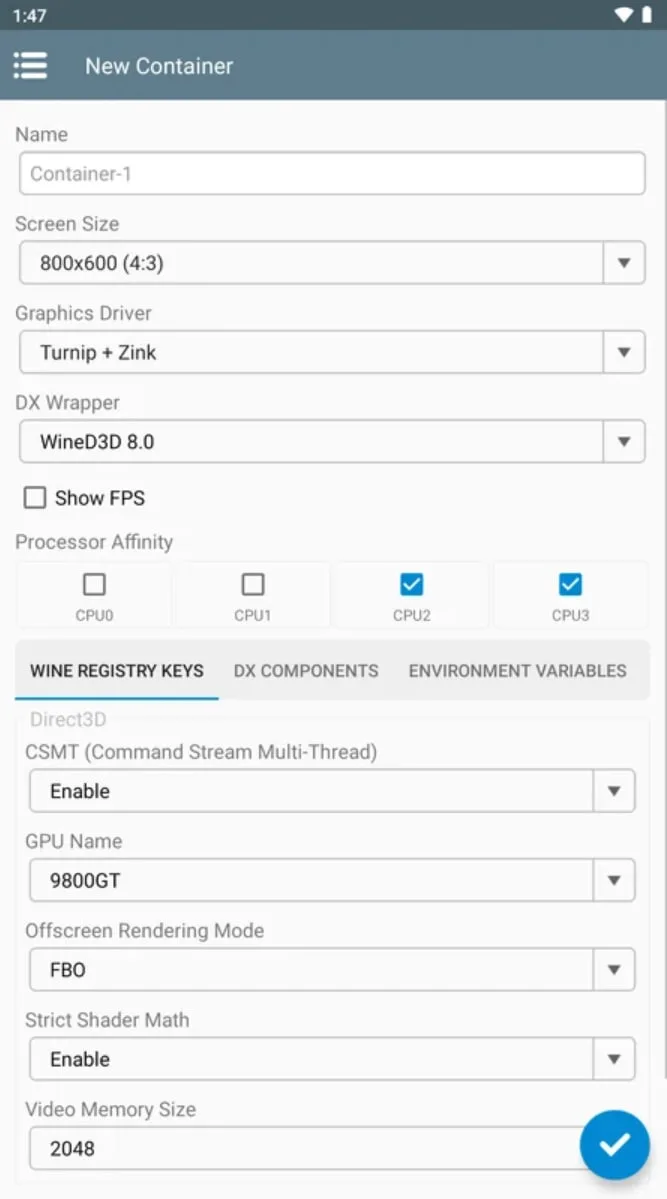
Configurable Performance: Winlator gives users complete control over the performance of each app or game. You can adjust graphics settings, resolution, and even CPU performance to achieve the optimal experience for your device. By tweaking these settings, you can improve the frame rate, graphic quality, and overall user experience.
Offline App Usage: Once Winlator is installed and set up, you can use it offline. This means that you don’t need to stay connected to the internet to run Windows applications or games, making it an ideal solution for mobile gaming or using essential software while on the go.
Highlights of Winlator:
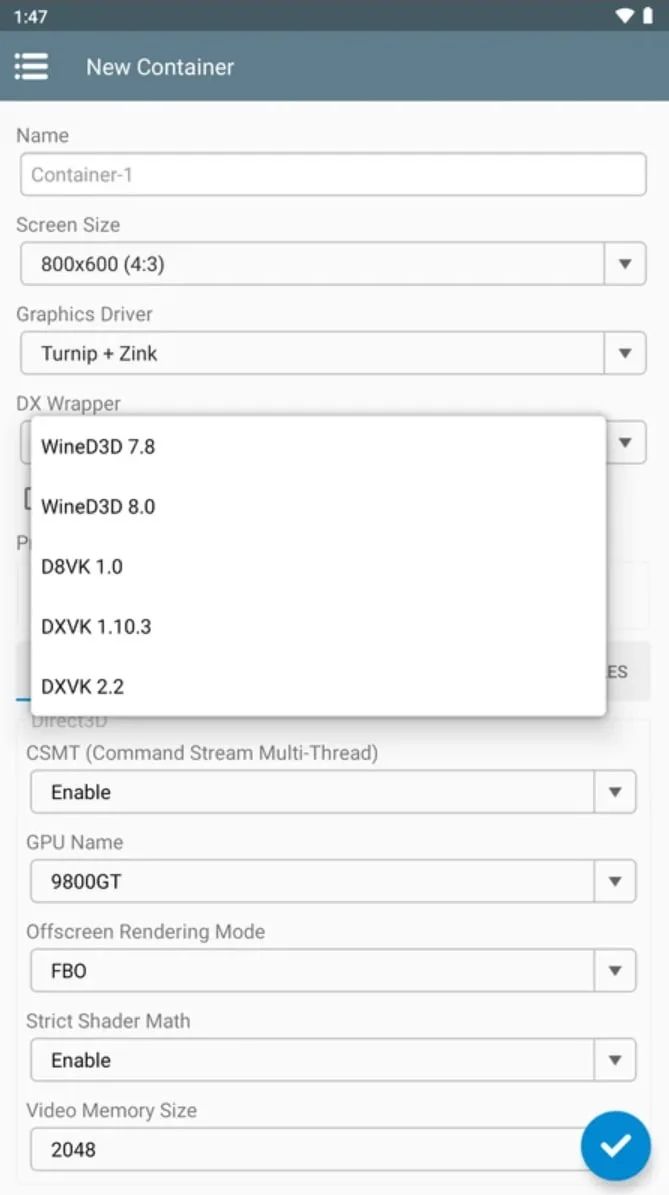
Advanced Graphics Rendering: With integrated DXVK support, the app translates DirectX 9/10/11 calls to the Vulkan API, ensuring smooth frame rates and high-fidelity visuals for your favorite PC titles.
Broad Software Compatibility: From legacy Windows XP environments to Windows 7 standards, you can run everything from Microsoft Office 2010 to design tools like Adobe Photoshop CS6 and Paint.NET.
Customizable Input Controls: Tailor your gaming experience with intuitive on-screen touch controls or connect external keyboards, mice, and gamepads for a true desktop-like feel.
Container Management: Create and manage multiple virtual environments with specific settings for resolution, drivers (Turnip, Zink, VirGL), and wine versions to ensure every app runs perfectly.
Optimized Resource Allocation: Designed to be efficient, Winlator manages your device’s CPU and GPU resources to provide a high-performance experience without unnecessary battery drain.
User Reviews of Winlator:
Hello everyone, in this post I wanted to share my general experience with Winlator.
The possibility that this application gives us to play PC games on Android is incredible, so overall I have to say that I am very happy. First of all, I want to clarify that my device is the Odin 2 Max, Snapdragon 8 Gen 2, Adreno 740, with 16GB RAM, which for those who don't know it is a beast when it comes to emulation. At the moment, all the emulators that you put in it run perfectly, if not at a fairly high level (those who have one already know what I mean).
BUT, from day one I have had this problem with the emulator, and it is a detail for those who don't know about the Odin 2 is that it comes with a built-in Xbox 360 gamepad and Winlator doesn't recognize it (yes, I know that in Odin you can always assign virtual buttons to the controller, but it's not the same). In fact, the first version I installed was number six and it worked on the first try, but (silly me) I uninstalled it (I don't remember why) and when I reinstalled it it stopped recognizing the controller and since then no other version has recognized it again, neither version seven nor eight nor the Glibc version nor the Frost, there's no way.
Or so I thought. The big problem with winlator is that we already know that depending on the version you have, there are games that will work and games that won't, so in my eagerness to find a way to have several versions of the same application at the same time I came to the possibility of cloning them (it's true that there are bench versions, but you can't find them in the different winlators). That's a whole other world, but oh surprise, it turns out that the original versions don't recognize the controller but the cloned versions do. So for now this is the solution I've found, except with the Glibc version. I can clone it, it recognizes my gamepad, but when I try to start a container it doesn't do anything, it keeps loading, loading, loading...
Even so, I'm amazed by this application and every time a new version comes out I go for it excitedly to see what improvements it incorporates, and I'm extremely grateful to the developers for offering us this incredible emulator.
FAQs of Winlator:
Can Winlator run Steam or Unity games?
Steam requires command-line tweaks for older versions. For Unity games, set Box86/Box64 presets to “Stability” to avoid crashes.
Games crash or won’t launch. What should I do?
Check file integrity, update Winlator, or try modified builds. For persistent issues:Run games from C: or Z: drives.Disable “services.exe” in container settings.
Why is text displayed as squares (口口口)?
Install Chinese/Japanese fonts (e.g., wqy-microhei or otf-ipafont) into Z:/usr/share/fonts and set LC_ALL=zh_CN.utf8 in environment variables.
How do I add custom controls or gamepad support?
Use the RTS Keyboard plugin for touch controls or connect Xbox/PS5 controllers via OTG. Remap buttons under “Input Control” settings.
Can I run old DirectDraw games?
Use CNC DDraw or WineD3D for compatibility, though performance may lag. For DirectX 8 titles, D8VK offers better speed.
Summary:
Winlator allows you to run PC games like Fallout 3, Deus Ex: Human Revolution, Mass Effect 2, and The Elder Scrolls IV: Oblivion, as well as other titles and programs. The performance of the games depends on the device you're using, since the games will run more smoothly with a more powerful processor.








