

Hola Browser is an excellent, private browser application. It boasts powerful features, offering personalized news recommendations, a free video downloader, an ad blocker, and a fast webpage scanner, effectively helping users save data and protect their privacy. With Hola Browser, users can say goodbye to annoying ads, eliminate distractions while browsing the web, and enjoy a smooth browsing experience. The application also provides an incognito mode, allowing you to browse various websites without leaving any trace, thus enabling a safe and enjoyable exploration of the internet.
Click to load YouTube / 点击加载视频
YouTube ↗Highlights:
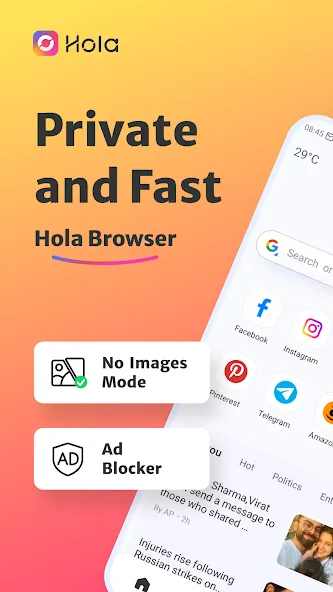
Ad Blocker: Enjoy seamless and ad-free browsing with the free ad blocker feature that eliminates annoying ads, safeguarding your privacy.
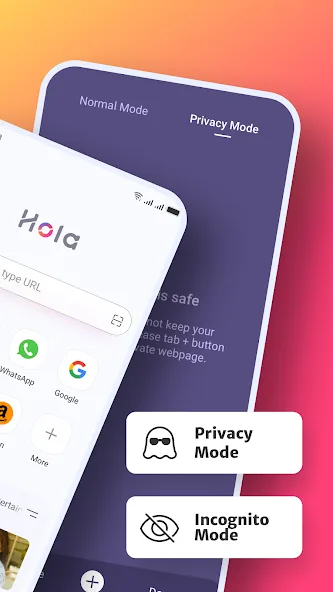
Incognito Mode: Maintain privacy and security with the incognito browsing mode, ensuring that your searches remain private.
Night Mode: Enhance your viewing experience in low-light settings with the dark web mode, reducing eye strain.
Video Downloader: Stream and save videos from popular websites and social media apps effortlessly while using the AdBlock functionality.
Features:
Simple Web Browsing
Search the web and open webpages through a clean and easy-to-use browser interface.
Private Browsing
Use private tabs without saving browsing history in Hola Browser. Private browsing manages local browsing records but does not make users anonymous to websites, network providers, or other online services.
Built-in Ad Blocker
Reduce intrusive ads and pop-ups on webpages opened inside Hola Browser. Blocking results may vary depending on the website.
Download Manager
Manage files that you choose to download through standard download options provided by webpages. View download progress and access downloaded files in one place. Download availability depends on the website.
Quick Web Search
Enable the optional notification-panel shortcut to access web search more quickly.
No Images Mode
Choose to hide webpage images, which may reduce image-related mobile data usage.
Bookmark Management
Save and organize webpages for convenient access later.
Night Mode
Adjust the browser display for a more comfortable browsing experience in low-light environments.
Personalized News
Follow topics that interest you and browse news recommendations from the Hola Browser home page.
Tips and Tricks:
Enable Quick Web Search: By enabling quick web search in the notification panel settings, you can search and browse the web directly and securely, saving you time and enhancing your browsing experience.
Utilize No Images Mode: Save mobile data and money by using the No Images mode in Hola Browser-Private&Fast web, ensuring a faster and more efficient browsing experience while maintaining your privacy.
Organize Bookmarks: Take advantage of Hola Browser-Private&Fast web’s bookmark management feature to customize and fast-track your access to favorite web pages with just one tap, making your browsing experience more personalized and efficient.
FAQs:
How do I turn on incognito mode on Hola Browser?
To turn on incognito mode, open the 'Me' tab in the browser and click on the 'Incognito' button to enable private browsing.
How do I use the video downloader feature?
Simply search for the video you want to download, click on the download button below the video, and the video will be downloaded for offline viewing within the browser.
Why should I use the ad blocker on Hola Browser?
The ad blocker helps to improve loading speeds, reduce annoying ads, and enhance your overall browsing experience on Hola Browser.
Final Verdict:
Download the Hola Browser APK and discover one of the best browsers for Android. As usual, the app has all the usual features and tools of its kind: bookmark management, a dark mode, incognito browsing, history management, and so on. It also comes with a built-in ad blocker and download manager.








