

PC Remote is a remote control software that allows users to remotely control their computers. It supports screen sharing and webcam sharing, and features a virtual keyboard. It can remotely control not just one computer, but up to four simultaneously. It also enables fast file transfer and allows users to experience PC games and other applications on their Android devices. Furthermore, it facilitates remote work, enabling users to use their computers remotely when they are away from home or elsewhere. Security is guaranteed, employing AES encryption to ensure remote security.
Function
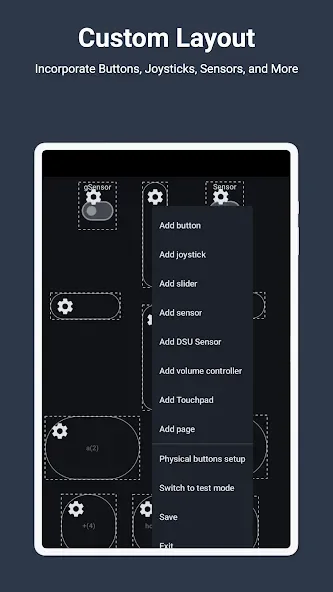
Enhanced Gaming: Immerse yourself in PC gaming with custom button layouts and onboard sensors. Tailor them to your preferences for an unbeatable gaming experience.
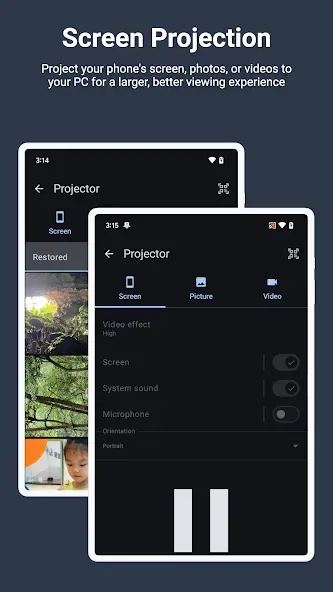
Real-time Screen and Camera Sharing: Share your PC screen and camera feed seamlessly with your smartphone. Experience your PC as if it's right in your hand.
Virtual Camera: Use your phone’s high-quality camera as a virtual webcam on your PC. Perfect for video calls, streaming, and online meetings with crystal-clear visuals.
Mouse and Keyboard Control: Use your phone as a wireless mouse and keyboard for your PC. Navigate, type, and control your computer effortlessly from anywhere.
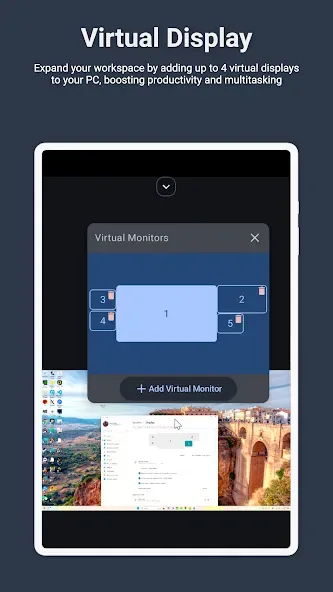
Multi-Display Capabilities: Expand your workspace by adding up to 4 virtual displays to your PC, boosting productivity and multitasking.
Digital Artistry: Turn your device into a graphics drawing tablet with support for pressure-sensitive stylus pens. Unleash your creativity in software like Adobe Photoshop.
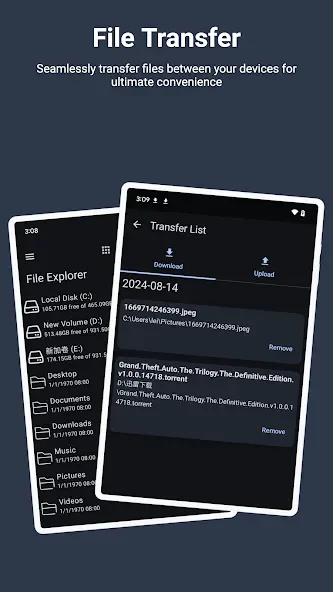
Effortless File Transfer: Seamlessly transfer files between your devices for ultimate convenience.
Top-Notch Security: Rest easy with our 256 Bit AES Session Encoding for secure remote network connections.
Advantages and disadvantages
Pros
Turns an Android phone into a keyboard, touchpad, gamepad, and general PC controller
Customizable layouts for games with motion based controls using the gyroscope and G-sensor
Screen mirroring and media sharing between phone and PC, plus utility shortcuts that can trigger batch files
Cons
Connection to the PC can drop repeatedly during use
Remote Desktop mode may fail, showing a black screen or closing while only audio plays
Highlights
Connect your mobile device to your PC
Outside of the gaming world, Monect PC Remote can be used to display your mobile device’s screen on your PC monitor to share with others. Whether it's photos, videos, or simply screen sharing, all files can be accessed with a secondary PC application designed to transmit data and multimedia between devices.
Makes full use of mobile sensors
When gaming, PC Remote continues to use your mobile device’s onboard sensors to provide the optimal user experience. In first-person shooters, the gyroscope sensor will help you aim, while the G-sensor in racing games ensures you can still tilt your phone to steer despite the stable image displayed on your PC monitor.
User comments
Help. After new update left right and scroll on trackpad doesn't work anymore. Edited - I changed it to five star after pretty fast response on email. And quick fix. I love this app so much. Amazingly convenient. I can see using this app for years and still be happy. Kudos to the creator and support. 2026 update - latest update makes this app the best app I ever used. I think I have been using this app for more than 3 years I think hehe. It's getting better and better over time. I love this app.
Best controller app I've ever used, best latency, every type of control, literally the best. But please add vibration feature with bluetooth connection too if you can.
The overall app is already good but it will be better if you guys add a plugin for tv controller support as gamepad also so we could play games there wireless without needing to buy a literal controller....pls
Summarize
PC Remote is an application that allows you to control your PC from your smartphone or tablet if you have them connected to the same local network. For this, you can use both Bluetooth and Wi-Fi connectivity.








