
YouTube Studio is an essential tool for YouTube. This application offers a convenient way for users to manage their YouTube channels anytime, anywhere, making the most of every second. With YouTube Studio, users can access all the essential functions with just a few taps, saving time and effort. Its built-in easy analytics allow you to understand the performance of your channel and videos at any time. You can also quickly filter and reply to comments, interact with viewers, answer their questions, and increase viewer engagement and loyalty.
Features:
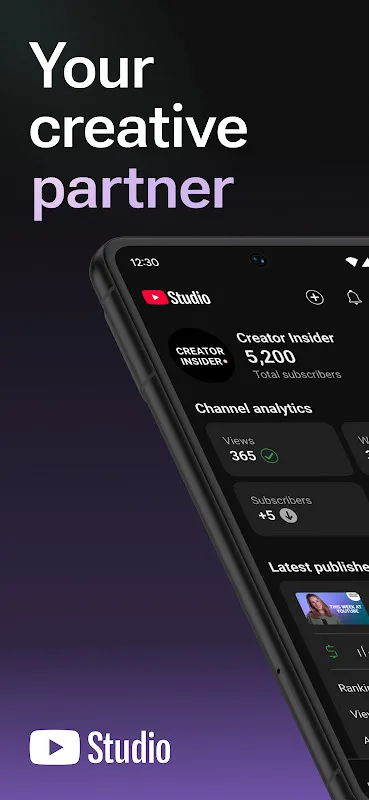
Channel Dashboard
YouTube Studio opens to a dashboard that highlights key metrics and recent activity. You get a quick view of what is trending on your channel, which helps you prioritize time. This snapshot keeps you informed without digging through multiple screens.
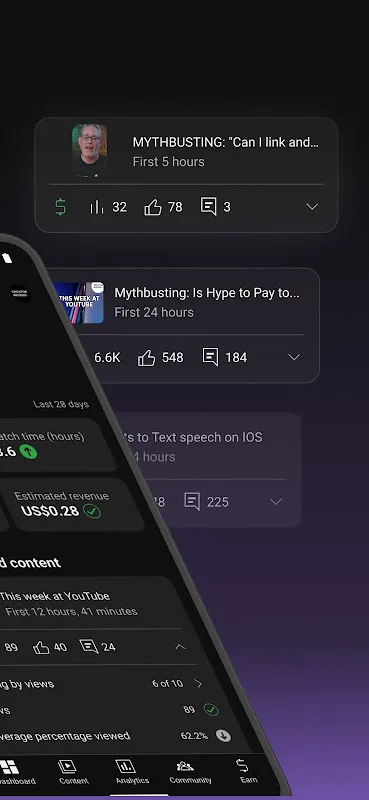
Detailed Analytics
Move from the overview into analytics to see performance for videos, Shorts, and live streams. YouTube Studio organizes data so you can understand what content is gaining traction. For deeper breakdowns and historical comparisons, some charts are available on desktop, so consider mobile for quick checks and desktop for advanced analysis.
Community Management
Comments are grouped with sort and filter options, making it easier to find conversations that need attention. You can reply, hide, or review comments in one place, which helps keep your community engaged. This workflow reduces the chance of missing important messages.
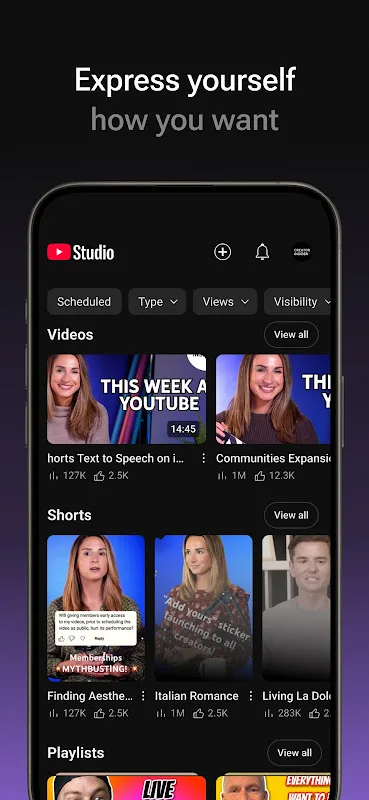
Content and Channel Management
Edit titles, descriptions, thumbnails, and visibility settings without leaving the app. You can also adjust the look and feel of your channel to keep information accurate and consistent. Many users request captions editing in the app; currently, that task is better handled in desktop Studio.
Monetization and policy checks
If you are ready to monetize, you can apply to the YouTube Partner Program directly in YouTube Studio. Before publishing, automatic checks screen uploads for potential copyright and monetization issues. These checks help reduce surprises after a video goes live and guide you to resolve flagged items.
Tips and Tricks:
Regularly check your analytics: Make it a habit to regularly monitor your channel and video performance using the app's analytics feature. This will help you understand what type of content resonates with your audience and make informed decisions on future content creation.
Engage with your audience: Take advantage of the ability to filter and respond to comments on the app. Engaging with your audience not only helps build a loyal following but also provides valuable feedback for improving your content.
Use notifications to stay on top of your channel: Enable notifications in the app settings to receive real-time updates on important activities. This will ensure that you never miss out on any opportunities or important interactions with your viewers.
FAQs:
Is the app free to download and use?
Yes, the app is free to download and use. Simply head to your app store, search for "YouTube Studio," and start managing your channels effortlessly.
Can I schedule videos to be uploaded at a specific time using the app?
Absolutely! The YouTube Studio app allows seamless video scheduling. You can set a specific date and time to ensure your content goes live when it's most convenient for your viewers.
Does the app provide insights into audience demographics?
Yes, the app's analytics feature provides detailed demographic information about your viewers. This includes age, gender, and geographic location, allowing you to tailor your content to better cater to your target audience.
Can I customize my video thumbnails using the app?
Yes, you have complete control over your video thumbnails. The app lets you upload custom thumbnail images, enabling you to create attractive and eye-catching visuals that entice viewers to click on your videos.
Changelog:
• A newly designed Dashboard that lets you see your most important performance data.
• Automatic checks will screen your video for any copyright violation or monetization issues before you upload.
• Apply for the YouTube Partner Program to grow your business.
Final Words:
Download YouTube Studio to get the most out of your YouTube channel. Thanks to this app, you can control your channel and make informed decisions using all the data about your videos and community. If you're considering making YouTube your business, this is the place to start.








