

MT Manager is a powerful file manager. This app offers a wealth of features, from file management to software modification and even application translation. It allows users to easily manage all the files on their phone. With MT Manager, you can modify software and APK files to customize applications to your liking. It also allows searching XML files, adding and deleting localized content, and performing batch operations for a smooth editing experience. Furthermore, the app includes a built-in FTP client, allowing you to transfer files directly between your phone and computer without installing any additional apps.
Click to load YouTube / 点击加载视频
YouTube ↗Highlights:
Free and focused on advanced APK editing
Editors for XML, ARSC, and DEX components
Can clone, re-sign, and adjust apps, including removing checks and adding translations
Helps remove unnecessary files from apps to reclaim storage space
Strong file manager with root support and access to system directories
Can remount file systems as read-write and modify permissions and ownership
Robust ZIP handling, including creating, extracting, and editing archives
Built-in text editor, image viewer, music player, and script execution
FTP access from the device for remote file management
Features:
File Management
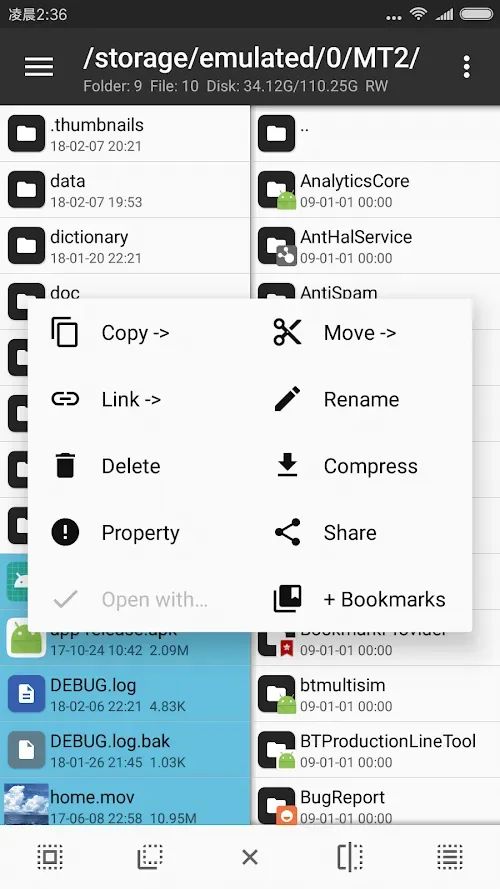
MT file Manager app is beyond a typical APK editor. We have a full featured file manager that takes care of all types of files on your Android device. You can copy, move, rename and delete files around with ease.
APK Editing
MT Manager APK stands out in that it has very powerful APK editing features. This is what I would call a developer’s dream. For instance, we can take a pre-made app and tailor it to our own design, or take out all of the restrictions found in other applications.
Text Editor
MT Manager features a built-in text editor which supports many programming languages. You can use it for changing out XML files, to edit config settings, or to work with JavaScript code; the text editor also includes syntax highlighting and a very user-friendly interface which makes editing simple.
Archive Management
Fed up of using separate programs to open ZIP, RAR, and TAR files? MT File Manager Original APK is what you are looking for. The app which does it all, extract, compress and manage your archives with ease.
Hex Editor
For which developers work with low level data MT Manager has a Hex Editor. This tool allows you to modify binary files, change in app values, and edit out of the box system settings. While this may not be for the beginner developer it is a must have for professionals that do in depth file modification.
Tips and Tricks:
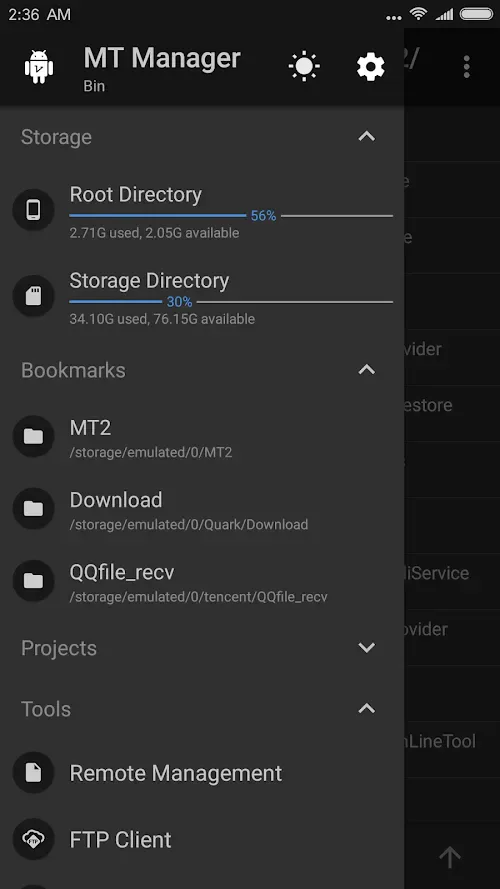
Take advantage of the customizable interface: Explore the different appearance options offered by MT Manager, such as Dark mode or layout tweaks, to enhance your comfort while using the app.
Utilize the advanced file management features: Discover and make the most of the advanced file management features offered by MT Manager, such as placing and creating specific shortcuts, to streamline your file organization.
Explore the program editor: If you're a coder, delve into the program editor provided by MT Manager to edit APK files with ease. Familiarize yourself with the convenient shortcuts and individual keyboards for a seamless editing experience.
Pros & Cons:
Pros
Various app editing tools
File management systems
Can open and unpack RAR and ZIP files
Text editor, picture viewer, and more
Cons
May be flagged as a hacking tool
Requires modding knowledge
Crashes when editing big app files
Final Words:
It should be noted that this tool is only recommended for advanced users, since any change made to an app can cause it to stop working and generate issues on the device. If are confident and sure of what you are doing, you can download the APK from MT Manager.








