

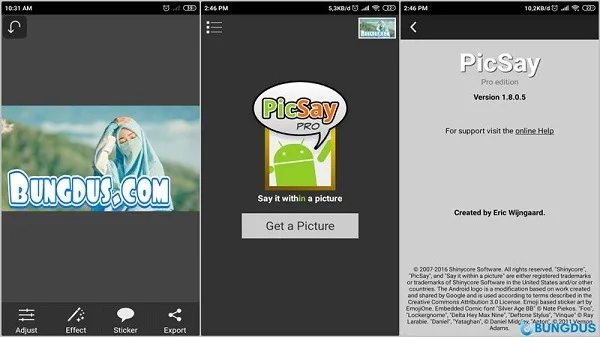
PicSay Pro is a comprehensive photo editing tool. This application offers powerful features, a clean and intuitive interface, and easy-to-use functionality, making it accessible to users of all skill levels. With PicSay Pro, users can crop, correct angles, add personalized text and watermarks, insert cutout elements to add a unique style, remove red-eye, and even perform creative processing such as distortion and deformation of images. At the same time, you can use a variety of special effects and tools to enhance your photos, such as adjusting colors, adding blur effects, and applying filters, to add a visually striking effect to your profile picture.
Highlights:
Tutorial Edit Photo Name Above Fire with mentahan picsay pro
How to make typography simple in android
Create Dispersion Effect in Picsay Pro
Create Blur Image with Picsay
Edit Fly Photos, Levitational Effects
Features:
Quick fixes and retouch
PicSay-Pro full provides essentials like crop, straighten, sharpen, red-eye removal, and basic cleanup for spots and dark circles. You can correct common issues first, then move on to creative steps with confidence.
Fun overlays and speech balloons
Add humorous speech balloons, stylized text, and graphic elements like stickers and props. This makes casual photos more expressive and helps captions stand out in stories and chats.
Creative effects library
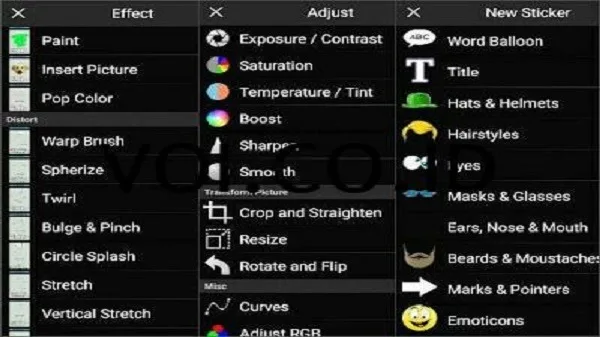
PicSay-Pro full includes classic effects for mood and style, such as retro color treatments, blur-based depth looks, pencil-style outlines, and selective desaturation. You can stack edits for a more tailored finish.
High-resolution support
When your device allows it, PicSay-Pro full edits up to 13 MP for sharper exports. This helps you keep detail for prints, screen wallpapers, and higher quality sharing.
Simple, accessible interface
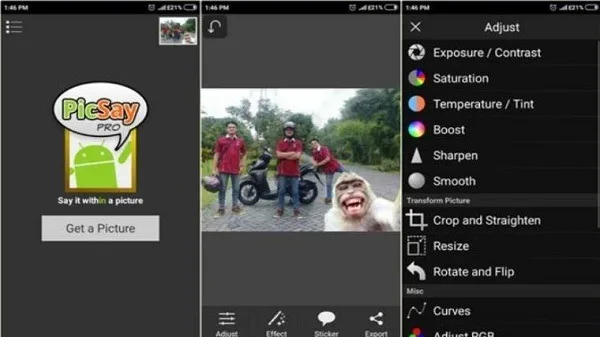
You pick an image resolution and start editing with clear, direct tools. The layout reduces steps, so you can get to a finished result without digging through menus.
Pros & Cons:
Pros
Very simple to operate
Wide range of imaging effects
Fun props and text effects
Fast and efficient
Small file size
Cons
No batch processing support
Potentially dated interface
Lacks advanced features
FAQs:
What is Picsay Pro used for?
Picsay Pro is used for editing photos on Android. It helps users crop, resize, add text, apply effects, fix small photo issues, and prepare images for sharing.
Who should use Picsay Pro?
Picsay Pro is useful for Android users who want simple photo edits for social media, profile pictures, memes, captions, school projects, or quick personal image fixes.
What are the main features of Picsay Pro APK?
Picsay Pro APK includes crop, resize, flip, text tools, stickers, effects, portrait touch-ups, color edits, and direct image saving or sharing options.
What are the limitations of Picsay Pro?
Picsay Pro is mainly built for casual editing. It may not suit users who need advanced tools like RAW editing, complex layers, detailed masking, or professional color work.
Conclusion:
PicSay Pro offers a straightforward and fun way to edit photos on your mobile, with easy tools for quick enhancements and playful additions like speech bubbles. Its simplicity and small size are convenient. However, you'll find it lacks batch processing, and its interface might feel a bit dated. Also, despite being "Pro," you'll encounter ads and need to pay a premium to unlock all features.








