
Gcam Nikita is a camera tool for Android devices. It features a precise portrait mode with more accurate edge detection. It also has a night vision mode for better low-light performance, astrophotography, and video stabilization with bokeh effects. It offers up to 60x zoom, enhanced HDR and dynamic range, and prevents overexposure of the sky and underexposure of shadows. Powered by robust AI enhancement technology, it's more powerful than typical camera functions, allowing for precise control of natural tones and colors.
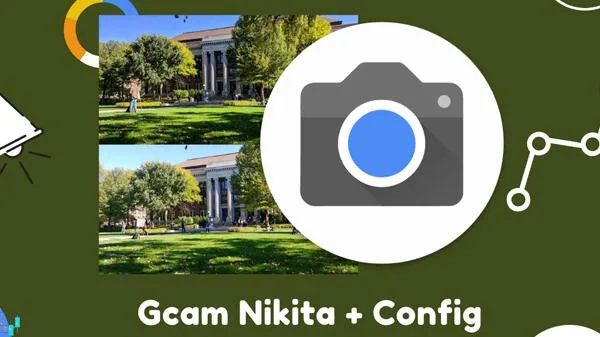
Features
Portrait Mode with better edge detection
Night Sight with better low light photography
Night Sight on Portrait mode
Astrophotography feature To find a good places to shoot in Astro mode, use the Light Pollution Map app
Video stabilization modes
Object portrait mode
Integrated Google photos and Google lens
Frequent faces
Supports up to a 60X zoom
4k 60 FPS video recording
RAW image capture
Highlights
Enhanced HDR & Dynamic Range: Captures details in the shadows and highlights, avoiding blown out skies or pitch-black shadows.
Better Color Accuracy and Natural Tone: Often more true-to-life colors vs stock apps which may over-saturate.
Astrophotography & Long Exposure: If supported on your device, astrophotography mode helps you take photos of the night sky with detail.
Advanced Features: RAW/RAW+ support, portrait mode with better edge detection, sometimes slow-motion / time lapse improvements.
Customization via XML Configs: You can load device-specific settings which optimize GCam Nikita for your phone’s sensor, ISP, etc.
Advantages and disadvantages
Pros
Offers powerful photography experience
Powered by computational photography and AI enhancements
Has Night Sight, Super Res Zoom, HDR+, and Astrophotography Mode
Cons
Exclusive to Pixel devices
Lacks manual controls
FAQS
What are the drawbacks of the Gcam Nikita app?
While Gcam Nikita is generally reliable, it occasionally experiences screen glitches, brief stutters, unresponsive shutter button, slow image processing and storage, and limited support for the photo booth feature. These issues are usually minor and vary depending on device compatibility.
Why do people use Gcam Nikita?
People use Gcam Nikita to achieve exceptional photo quality on non-Pixel phones thanks to its advanced AI processing, enhanced HDR, Night mode, and portrait effects. This app upgrades a regular camera to a professional-grade one without requiring any new hardware, delivering Pixel-level photo quality on any compatible Android device.
Does Gcam Nikita consume more battery than a regular camera?
Gcam Nikita's advanced processing capabilities do require more computing resources than most standard camera apps, which may lead to increased battery drain during extended shooting sessions. However, for everyday use, this difference is negligible.
Summarize
When we talk about smartphones and Google Camera, it opens up a more complex discussion than one might think. Whether you're talking about Xiaomi, Redmi, OPPO, Realme, or OnePlus, we've talked many times about how this app can significantly improve the quality of your shots. Just look at the results obtained, for example, on the Redmi Note 9S, but also on the POCO F1 and Redmi phones of recent years. However, what some people often don't consider is that simply installing any GCam port isn't enough, as it's an app originally created with Google Pixels in mind.








