

GLTools is an excellent game utility app. It offers a suite of tools that allow users to freely customize game rendering methods, control frame rates, and enjoy a smooth gaming experience. With GLTools, users can unlock FPS limits and set custom minimum and maximum frame rates for any game, ensuring smooth and stable performance. Additionally, the app features device information emulation, enabling you to easily modify core device details and parameters, thereby bypassing restrictions that certain online multiplayer games impose on specific device configurations.
Click to load YouTube / 点击加载视频
YouTube ↗Highlights:
Change the resolution and bit depth of an image in any game
Emulate any GPU
Do whatever you want with textures
Optimize Shaders
Enable anti-aliasing in any program
Measure the performance gain with the FPS counter
Features:
Advanced Graphics Settings Customization:
GLTools allows users to tweak various graphical parameters, such as resolution, texture quality, and anti-aliasing settings. With a user-friendly interface, users can easily adjust these settings to find the perfect balance between visual fidelity and performance.
Compatibility with Multiple GPUs:
The application is designed to work with a wide range of GPU architectures, making it compatible with most Android devices. This ensures that even those with older hardware can enjoy smoother graphics and enhanced performance.
Game-Specific Profiles:
GLTools features the ability to create and save custom profiles for individual games, so users can switch between settings based on the requirements of different titles. This flexibility allows for a tailored gaming experience, ensuring optimal performance and graphics quality.
Unique Features for Enhanced Performance:
With unique optimizations like ‘texture compression’ and ‘offscreen rendering,’ GLTools ensures smoother gameplay and improved frame rates, making it an invaluable toolkit for gamers looking to get the best out of their devices.
VRAM and RAM Management:
Users can modify the device's VRAM allocation to potentially reduce stuttering and enhance graphics loading times. This allows for a more cohesive experience, especially in demanding applications.
Built-in Game and App Launcher:
GLTools comes with a built-in launcher which can be used to start games and apps directly after customizing settings. This feature streamlines the process and allows users to quickly dive into their favorite titles with optimal performance adjustments applied.
Backup and Restore Functionality:
To ensure that users can experiment without worry, GLTools includes a backup and restore feature. Users are encouraged to save their original settings, allowing them to revert back if necessary.
FAQs:
Does the GLTools app require root access?
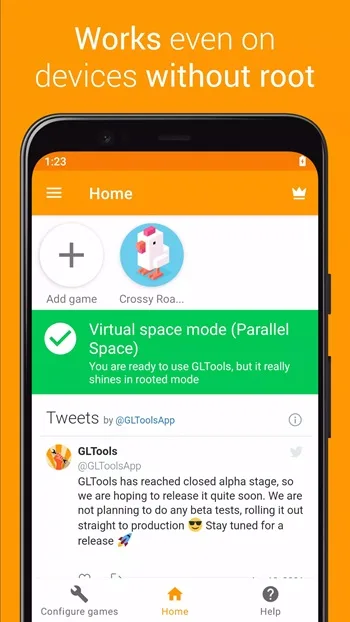
Yes. GLTools app works best with root access, but you can use it on non-rooted devices with limited functionality.
Can we use GLTools to improve PUBG Framerate?
Yes. You can tweak the graphics and CPU settings to increase the framerate while playing PUBG or any other online multiplayer game on your phone.
Is this app safe to use?
Yes. This app is completely safe to use when you know how to use it correctly. It should be used with caution as you will be tweaking system settings.
Final Words:
For those who know their way around technical bits and bobs and after taking proper precautions GLTools APK could turn out to be quite handy indeed, helping breathe new life into older devices, giving users control over aspects customarily locked away behind closed doors.








