
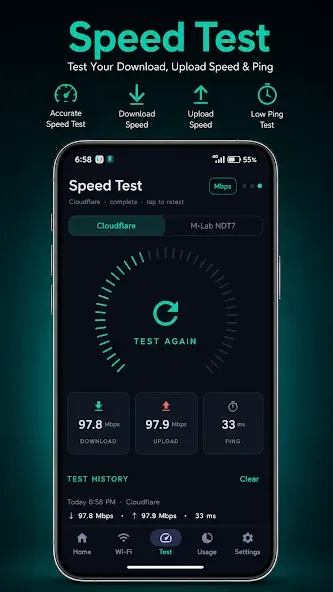
Internet Speed Meter is a tool for recording network speed. It displays real-time network speed and monitors the network, identifying which applications consume the most data, and can track Wi-Fi and mobile data separately. It generates detailed usage reports and daily/monthly usage records. It can intelligently remind and notify users, featuring a simple and minimalist notification style that saves space in the notification bar. It also optimizes for power saving. Furthermore, the software is small in size, minimizing memory consumption. The user interface is simple and easy for users to use quickly.
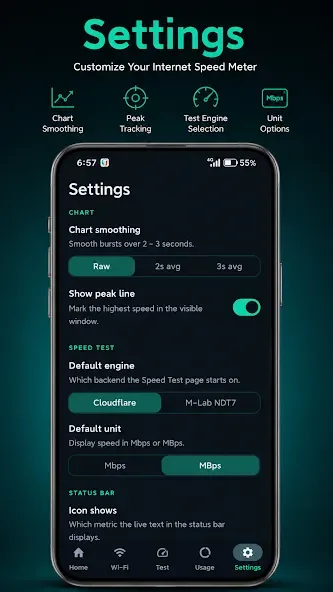
Features
Live Speed Display: View realtime internet speed directly in your status bar and notification panel.
PerApp Data Insights: Instantly identify which apps consume the most data.
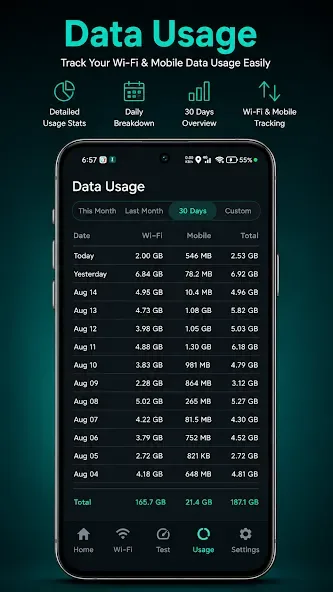
Separate WiFi & Mobile Tracking: Monitor your data usage separately for mobile and WiFi.
Detailed Usage Reports: Keeps precise daily and monthly data usage records for indepth analysis over time.
Smart Notifications: Notifications appear only when connected to the internet and autohide when the device is locked.
Compact Notification Style: Minimalist “tiny notification” design that saves space in the notification bar.
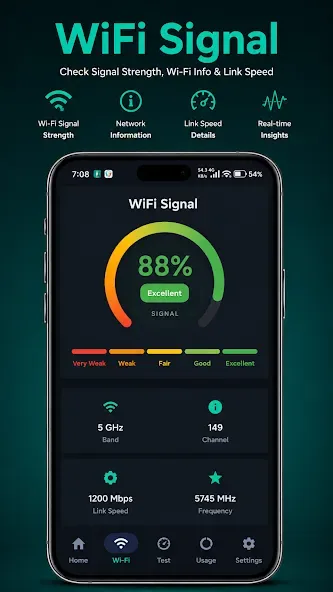
WiFi Details at a Glance: See your current WiFi name and signal strength (as a percentage) in the notification.
AutoStart Support: App launches automatically after device reboot or app update.
Battery & Memory Friendly: Optimized for performance without draining resources.
Advantages and disadvantages
Pros
Even the Lite version is adfree.
No need to even launch an appall your usage statistics are available in the status bar and notification panel.
See separate readouts for your WiFi and cellular data connections. The app is designed to minimize battery drain.
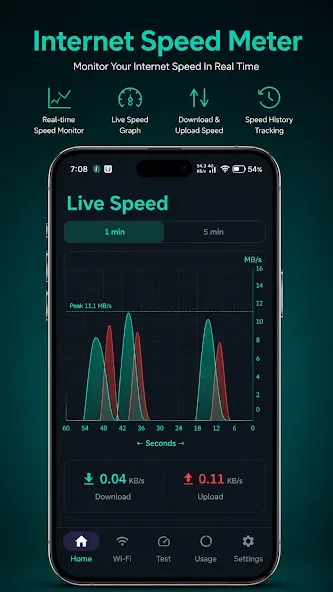
The full version displays a graph of your recent Internet activity and multiple statistics including current session time and usage.
Cons
The app has not seen an update in years.
The developer recommends that you avoid moving the app to an SD card.
Tips
You can manually select the color of user interface.
Adjust the dark theme freely
Option to show upload and download speed in separate notifications
User comments
It is small and simple, gives a number for upload and download speed on my Androud Notification screen. If I want that in context just click on that and it opens the App to show the graph of the last five minutes or one minute. This allows me to find the right table in the library for good internet and HotSpoting my laptop.
This is Still the best for me, after 2+ years of use. New phone I forgot the name of this meter, and I looked at so many that were really horrible I didn't like any, I found this one and it is so clear clean and accurate. Instant relief. Maybe it's because I got used to this app, but still accuracy is accuracy
excellent performance given by this app. its a very good & shows maximum accuracy, the problem of this App is that its does not show meter Speed in maximum Period, only shows in 7/8 days, after that meter speed automatically missing. plz do anything, for which live meter speed shows permanantly when we ON it. thanks Sir.
Summarize
Internet Speed Meter is an app that instantly tells you what your Internet speed is. It also displays a table with the amount of data being used at all times. This helps you control how you use your data plan, so you don't go over your limit before the end of the month.








