

SwiftKey Keyboard is a sophisticated keyboard app that enhances your typing experience. It features built-in stickers, GIFs, and emojis, alongside precise auto-correction and smart prediction capabilities, making communication more enjoyable and personalized. With SwiftKey Keyboard, users can enrich their chat experience with a wealth of stickers, GIFs, and emojis, making your conversations less awkward. Additionally, the app offers free themes and customization options, enabling you to choose from a wide range of designs and express your unique personality.
How to Uses:
Open the app after installation, then follow the prompts to enable SwiftKey Keyboard.
Set it as your default keyboard in the on-screen setup so it appears in all apps that use a keyboard.
Choose a theme, resize the keyboard if needed, and add the languages you plan to use.
Start typing in any app, try swipe or tap input, and open the Toolbar to access emojis, GIFs, stickers, and Clipboard.
Tap the Copilot icon in the Toolbar to ask a quick question, rewrite a message, compose a short reply, or search. To sync copying across phone and PC, turn on Cloud Clipboard and sign in as prompted.
Features:
Customize the SwiftKey Keyboard theme
As soon as you install SwiftKey Keyboard on your smartphone, you'll find many different options for customizing the app. For example, the tool features a wide range of free, downloadable themes to change the way your Android keyboard looks without resorting to other external apps. The tool also allows you to create your own designs for an even more unique keyboard configuration.
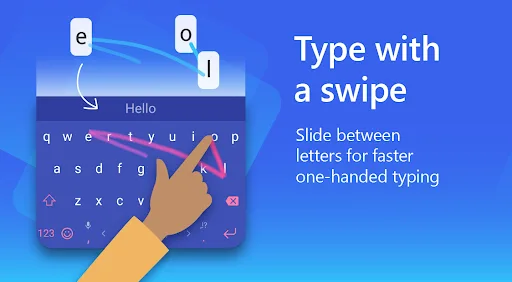
Swipe to type
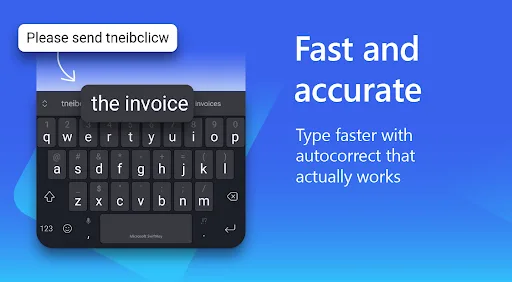
If you don't want to tap each letter every time you need to type something out on your phone, you can use the SwiftKey Keyboard SwiftKey Flow feature. This feature allows you to form words without tapping just by swiping your finger around on your smartphone screen. This helps you save a lot of time when generating each individual word or phrase as you type. In addition to this, the tool will always detect potential spelling mistakes, missing spaces, or typos and autocorrect them.
Multilingual support for a better experience
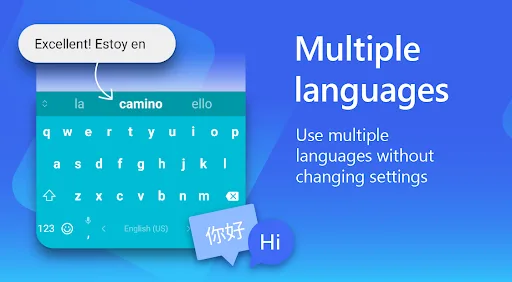
Another plus side to SwiftKey Keyboard is to do with the languages that you can enable (some even at the same time) every time you use the keyboard. Thanks to this, the app can detect words in any of the more than 400 supported languages without you needing to change the settings mid-typing.
Tips and Tricks:
Enable SwiftKey Flow: Utilize the swipe-to-type feature for faster and more fluid typing on the keyboard.
Use Emoji Suggestions: Let SwiftKey Keyboard suggest relevant emojis as you type, adding a fun and personalized touch to your messages.
Explore Themes and Customization: Take advantage of the customization options available to make the keyboard uniquely yours and enhance visual appeal.
Pros & Cons:
Pros
Personalized predictive text
Integrated copilot assistance
Extensive multilingual support
Cons
Increased system resource footprint
Conclusion:
SwiftKey Keyboard continues to set the standard by using AI to learn unique vocabulary and slang for highly accurate next-word suggestions. It provides in-keyboard tools for rewriting text, changing tone, and drafting long-form content, and allows for simultaneous typing in up to five languages from a library of over 700 options. Ultimately, its ability to learn and evolve with the user makes it an ideal resource for those seeking a more intelligent mobile typing experience.








