
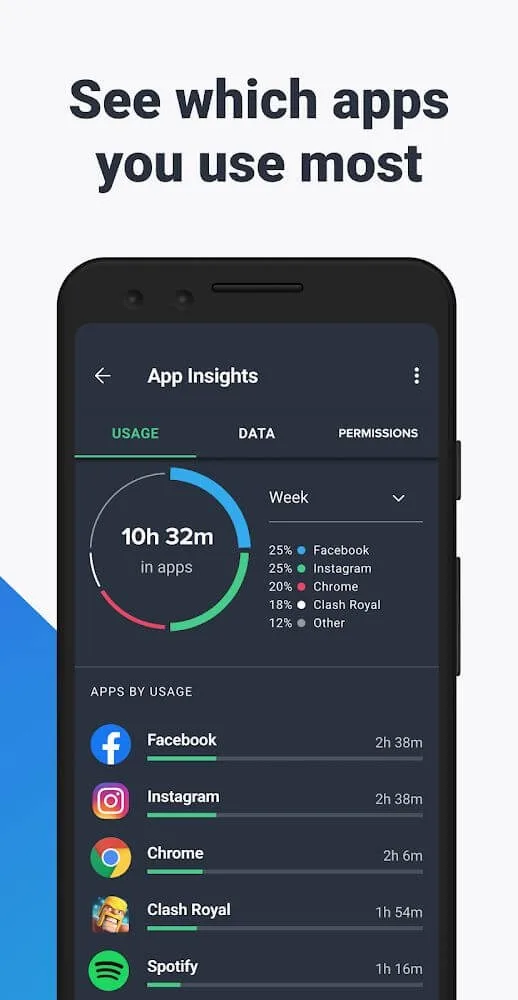
AVG Antivirus is a mobile security tool that helps users scan their device's storage in real-time to clear out duplicate and junk files, thereby freeing up space and boosting performance, while also detecting malicious software and viruses to enhance security. The app features encryption capabilities, allowing users to store sensitive information, photos, and videos in a secure vault for added protection, with real-time alerts issued in the event of password-related issues. Additionally, users can view the permissions required by various apps and games in real-time and manage them in batches by either granting or blocking access.
Click to load YouTube / 点击加载视频
YouTube ↗Features of AVG AntiVirus:
This app integrates a full pack of tools that offers us both security features for our device as well as improvements for our operating system’s performance, turning out to be a great alternative for software of the likes of CCleaner or Clean Master:
Antimalware protection: it analyzes apps, games, and files searching for malicious contents. It also offers protection against websites that could be a threat and a WiFi connection inspector that assesses the strength of passwords, encryption, and that prevents ARP Spoofing and Captive Portal actions.
Performance optimization: it includes tools to supervise battery consumption and saving, as well as to remove tasks and processes that slow down our phone. It also offers us options to monitor our data plan and optimize our internal and SD card storage space.
Antitheft: it comes along with functions to avoid the loss or theft of our device, protecting all the information stored on the latter. Thus, we can locate our device through Google Maps, block it and establish an on-screen message so that the locator can find the user, make it beep even if it’s in silent mode, or delete all the contents of our SD card and internal storage space.
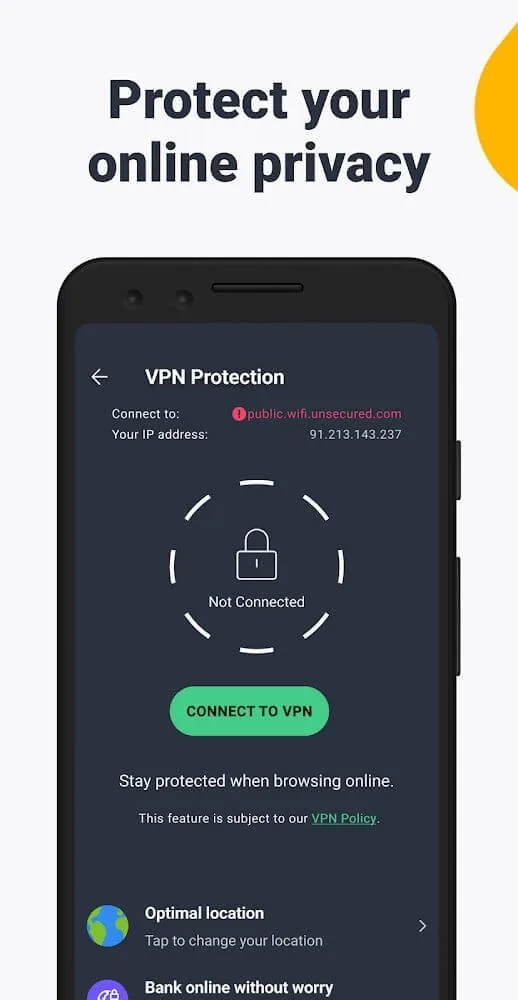
Privacy: it also offers different options to protect the user’s privacy, blocking access to the device’s different contents, such as video and photo galleries, multimedia files, applications, messages, and calls.
Highlights of AVG AntiVirus:
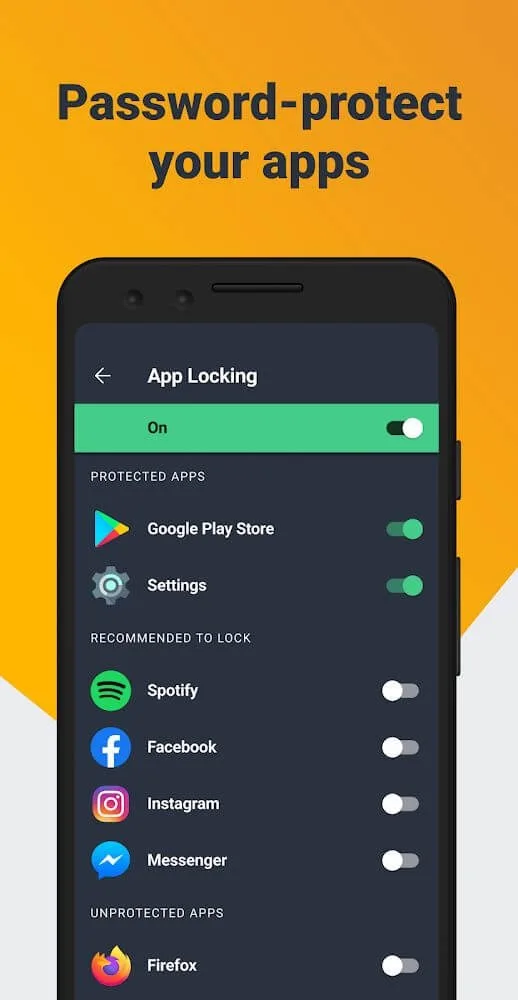
AVG AntiVirus will provide you with many different ways to lock applications, the most prominent and famous in using your fingerprints. Please put your fingerprint in and press to confirm it is your fingerprint. After completing this process, you need to place your fingerprint most straightforwardly each time you unlock it. Besides, you can also use the pin code as a password for your phone. In addition, you also know how to draw an unlock pattern. Each person will have different preferences, so they choose to unlock the screen is also very different.
When participating in using AVG AntiVirus users will be supported by locating their phone in a specific place. Through Google Maps, you will know where your phone is located, and this will make it easier for you to find your lost phones in a much simpler and more convenient way.
AVG AntiVirus will give you the ability to comfortably protect all of your websites and files most safely and effectively. All applications are scanned with anti-virus software, which has made users feel more secure every time they use it. Besides, this app also has Hack Alerts. With this feature, you will receive a notification if your phone’s password is compromised. Your essential information will be kept and preserved most carefully and safely. No one but you can simply freely access those files.
This application maker has brought users to admire the most beautiful and simple interface. The arrangement and layout distribution are shown very clearly and thoughtfully. Moreover, the colors in this application are also coordinated harmoniously, making many players excited and impressed. With primary usage, users have the right to use it according to their needs freely. Moreover, this application is also straightforward and intended for all different audiences.
User Review of AVG AntiVirus:
This antivirus is fast, constantly updating and effective. AVG actually saved me from an attack 3 weeks ago when I plugged in a new flash drive that I bought online which was infected. Totally saved me! I've been recommending AVG to friends and family for years and will continue to endorse them. Plus you will feel that this company actually cares about their mission to keep you safe.
I had a very brief conversation about my RMD. How I wished to receive the money etc. It was a brief interaction but positive and helpful. The young man from Edelman was polite and helpful.
I love all the AVG products I have. I get a little annoyed at VPN with the kill switch cutting off my internet. I chose to uncheck the kill switch because its a pain to deal with. Otherwise, I am enjoying AVG very much.
I feel that my PC is well protected. As soon as I start it up, AVG gets straight to work, indicating if any threats are present and how to deal with them. That is the most important thing for me.
As a retired computer consultant during the era of internet growth, selecting a reliable, trustworthy anti-virus software became essential. I've watched anti-virus programs rise and fall, some becoming a bigger threat than no anti-viral protection at all. With the Advent of AVG and over a decade of useage, I've learned to trust AVG over all the rest. It's the only anti-virus software I recommend to my clients, friends, and family..
FAQs of AVG AntiVirus:
How can I update Virus definitions?
AVG AntiVirus uses a database of known virus definitions to identify malware and other threats on your PC, so it is important to ensure virus definitions are regularly updated.By default, AVG AntiVirus updates virus definitions automatically. However, AVG AntiVirus cannot perform the update if you are offline. To manually check for available updates, click the refresh icon above Last updated in the bottom-left corner of the main application screen.
How can I specify what to do with detected threats?
Any threats detected during a scan are sent to Quarantine by default. After running a scan, you can access Quarantine from the results page. Quarantine is an isolated space where potentially dangerous files are safely stored. From Quarantine, you can also perform specific actions, such as sending suspicious files to AVG Threat Labs for analysis.
How can I send file logs to AVG AntiVirus Support about an issue?
You can use the AVG SysInfo Tool to send file logs to AVG Support for troubleshooting common issues.Go to Menu ▸ Settings ▸ General ▸ Troubleshooting and click Send logs.
What is Webcam Protection?
Webcam Protection, available in AVG AntiVirus, helps prevent applications and malware from accessing your PC's webcam without your consent. With Webcam Protection enabled, untrusted applications should not be able to capture images or videos, nor compromise your privacy by sending the content outside of your PC.
What is Sensitive Data Shield?
Sensitive Data Shield, available in AVG AntiVirus, scans and helps protect your sensitive personal documents against unauthorized access and malware. The files considered sensitive contain your personal information that, if revealed, can compromise your privacy and identity. Sensitive Data Shield controls which applications and users have access to your files to secure your private data.
Conclusion:
The big advantage of AVG AntiVirus over other antiviruses for Android is that it integrates with AVG Protection, a suite to stop threats to all of your devices. Through the AVG Zen panel you can control your Android devices remotely from a PC.It’s easy to use, efficient against malware, and includes features that are really useful for day-to-day use.








